Jinnoro
Guides · Students · 6 min read
Prepare a semester abroad
Break a semester abroad into paperwork, money, travel and courses, with a Waiting For list for the offices you depend on.
A semester abroad is exciting and full of paperwork: a visa, insurance, a learning agreement, housing, flights, money. Many of these depend on offices in two countries, and they are slow.
This guide builds a folder with four projects, and uses Office and Book labels plus Waiting For for the replies you are expecting.
Step 1
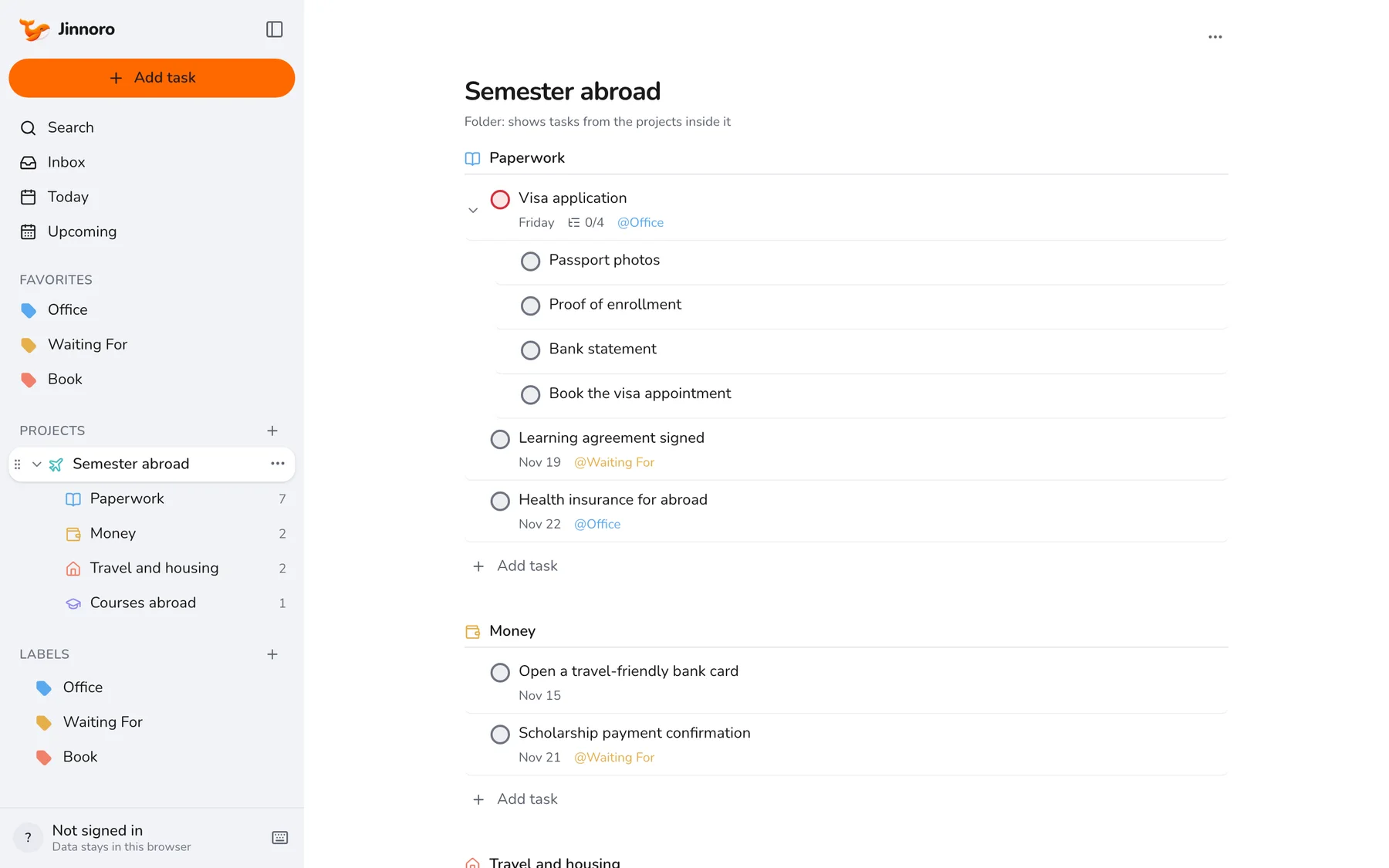
Create a folder with four projects
Make Semester abroad with the subprojects Paperwork, Money, Travel and housing and Courses abroad. Open the folder to see everything in one place, and a single project when you want to focus.
Step 2
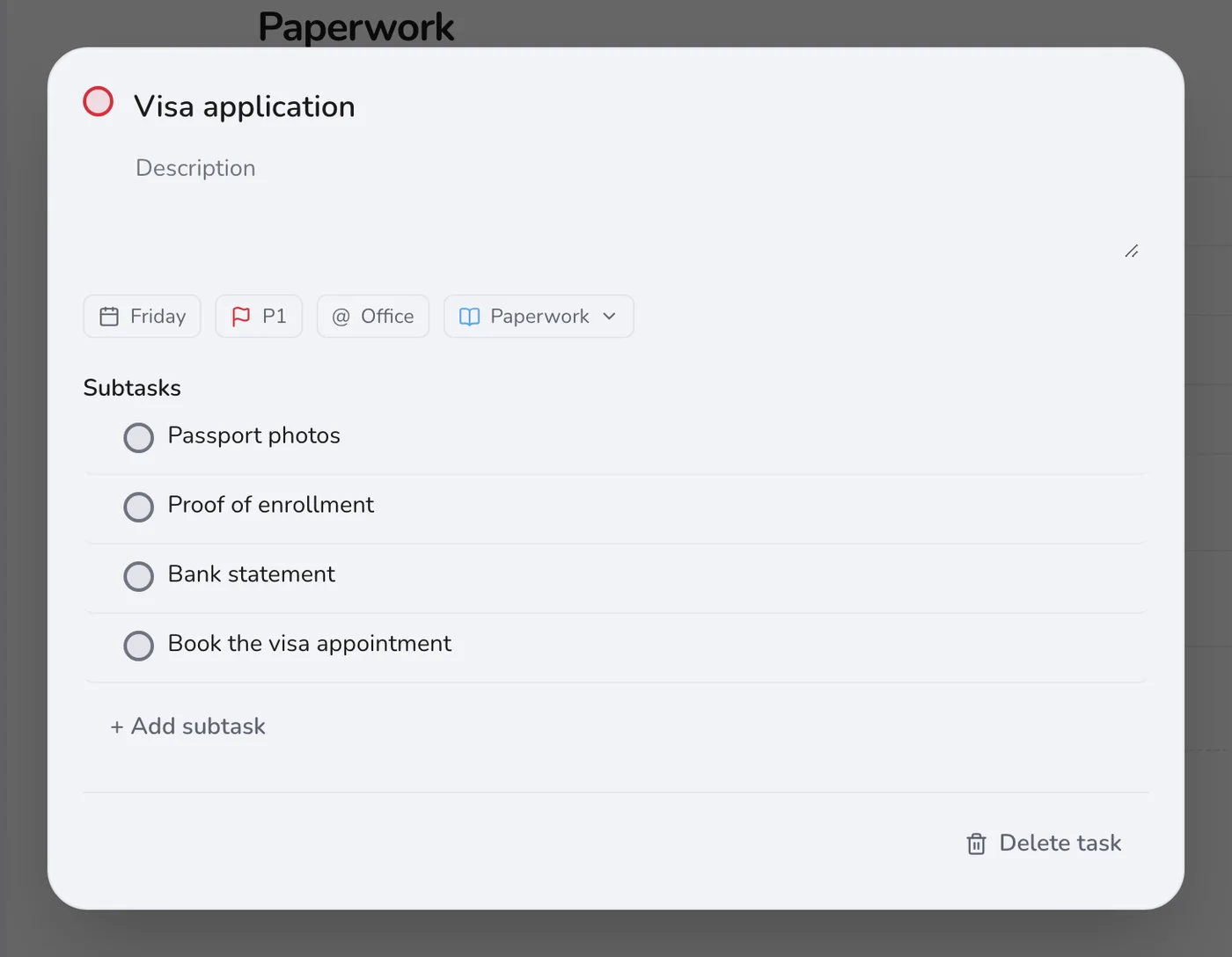
Break the visa into steps
A visa is the longest task on the list, so make it a task with subtasks: photos, proof of enrollment, bank statement, appointment. Set the main task's date a few weeks before the deadline, so a rejection leaves time to fix it.
Step 3
Track every reply you depend on
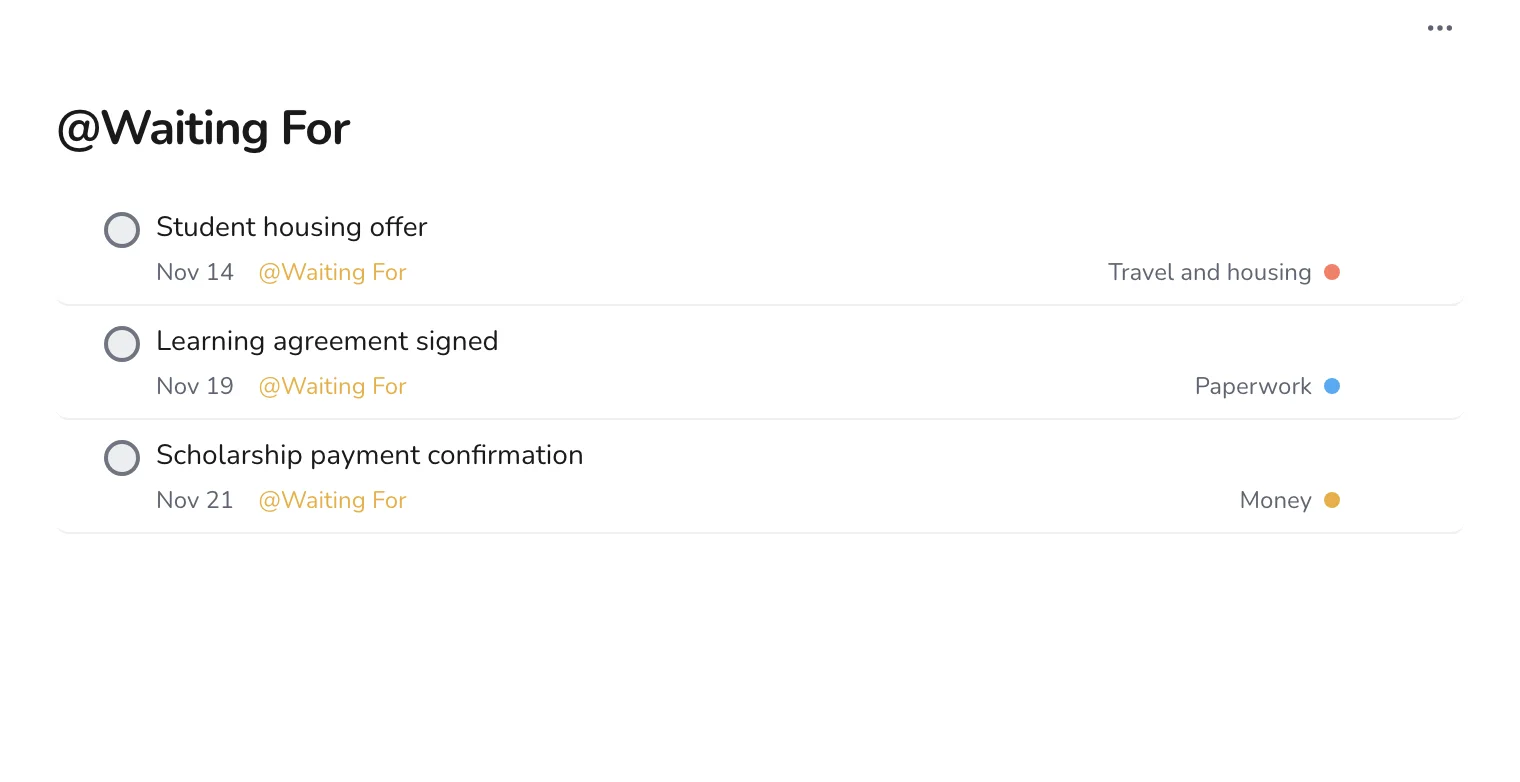
The learning agreement, the housing offer and the scholarship payment will all come from someone else. Mark them Waiting For and set a date to ask.
Step 4
Check the calendar each week
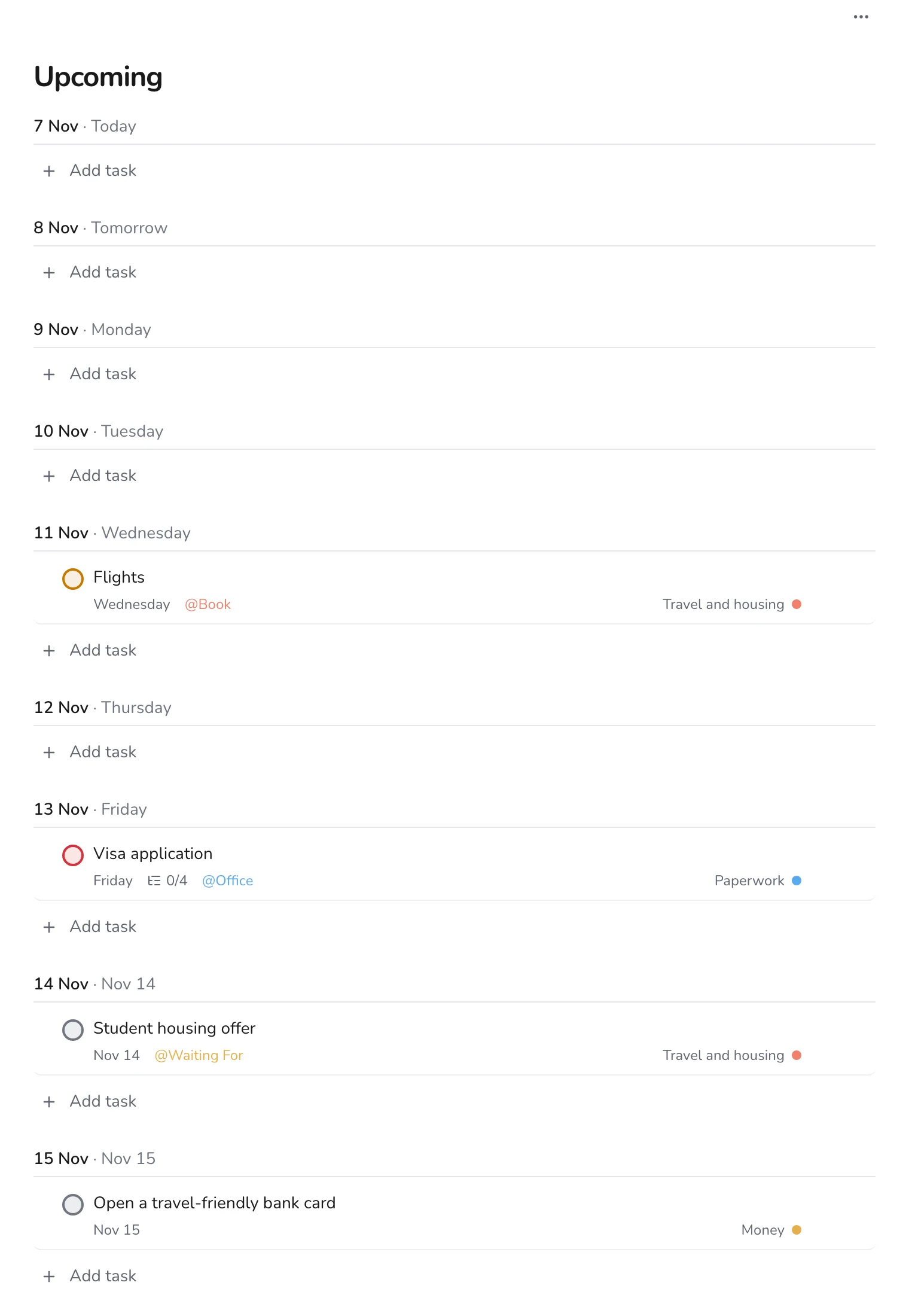
Upcoming shows which tasks fall in which week. Deadlines pile up in the last month, so it is worth moving some of them forward.
In the last week, make a packing list as a task with subtasks, and move any unfinished paperwork to the top. For travel planning in more detail, see planning a trip.