Jinnoro
Guides · Personal · 5 min read
Plan a trip with sections for before, during and after
Book, pack and plan each day of a trip in one project, with labels for booking and packing.
A good trip needs planning in four phases: booking, packing, planning the days, and sorting things out when you are back. If they all live in one project, nothing is forgotten and nothing is repeated.
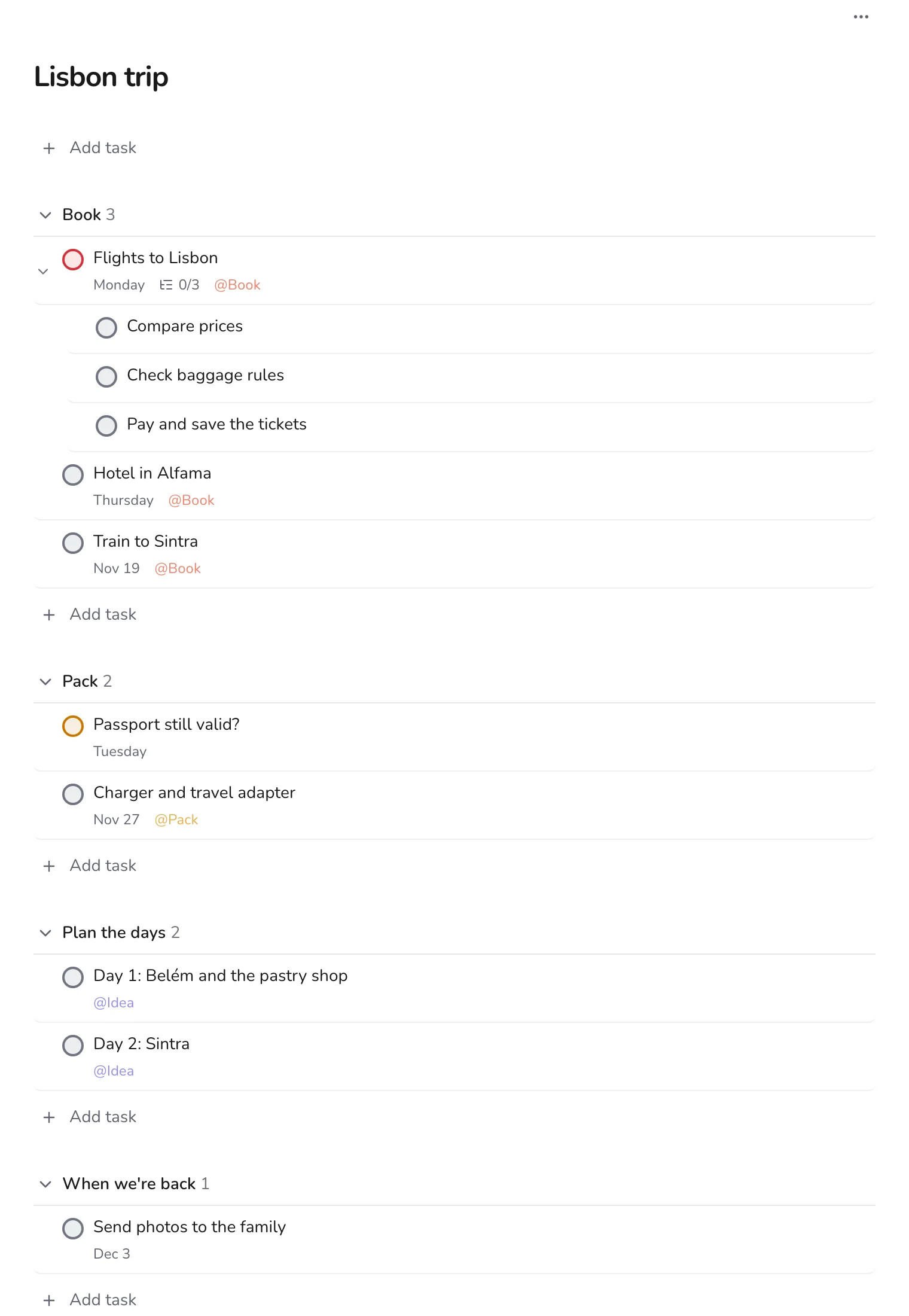
This guide uses one project with four sections, and labels Book, Pack and Idea.
Step 1
Make the project with four sections
Create a project for the trip, and add sections Book, Pack, Plan the days and When we're back. Add everything that comes to mind, then sort it by dragging.
Step 2
Book the big things first
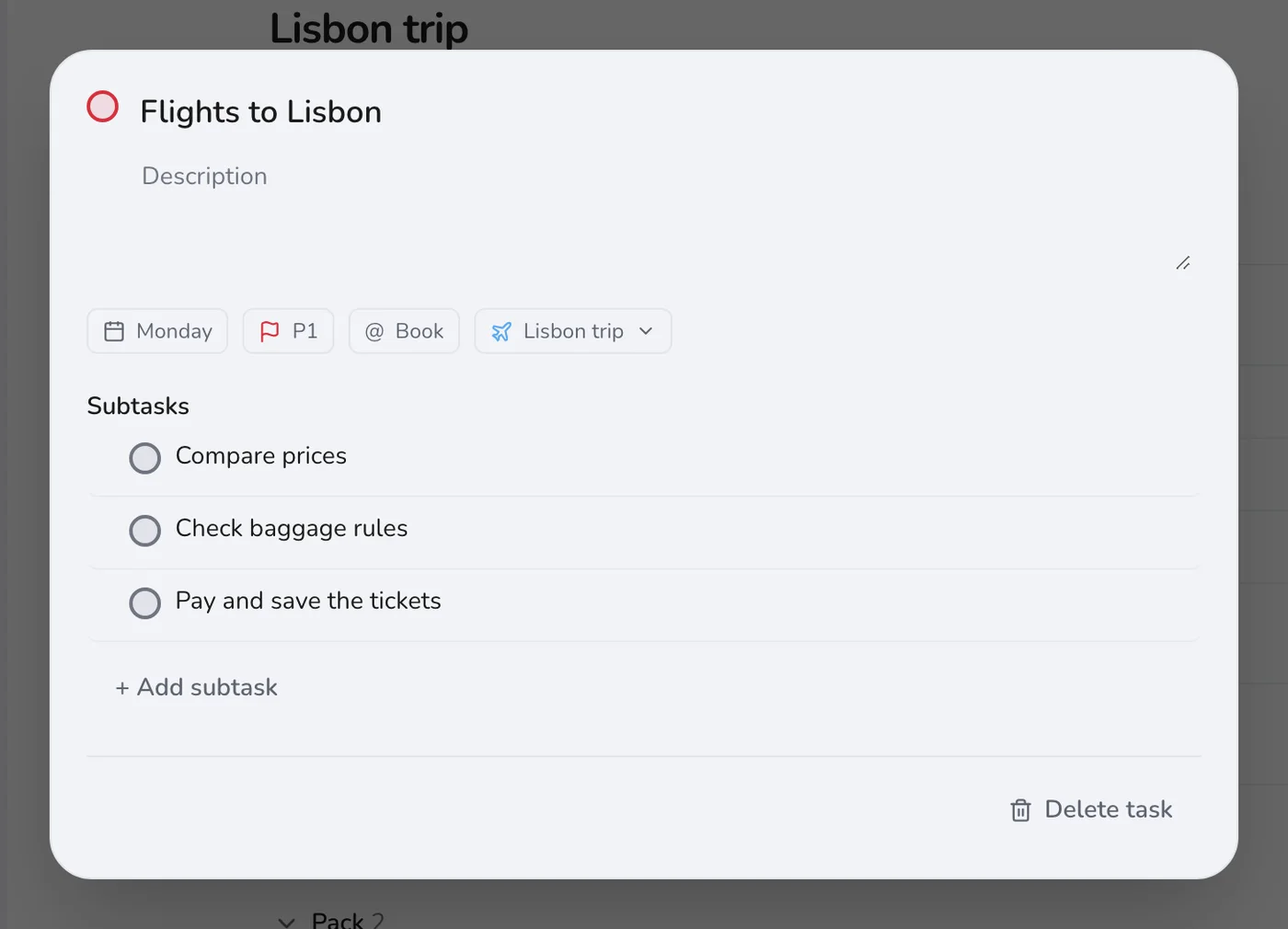
Flights, accommodation and trains come first, because prices rise. Add them with dates, and break the booking into subtasks if it has several parts, such as comparing prices, checking baggage rules, and paying.
Step 3
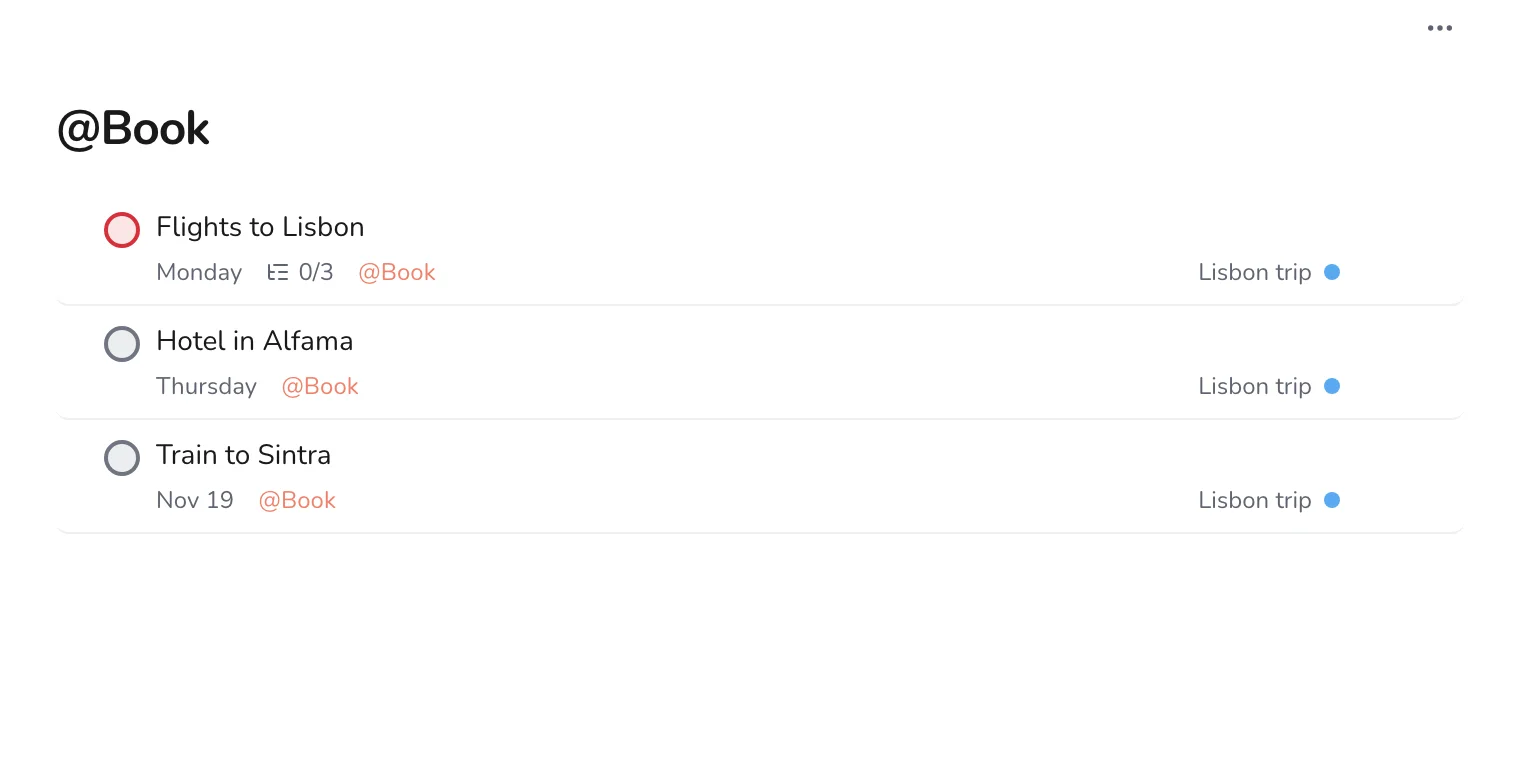
See everything you still need to book
Create a label called Book and put it on each booking task. Open the label to see them all, with their dates, in one place.
Step 4
Collect ideas without committing
Under Plan the days, add a task for each idea and give it the Idea label. You can reorder and date them later. For now, you only need somewhere to put them.
Step 5
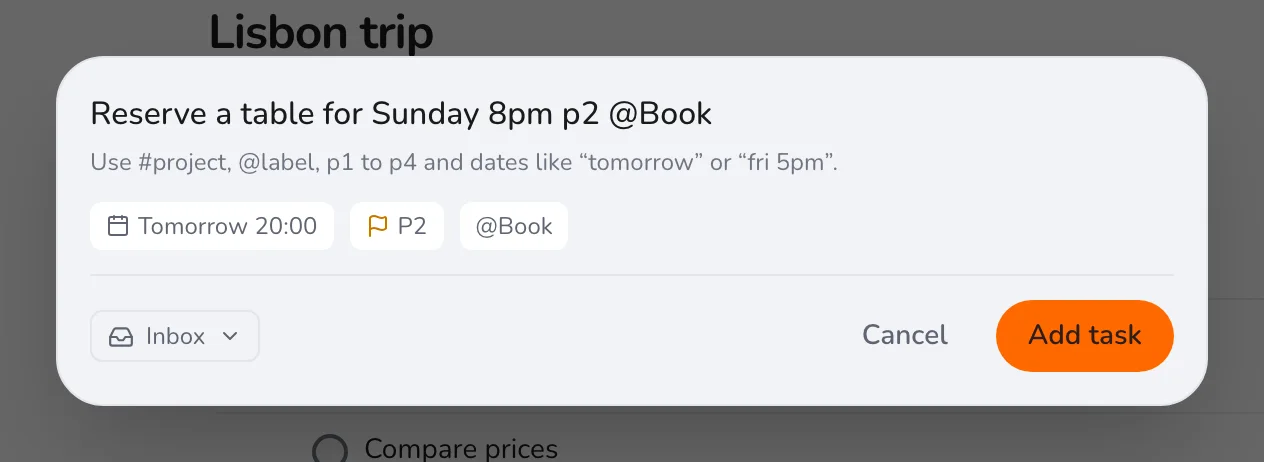
Add reservations as you decide
When you decide on a restaurant or a tour, press Q and add it with the date and time, so it shows up in Upcoming as well.
After the trip, use the last section for photos, expenses and thank-you notes, and check the project off. Next time, duplicate the structure by creating a new project with the same four sections. For a bigger life event, see planning a move.