Jinnoro
Guides · Students · 6 min read
Build an exam study plan, working backwards from the date
Plan revision in stages, from collecting notes two weeks out to a packed bag the night before.
Most people study for exams the same way: start late, panic, repeat. A plan fixes this, but only if it is quick to make. The trick is to start from the exam date and work backwards.
In this guide you will build a study plan for one exam as a project with four sections, give each task a date, and use two labels to tell revising apart from practising.
Step 1
Create a project and four sections
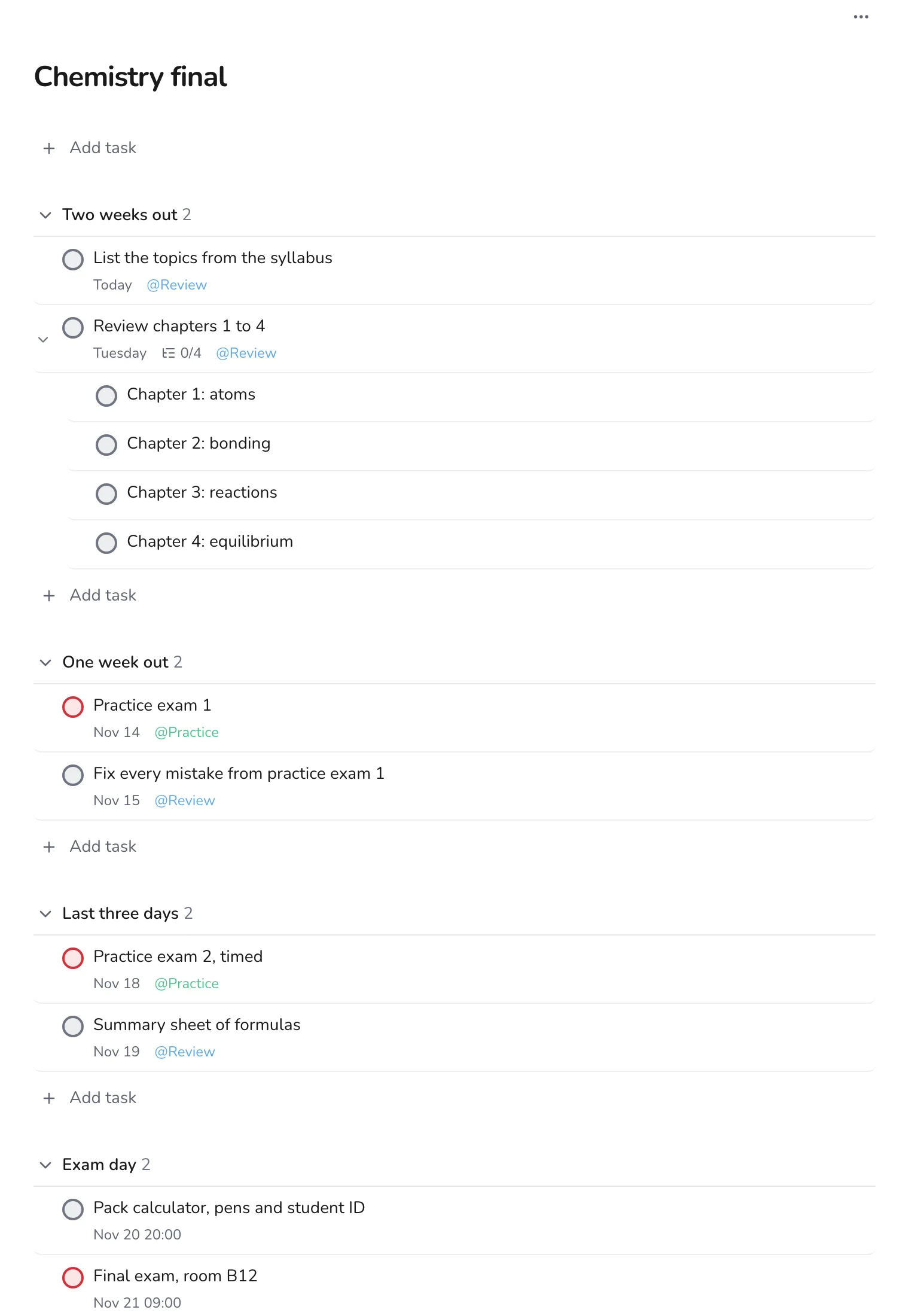
Make a project named after the exam, such as Chemistry final. Then use Add section to create four sections: Two weeks out, One week out, Last three days and Exam day.
Putting the stages in the project means the plan is visible the whole time. A section is only a heading, so you can move tasks between stages by dragging them.
Step 2
Fill each stage with the right kind of work
- Two weeks out: gather everything, list the topics, and review the early chapters.
- One week out: do a practice exam, then fix every mistake you made.
- Last three days: a timed practice exam, and a one-page summary of formulas or key facts.
- Exam day: pack the night before, and add the exam itself with its time and room.
Step 3
Split big review tasks into subtasks
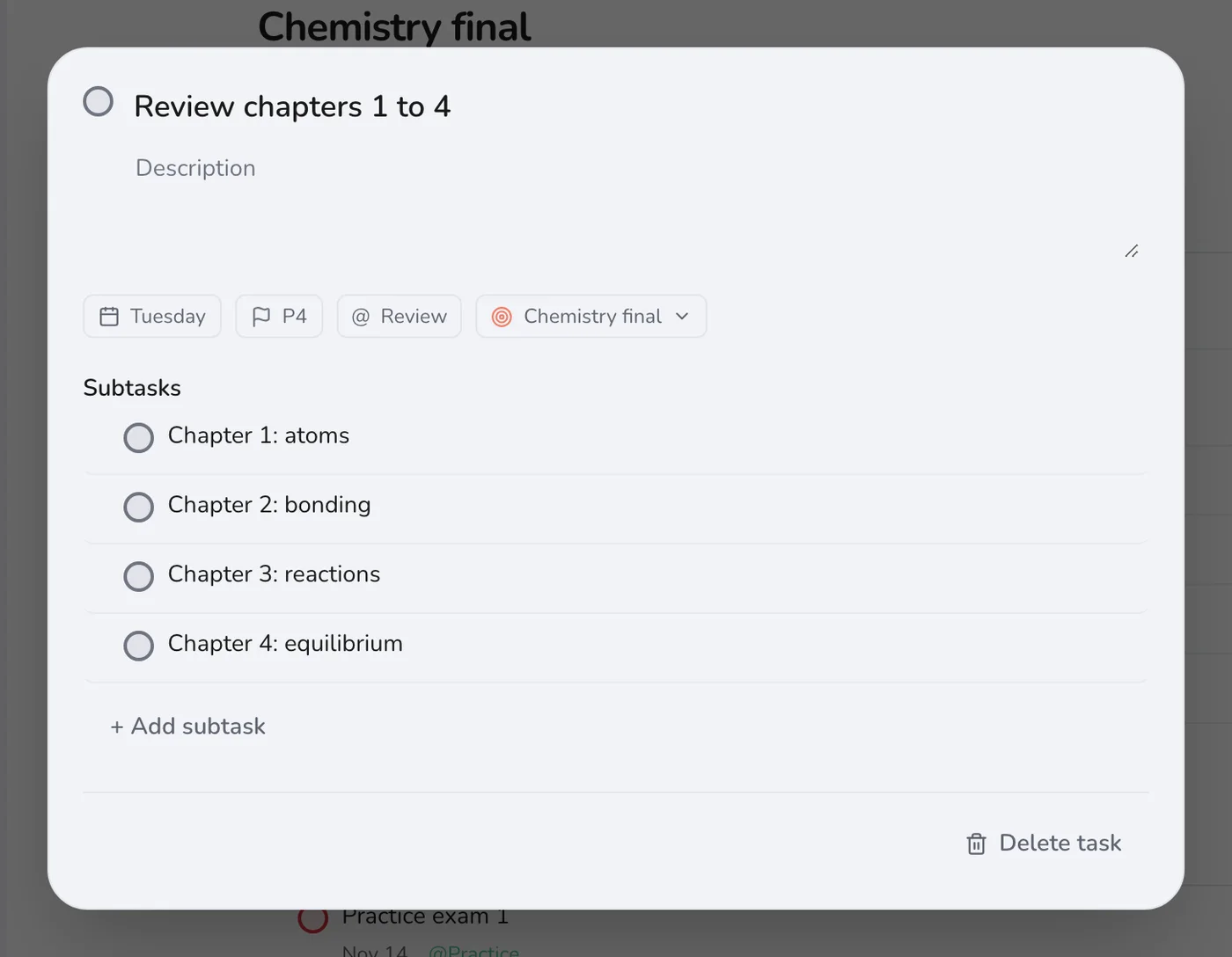
“Review chapters 1 to 4” is too big to feel like a task. Open it and add one subtask per chapter. You will check them off one at a time, and the 0/4 counter shows your progress.
Step 4
Use two labels to balance revising and practising
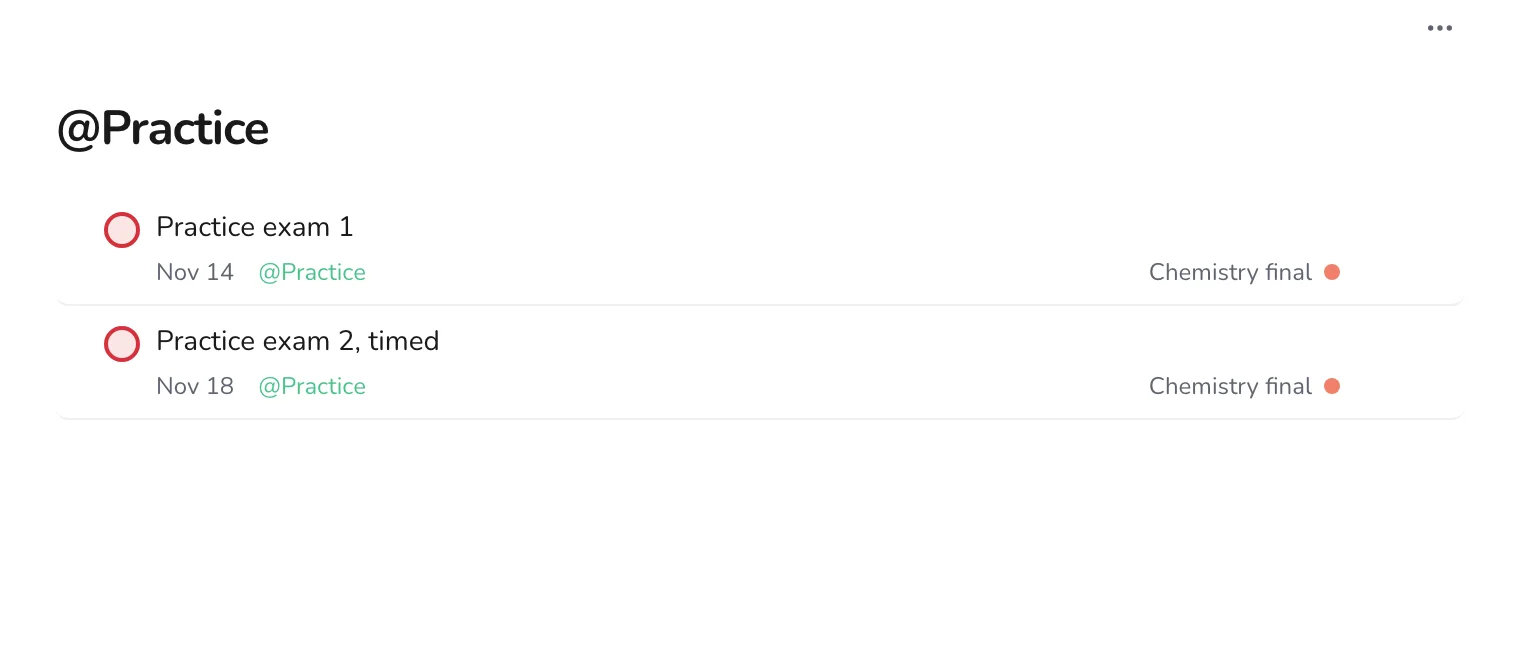
Create the labels Review and Practice. Reading notes is revising; solving past papers is practising. Practising is harder and tells you more, so make sure that label has enough dates on it.
Step 5
Add last-minute tasks without breaking the plan
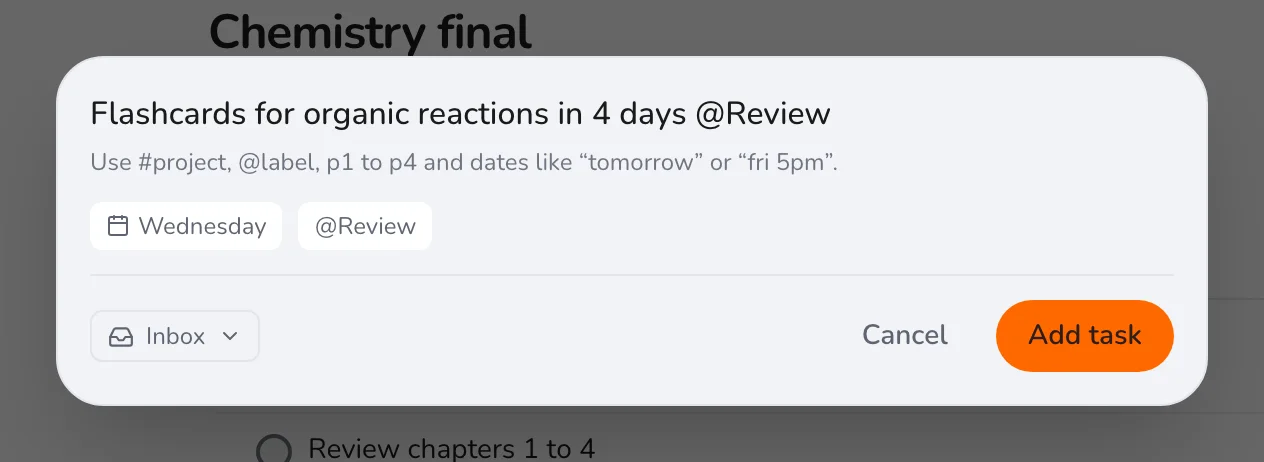
When you think of something new, press Q and add it with a date. It lands in the project, in order, without you having to open anything.
Check Today every morning during the plan. If you fall behind, drag tasks to a new date rather than deleting them. Looking for a plan that covers a whole term? See setting up a semester planner.