Jinnoro
Guides · Work · 6 min read
Run client work as a freelancer, with a Waiting For list
Give every client a project, track what you owe and what you are owed with labels, and never forget an invoice.
Freelancing means juggling several clients, each with their own deadlines, and a lot of waiting: for feedback, for files, for payment. Most of the stress is not the work, it is keeping track.
This guide gives each client a project, and adds three labels: Next Actions for what you do, Waiting For for what you expect from the client, and Invoice for money.
Step 1
Set up a folder of clients
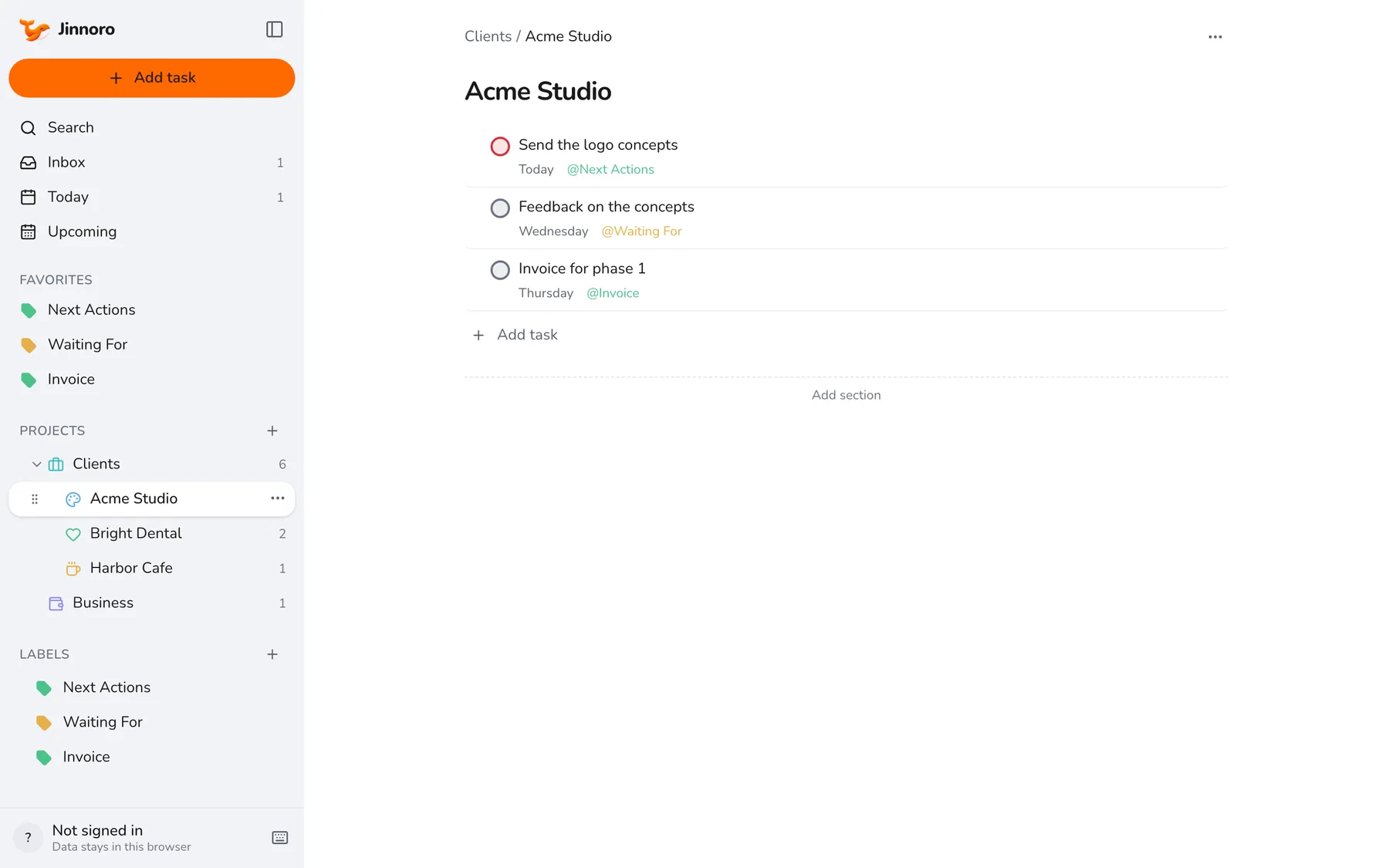
Create a project called Clients and add each client as a subproject. Add a separate Business project for taxes, accounts and marketing. Open Clients to see everything due across all of them.
Step 2
Use Next Actions for the work you do
For each client, give the next piece of work the Next Actions label, with a date. The label page then lists what you owe each client today.
Step 3
Use Waiting For for what the client owes you
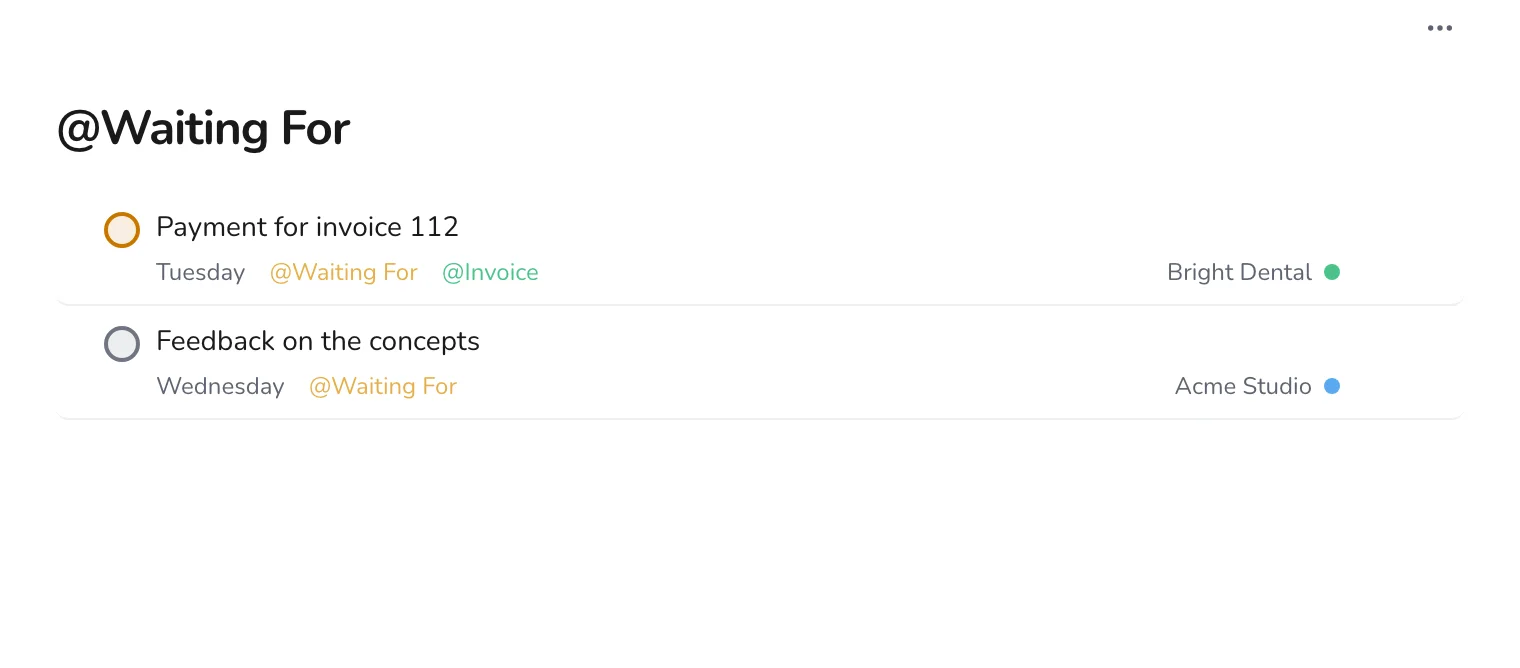
Feedback, approvals, files and payments all go under Waiting For. Set the date for when you will check in, so a quiet client does not become a stuck project.
Step 4
Track invoices with a label
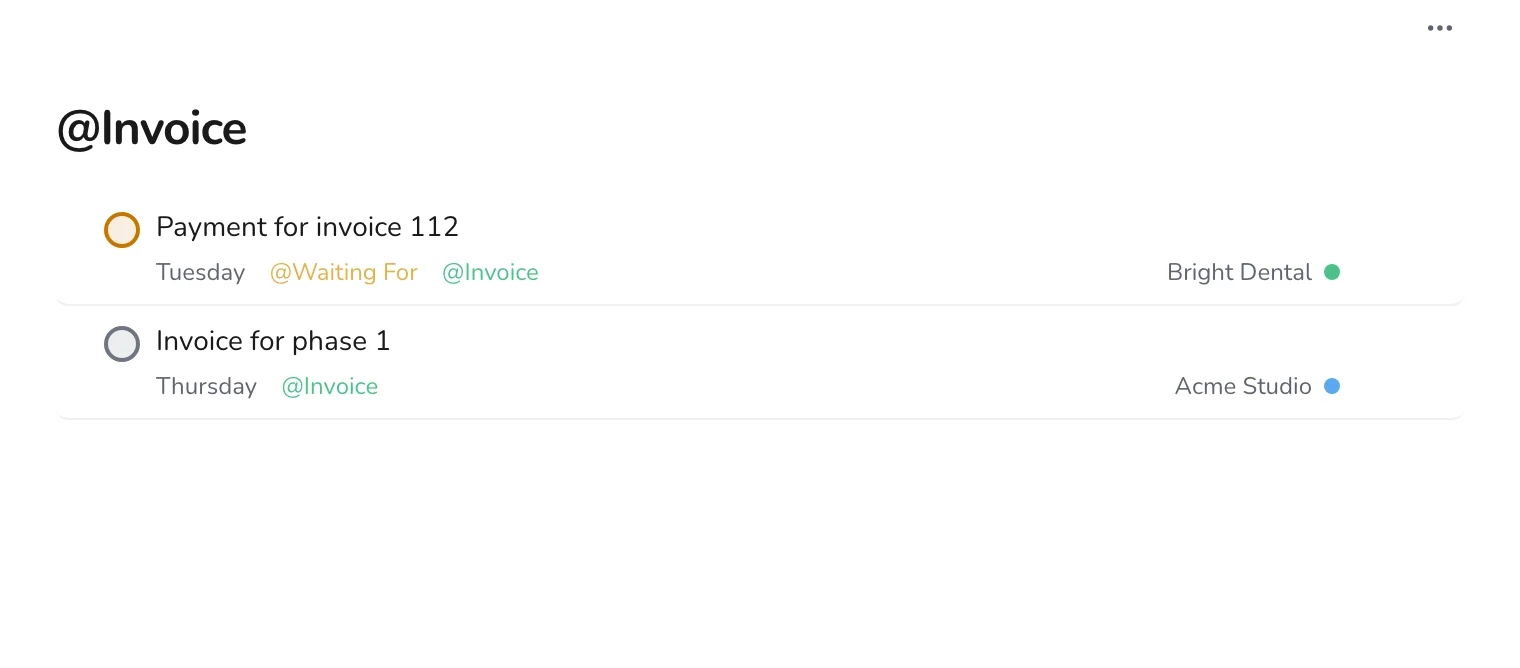
Create Invoice. Add it to every task about sending an invoice or receiving a payment. On the first of the month, open the label and check that nothing is missing.
Step 5
Capture new requests in the Inbox
A new enquiry or a client request arrives. Press Q, type it, and decide what to do with it later.
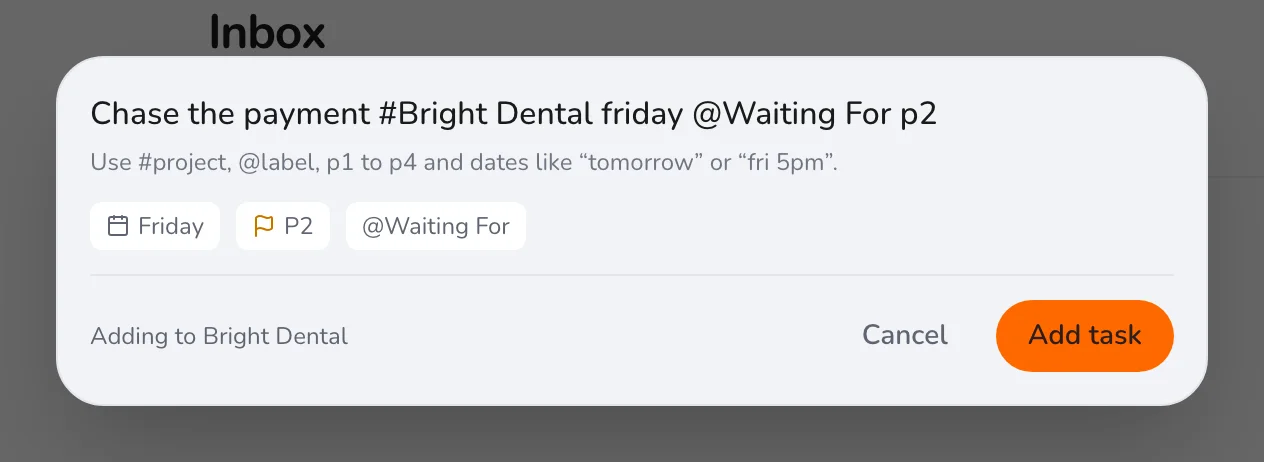
At the end of each week, open Waiting For and message anyone who is overdue. It is a polite way to get paid on time. For a similar structure, see a job search board.