Jinnoro
Guides · Work · 6 min read
Plan a product launch with Planning, Build and Ship sections
Take a product from brief to launch day with three sections, subtasks for big decisions, and labels for design and big deals.
A launch has a shape: decide what you are making, make it, then get it out. Mixing those into one pile makes everything feel equally urgent. Separating them lets you focus on the stage you are in.
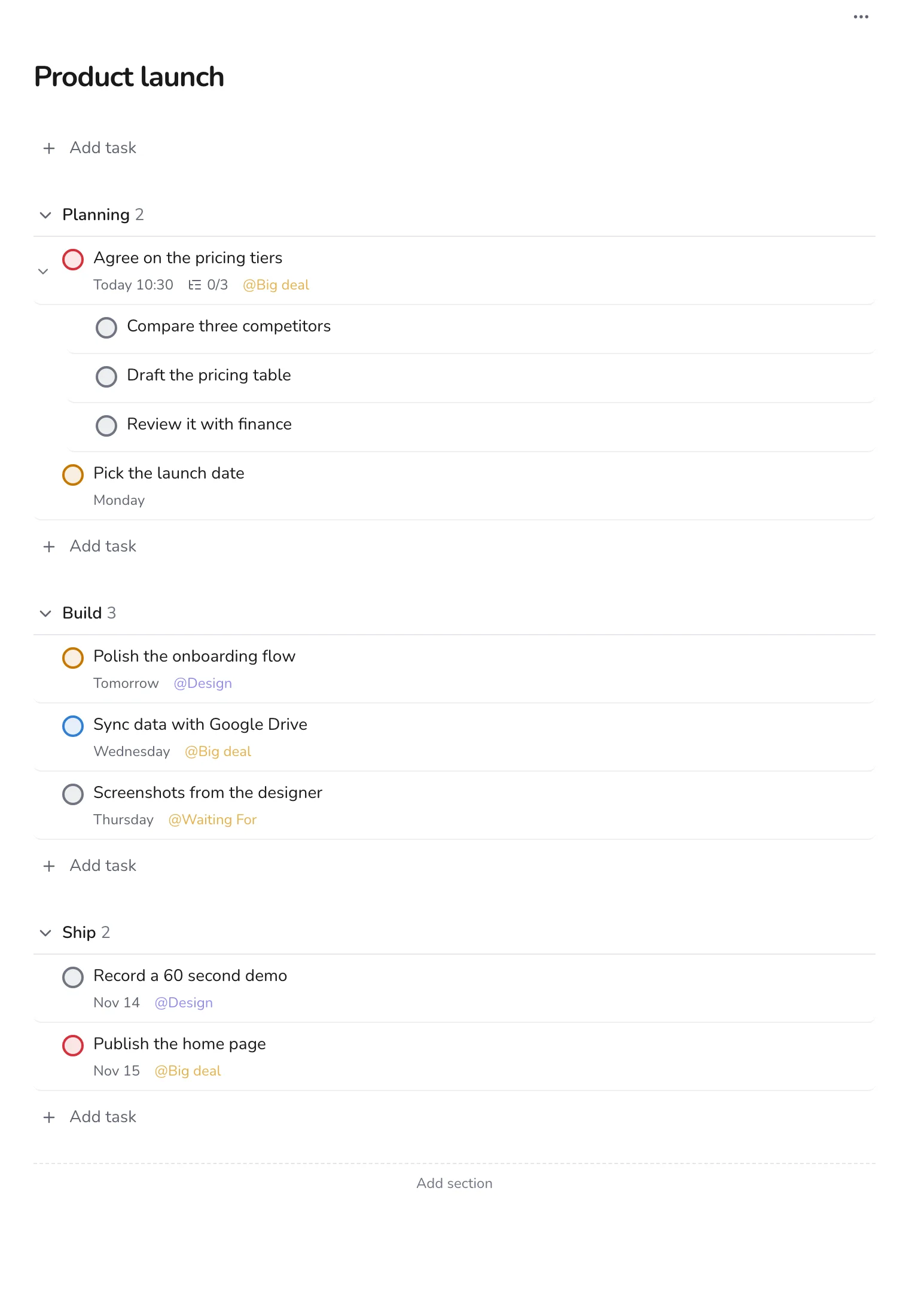
This guide uses one project with three sections, Planning, Build and Ship, and the labels Design, Big deal and Waiting For.
Step 1
Create the project with three sections
Make a project for the product. Add the sections Planning, Build and Ship. As the launch moves forward, completed tasks disappear, and the next section becomes the focus.
Step 2
Break big decisions into subtasks
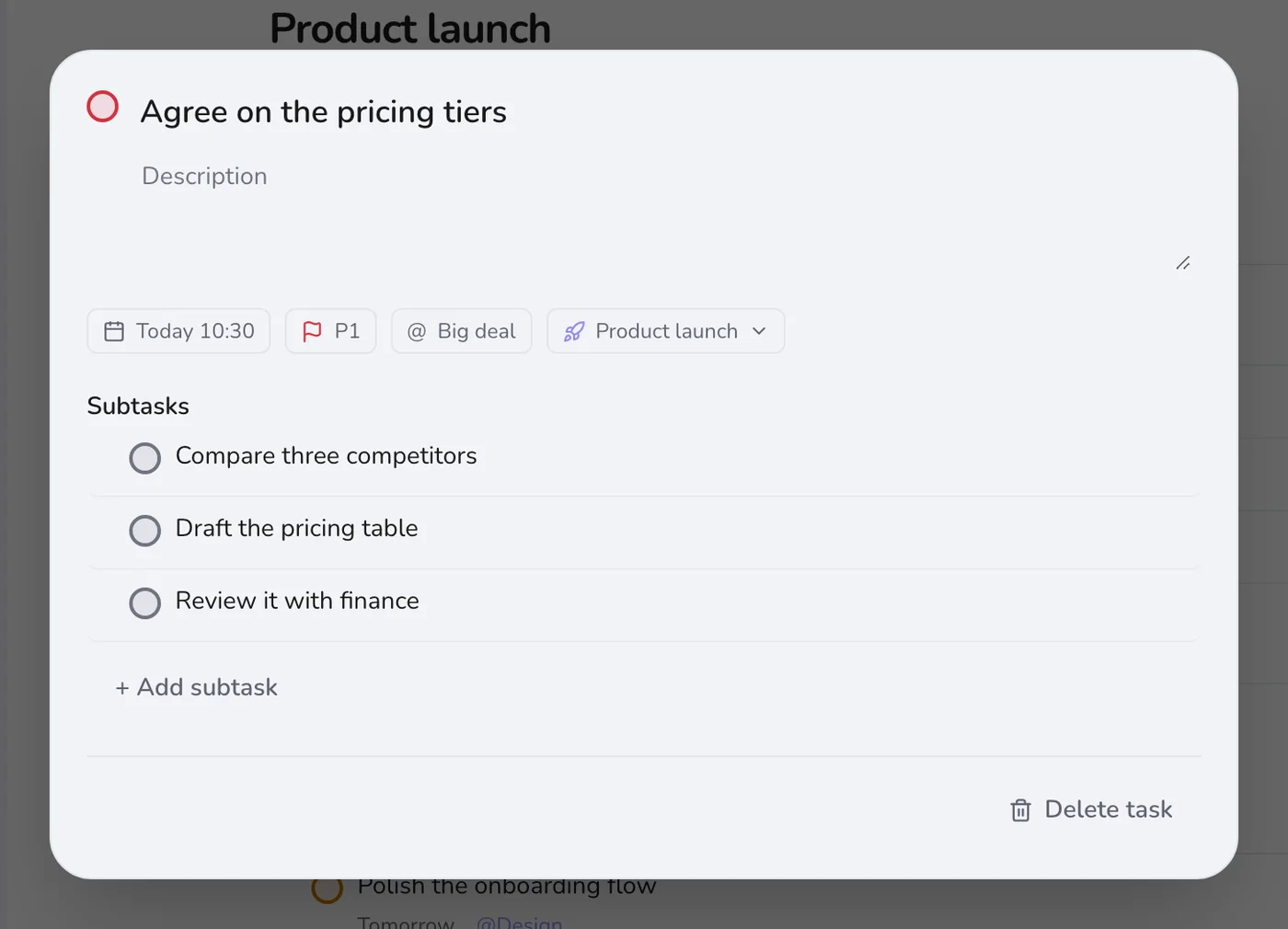
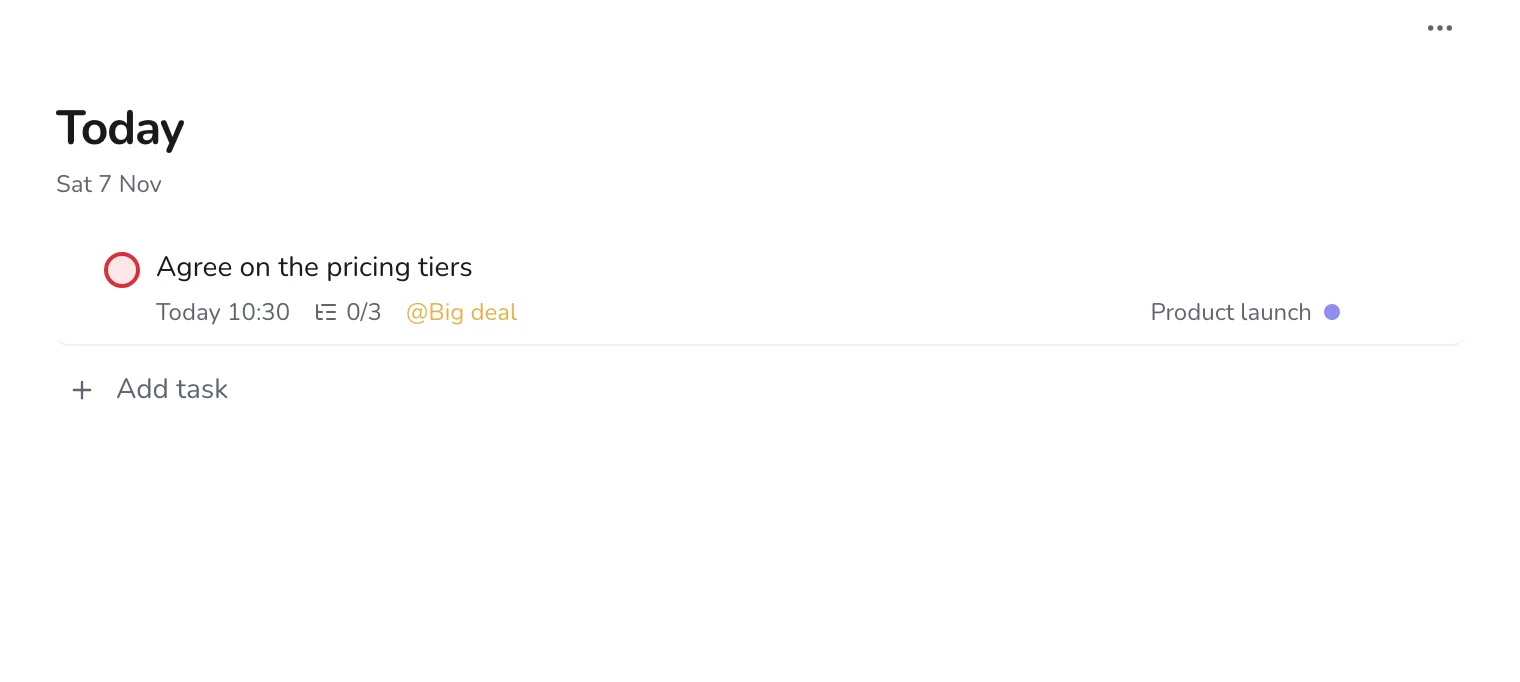
“Agree on the pricing tiers” is a decision, not a step. Open it and add the steps to get there: compare competitors, draft the table, review it with finance. Put a date and time on the main task.
Step 3
Label the work that crosses stages
Use Design for anything that needs the designer, Big deal for the tasks that would hurt if missed, and Waiting For for things other people owe you, such as screenshots or legal sign-off.
Step 4
Start each day on Today
Open Today to see which launch tasks are due. If it is too long, move something to tomorrow on purpose, and do not carry a hidden list in your head.
Step 5
Add last-minute tasks
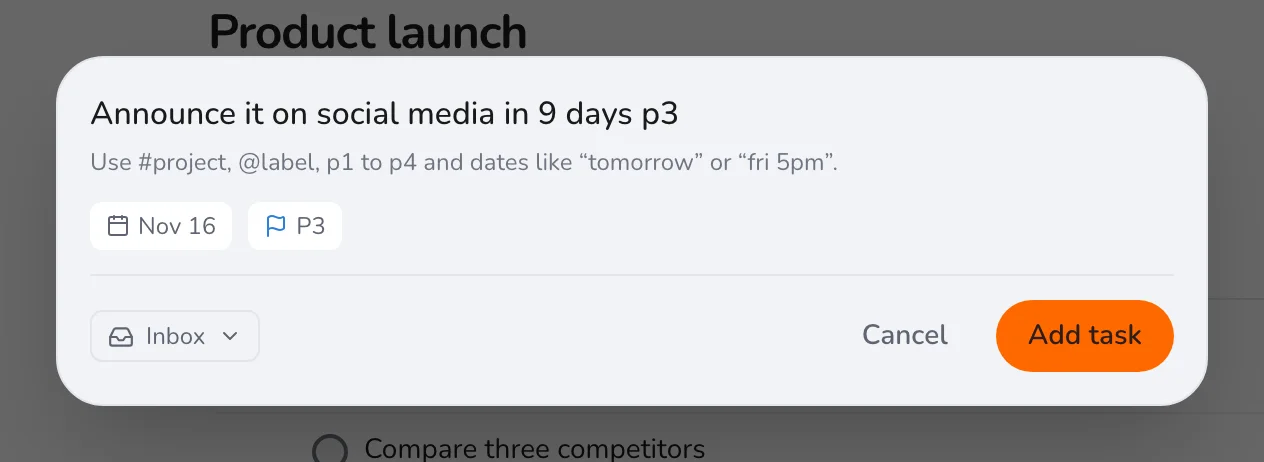
As launch day gets closer, new tasks multiply. Press Q, add each with a date and a priority, and keep the project honest.
After launch, use the project as a retrospective: what took longer than planned, and what was missing from the plan? Next time, you will start with a better one. See also running a weekly review.