Jinnoro
Guides · Teachers · 5 min read
Turn a course syllabus into a week-by-week plan
Copy a syllabus into a project with one section per week, and use labels for readings, assignments and exams.
A syllabus is a list of dates and things to do, which makes it a natural fit for a task list. Whether you teach the course or are taking it, copying the syllabus into Jinnoro turns it from a document you reread into a plan that tells you what to do.
Here you will create one project with a section for each week, and three labels to tell the readings, assignments and exams apart.
Step 1
Create the project and a section per week
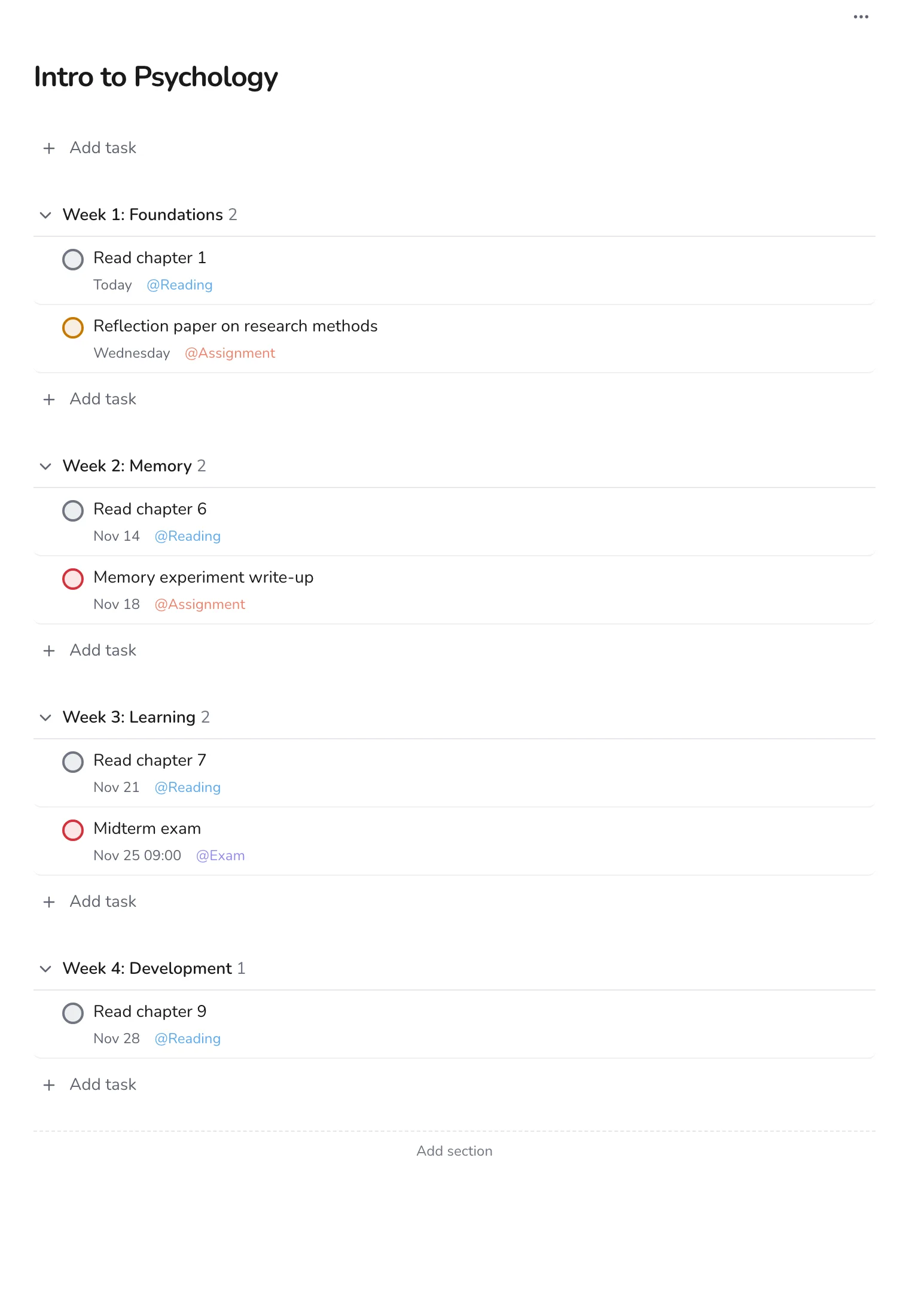
Make a project named after the course. Use Add section to add one section per week or unit, such as Week 1: Foundations. Add as many as you need, or only the first four and add more as you go.
Step 2
Add the tasks from the syllabus
Go through the syllabus line by line. Each reading, assignment or exam becomes a task in its week, with its date. Use the labels Reading, Assignment and Exam, so you can filter them later.
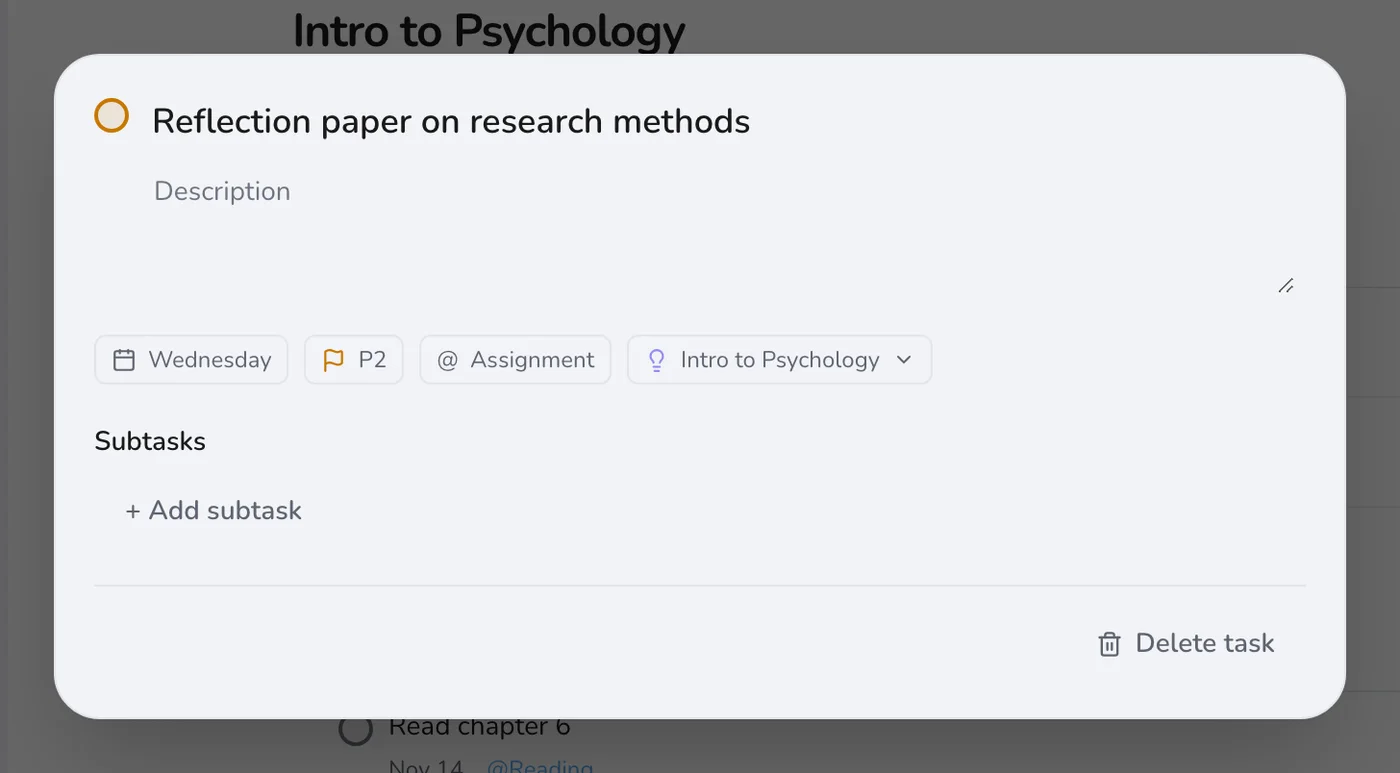
Tip. Put exams at a specific time with a priority of p1, so they stand out in every list.
Step 3
Add things quickly as the term goes on
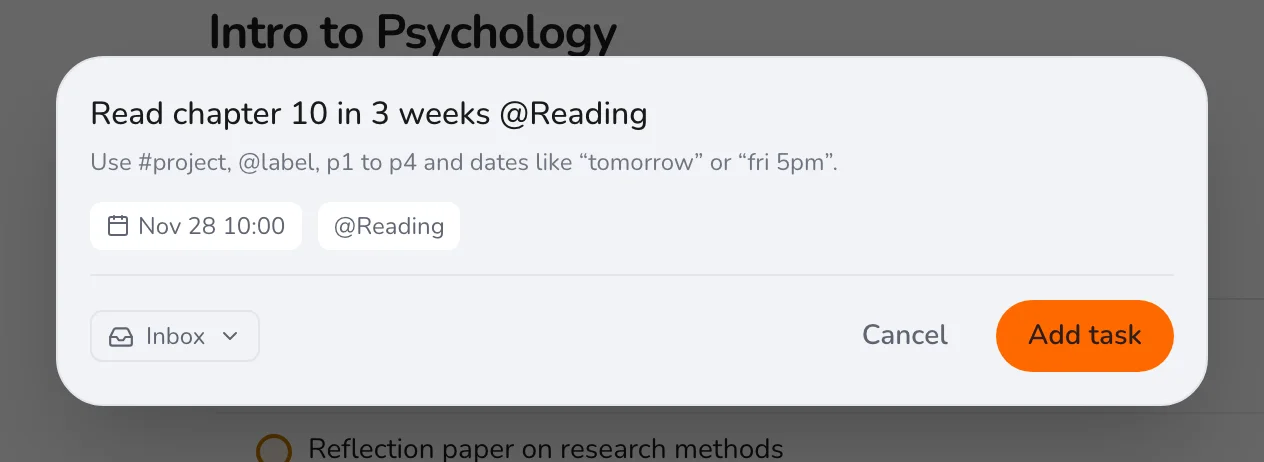
The schedule changes, and new readings appear. Press Q and add each with a date and the right label.
Step 4
Check the calendar view
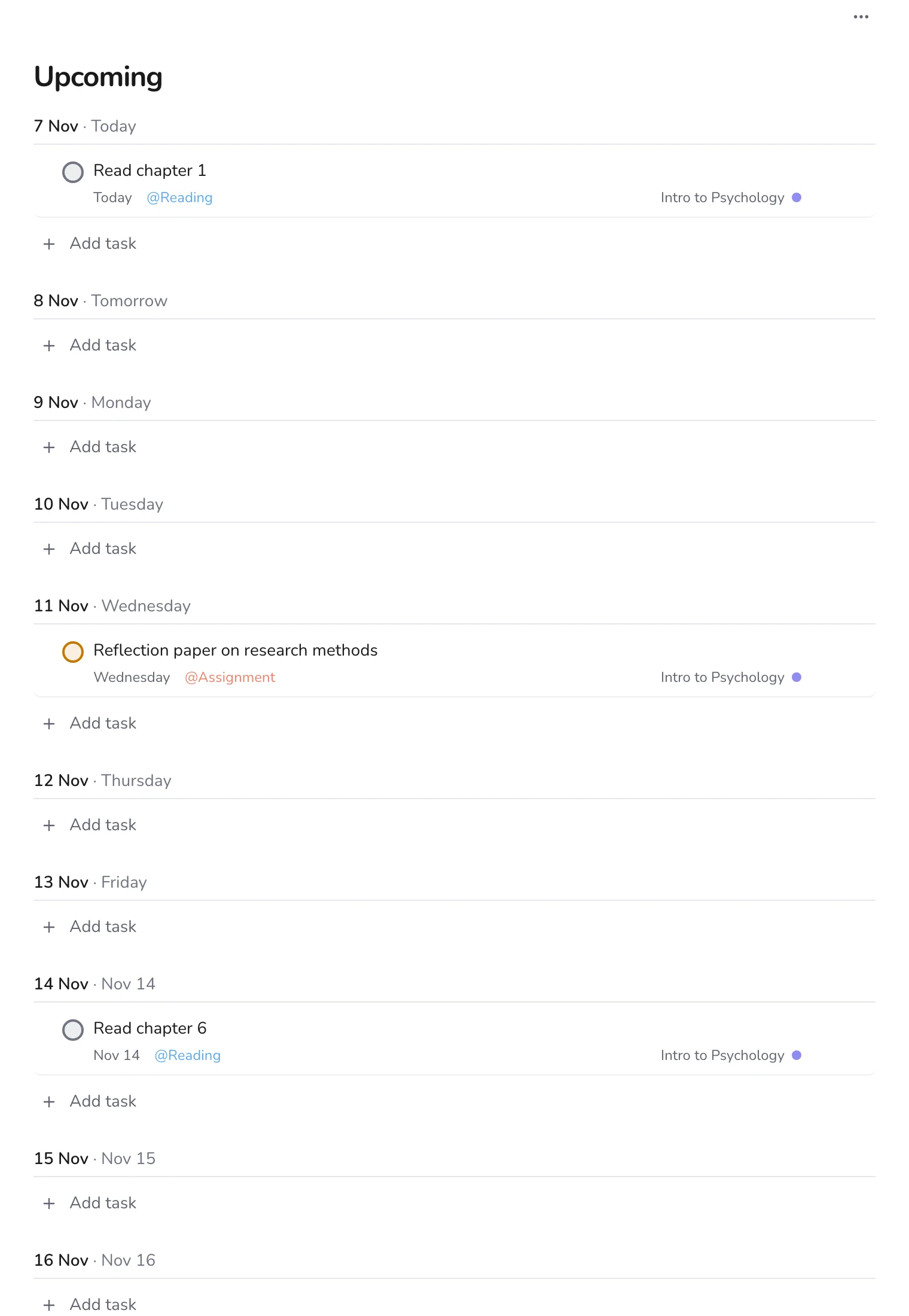
Upcoming puts every dated task in order, so you can see whether the weeks are balanced. A week with a paper and an exam is a week to prepare for earlier.
For a teacher, the same plan doubles as a lesson schedule. For a student, it is the backbone of the semester: combine it with a planner for all your courses.