Jinnoro
Guides · Teachers · 5 min read
Keep a grading queue that never gets lost
Turn stacks of essays, quizzes and labs into a queue with dates, passes and a label for each type of marking.
Grading piles up in a particular way: a stack here, a folder there, and a vague sense that something is overdue. The fix is to treat each batch as one task with a date, and to see all of them in one place.
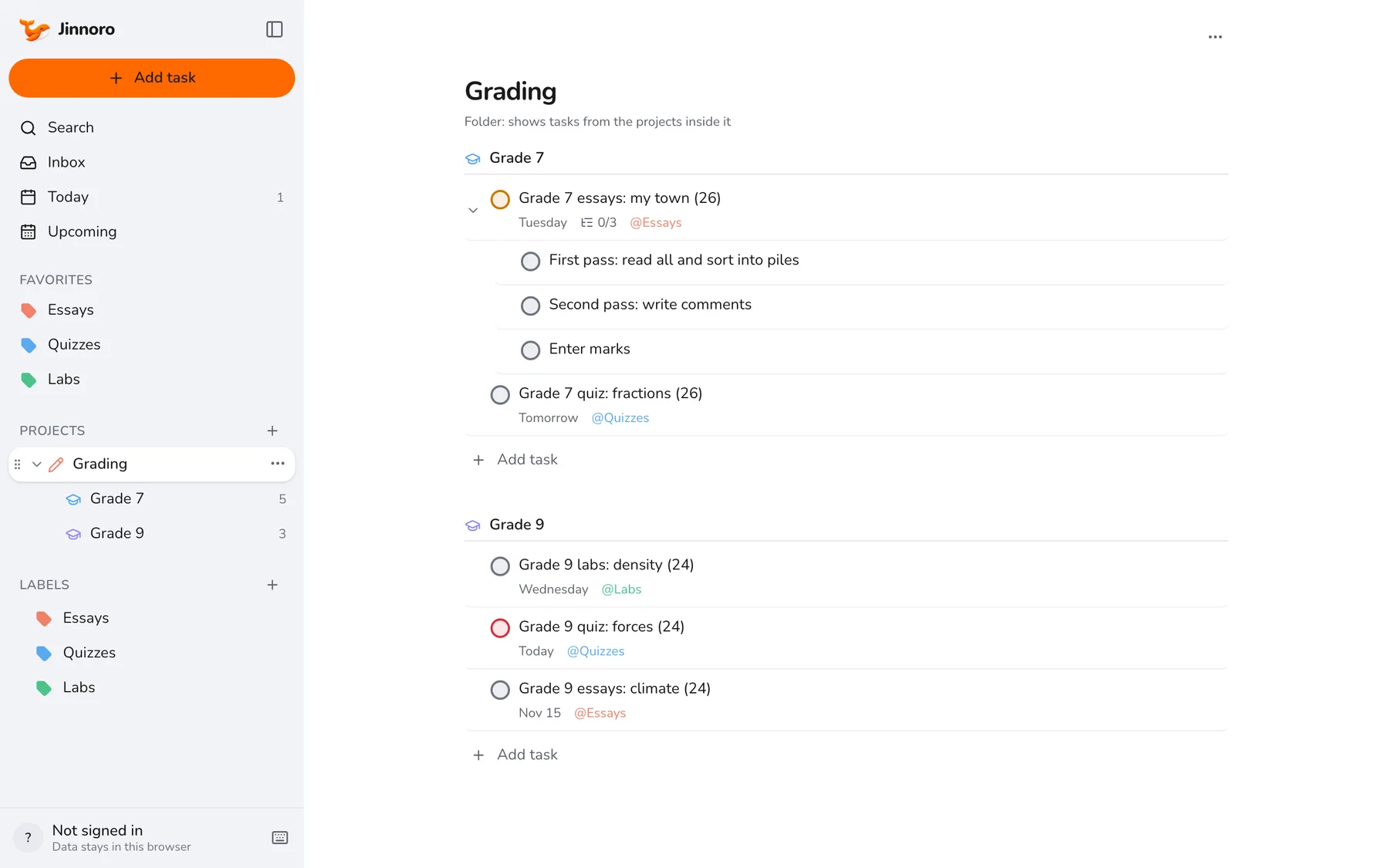
This guide uses a Grading folder with a project per class, and the labels Essays, Quizzes and Labs.
Step 1
One folder, one project per class
Make a project called Grading and add a subproject for each class. Add each batch of work as a task, with the number of papers in its name, such as “Grade 7 essays: my town (26)”.
Step 2
Split a big batch into passes
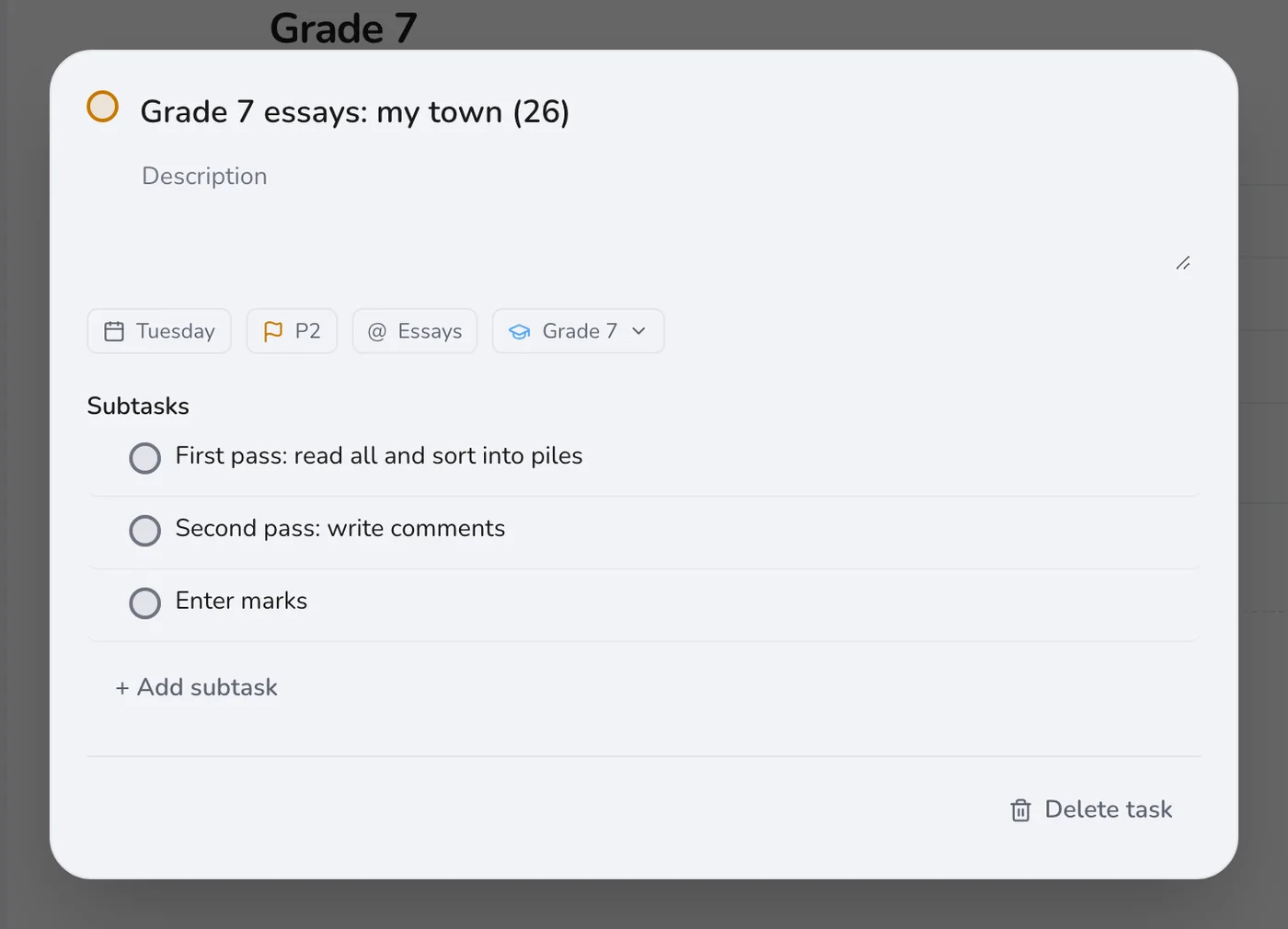
Marking essays in one go is draining. Open the task and add subtasks for the passes: read them all and sort into piles, write comments, enter marks. Each pass is a clear stopping point.
Step 3
Start each day on Today
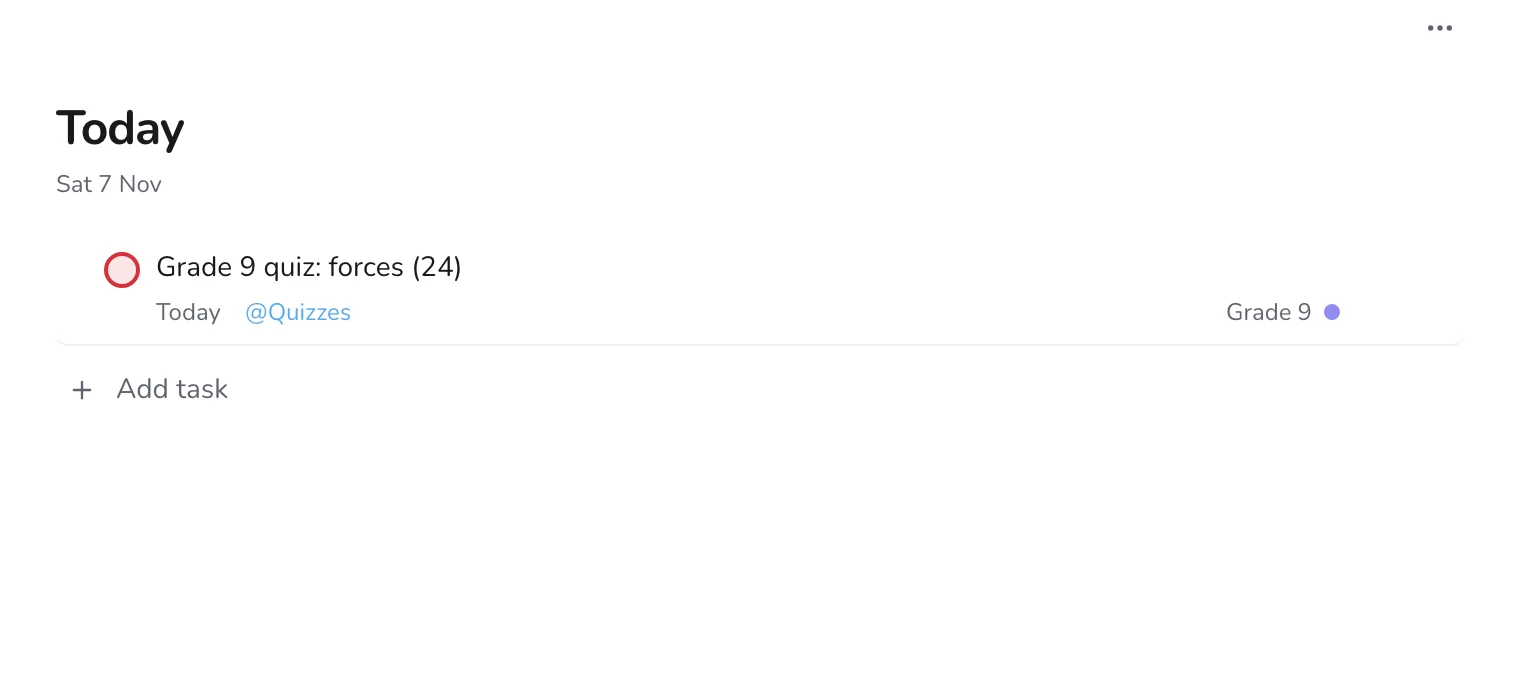
Today shows the batches that are due today. If something has to go to tomorrow, change its date on purpose, so that it stays visible.
Step 4
Look at one type of marking at a time
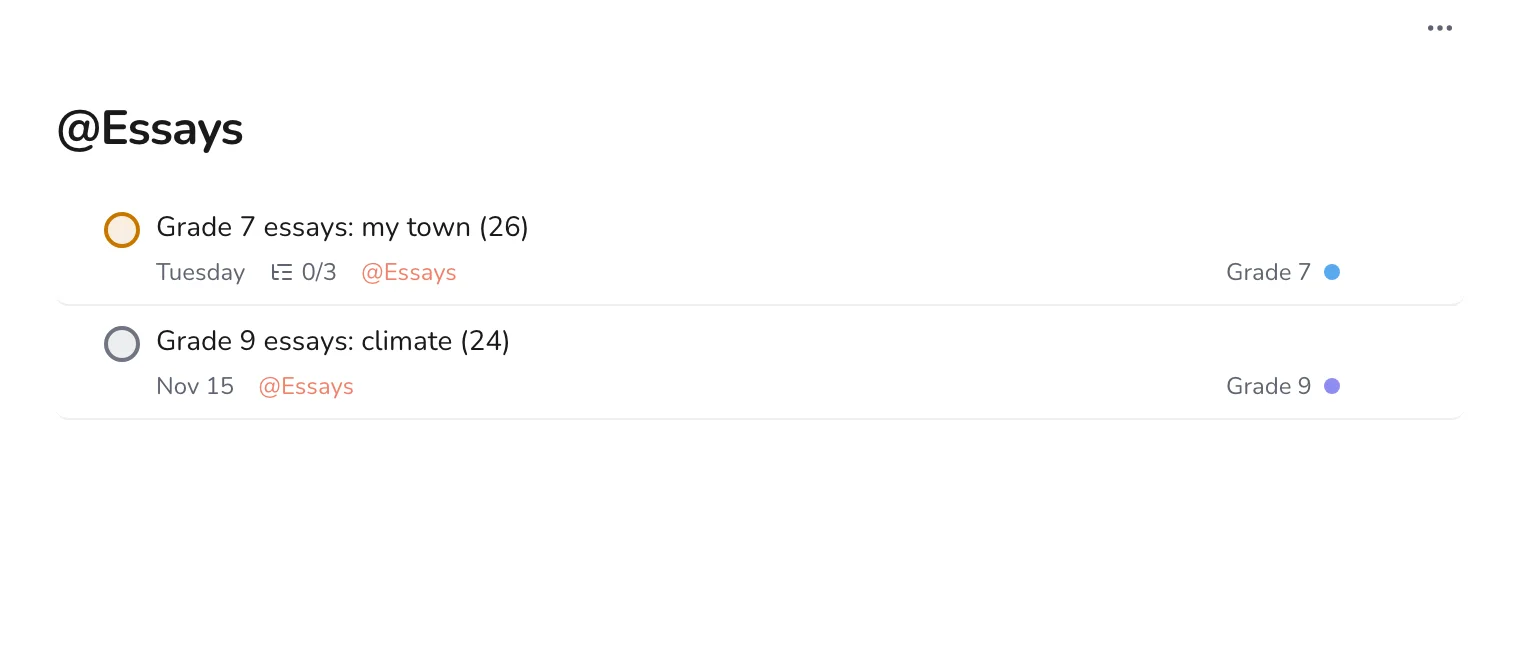
When you sit down for an evening of marking, open a label such as Essays. It lists essays from every class, with due dates, so you can do the same kind of work in one stretch.
A queue is only useful if it is short. Aim to hand work back within a week and you will rarely have more than three batches open. For the rest of your planning, see planning lessons, grading and parent messages.