Jinnoro
Guides · Teachers · 4 min read
Keep track of parent communication
Plan calls, emails and meetings with parents, and keep a list of replies you are waiting for.
Messages to parents are easy to forget, and the ones you forget tend to be the ones that matter. A simple list of what you have to send, and what you are waiting for, makes sure none of them slips.
This guide uses one project with three sections and the labels Call, Email, Meeting and Waiting For.
Step 1
Create the project and the sections
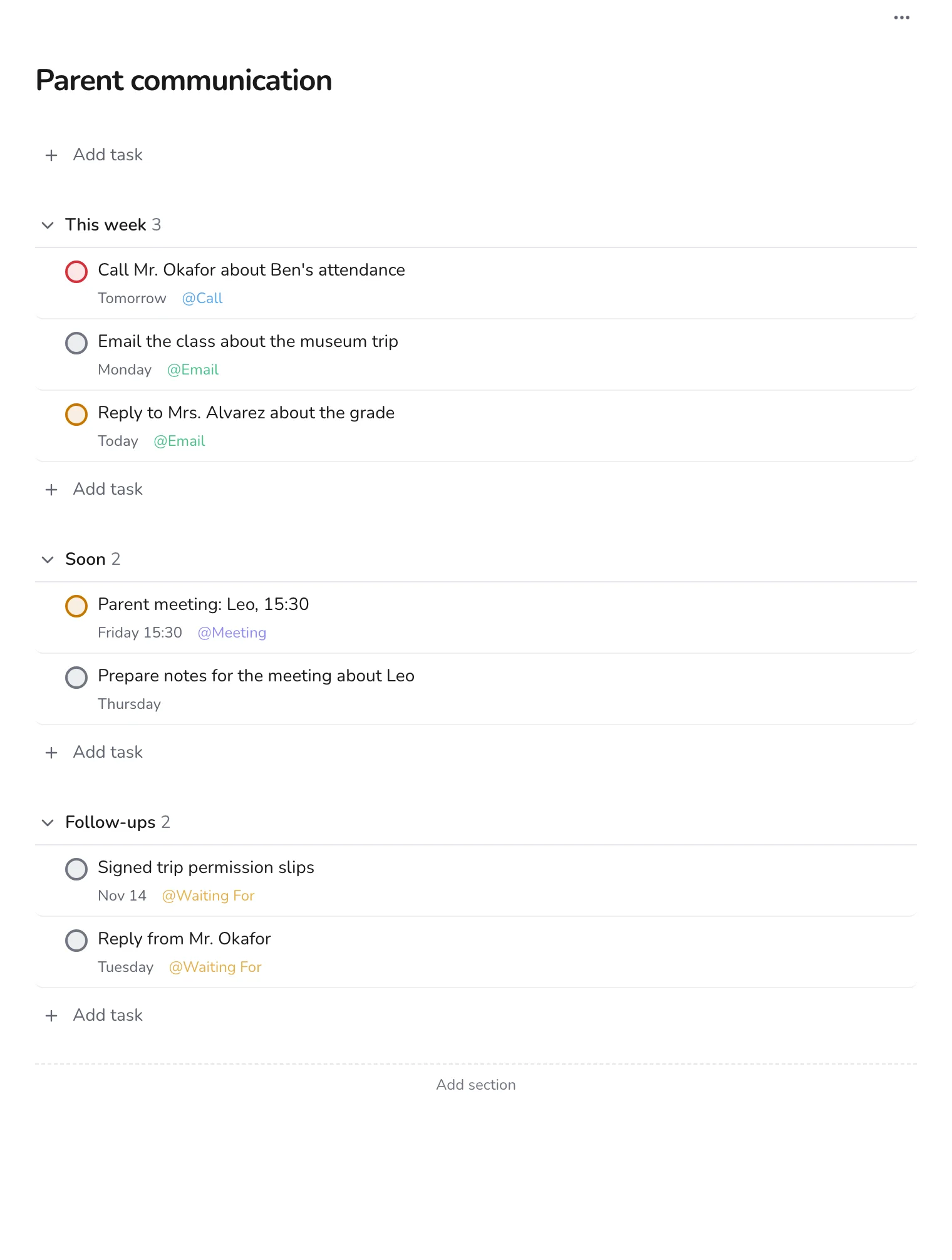
Make a project called Parent communication with sections This week, Soon and Follow-ups. Add each message as a task that names the person and the reason.
Step 2
Label the way you will contact them
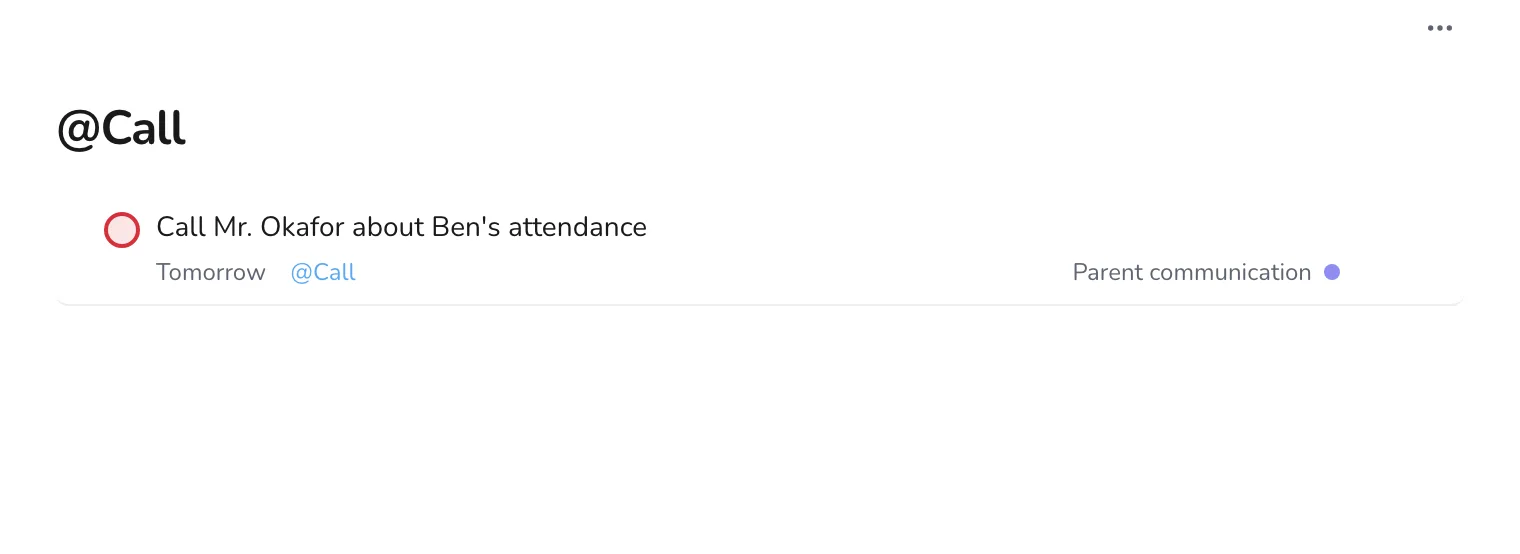
Use Call, Email and Meeting. When you have ten minutes between lessons, open Call and make the calls in a row.
Step 3
Track replies
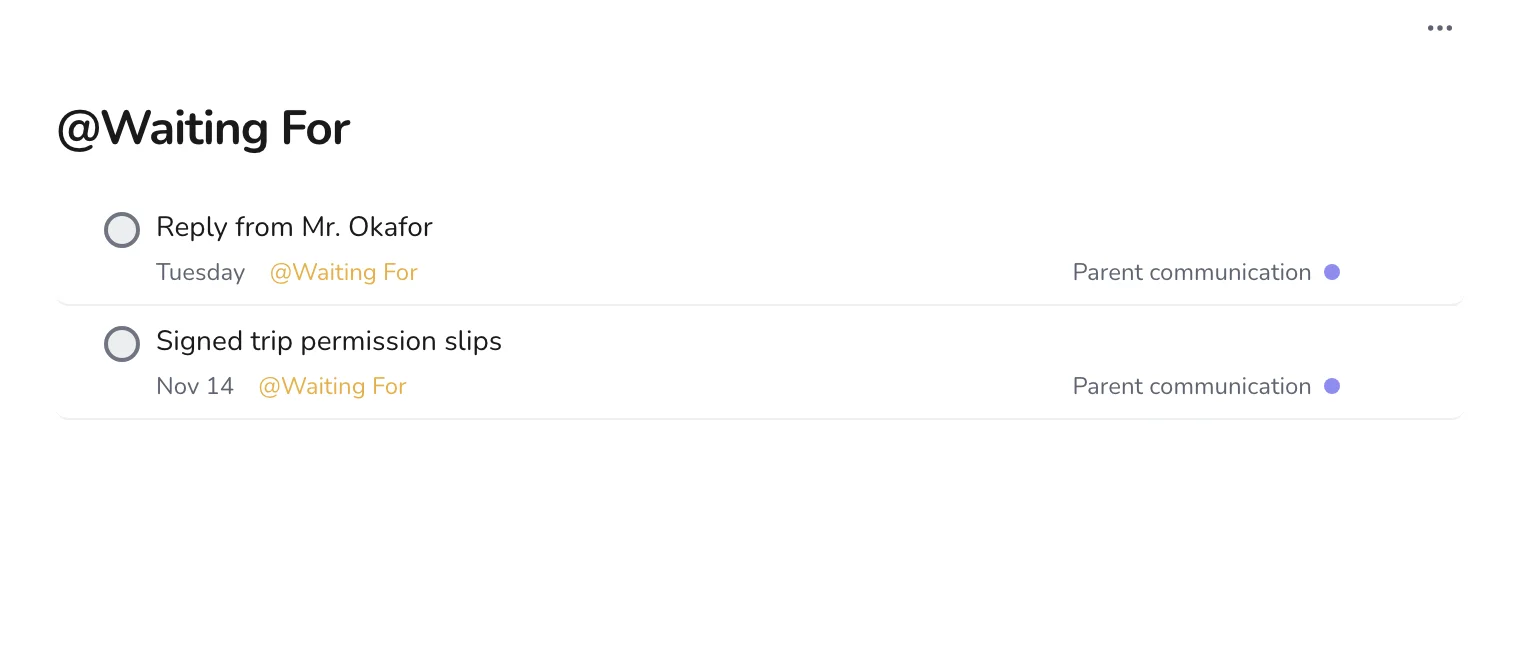
When you have asked a parent for something, such as a signed slip, add a task with Waiting For and a date to check. Move it to Follow-ups to keep the project tidy.
Step 4
Add a message when it comes to mind
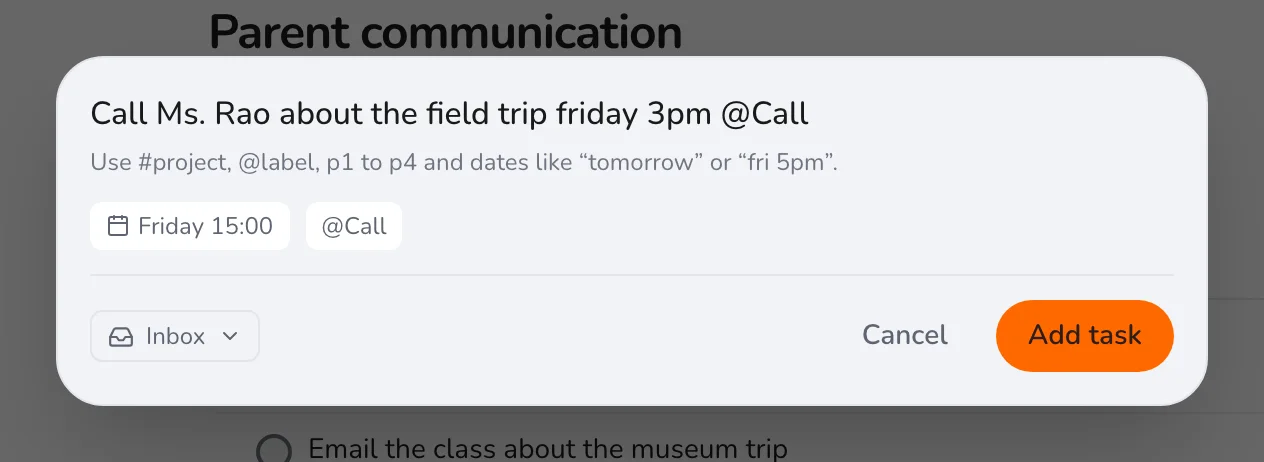
Press Q, name the person and the reason, and set a date and a label.
Keep notes on what was agreed in the task's description, so you can look it up when you need it. For other tasks of the year, see setting up the school year.