Jinnoro
Guides · Students · 5 min read
Plan your part of a group project
Keep track of who does what in a group assignment, using labels for people and a Waiting For label.
Group projects fall apart when nobody is sure who is doing what. Each person keeps their own list in Jinnoro. That is fine: your own list can still hold the whole team's plan, with labels that say whose task is whose.
Here you will set up a project with three phases, add a label for each person, and use a Waiting For label for what you need from others.
Step 1
Create the project with its phases
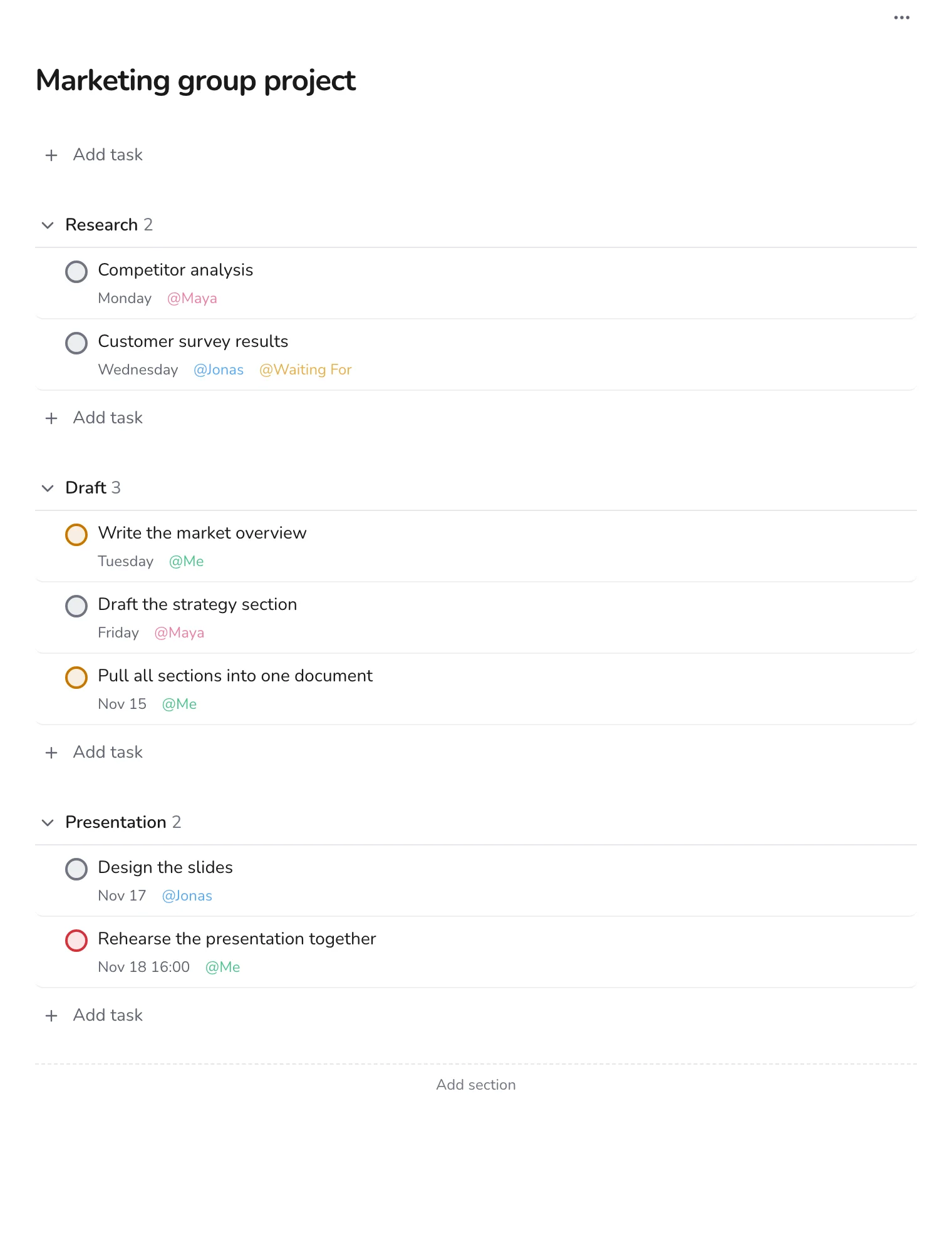
Create a project for the assignment and add sections for the phases, for example Research, Draft and Presentation. Add every task the team agreed on, even the ones that are not yours.
Step 2
Add a label for each person
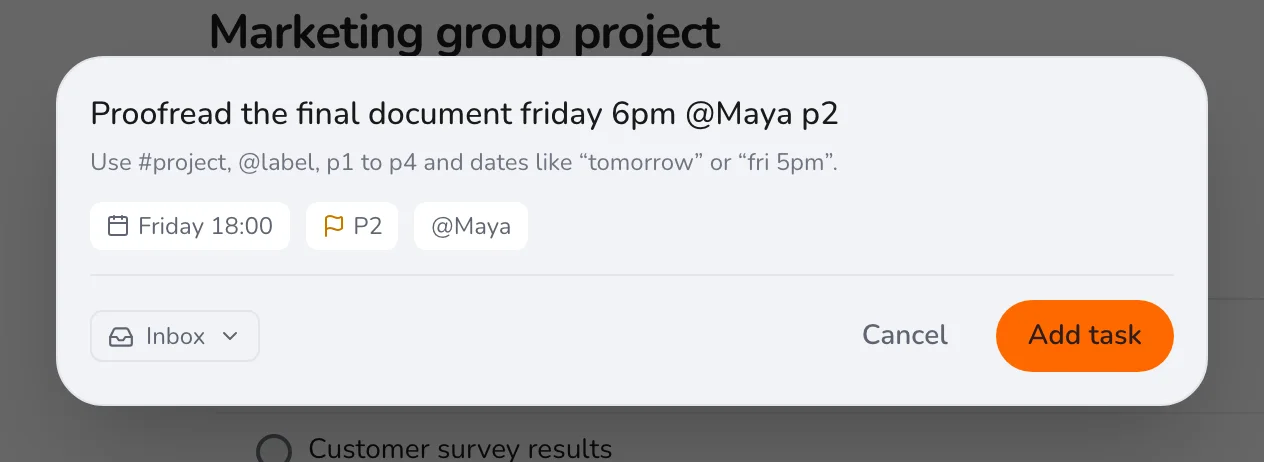
Create a label for yourself, Me, and one for each teammate. When you add a task, put the owner's label on it. In the Add task form on a page, typing @ in the name shows the list.
Tip. Agree the tasks with your team first, then enter them in one go. Fifteen minutes in a chat saves days of confusion.
Step 3
Look at only your tasks
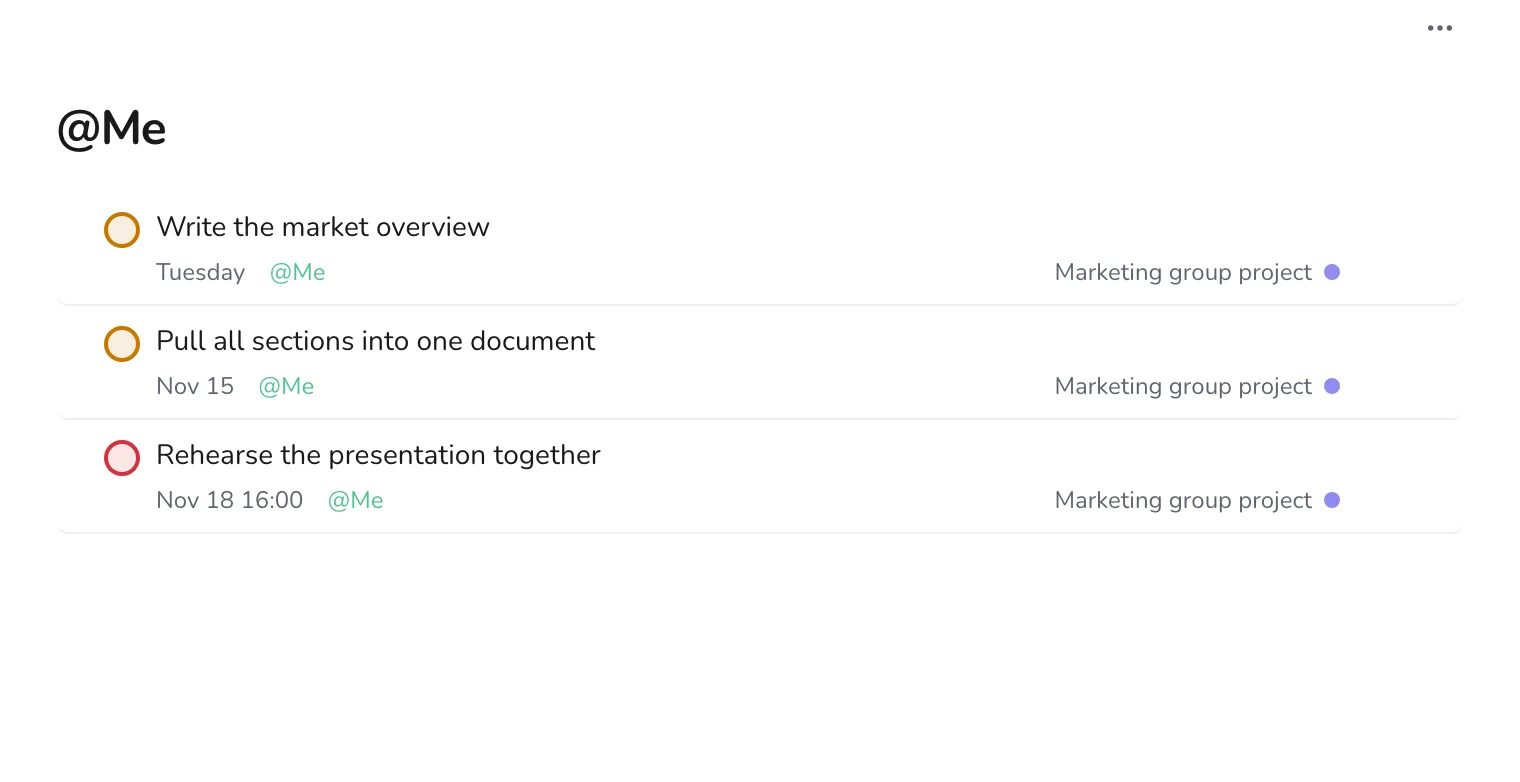
Open the Me label in the sidebar. It shows only what you have to do, with dates, no matter which phase the task is in.
Step 4
Track what you are waiting for
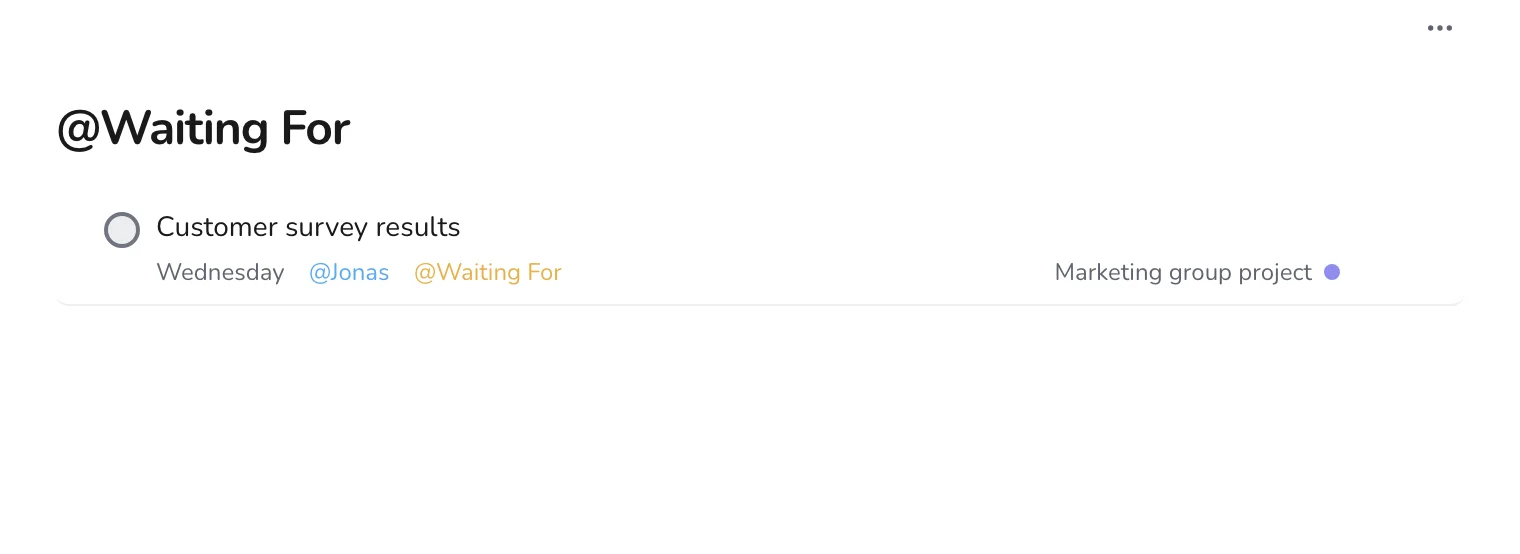
Some of your work depends on a teammate. Add the Waiting For label to that task, and set the date for when you will ask about it. The label page becomes your list of people to nudge.
Step 5
Add things as the project changes
Plans change. When the team adds something, press Q, type it with a date and the owner's label, and carry on.
Because the plan is yours, you can keep it even if others do not use Jinnoro. Share the dates in your group chat, and update your own list after each meeting. See also turning meetings into tasks.