Jinnoro
Guides · Personal · 4 min read
Never miss a birthday or gift deadline
Plan gifts by person, with dates for buying, wrapping and posting, so nothing arrives late.
Gifts go wrong in one way: too late. You think of an idea the day before, and then you are choosing from what is left. A list with dates that tell you when to buy, wrap and post fixes that.
This guide uses one project with a section per person, and the labels Buy, Wrap and Post.
Step 1
Create a section for each person
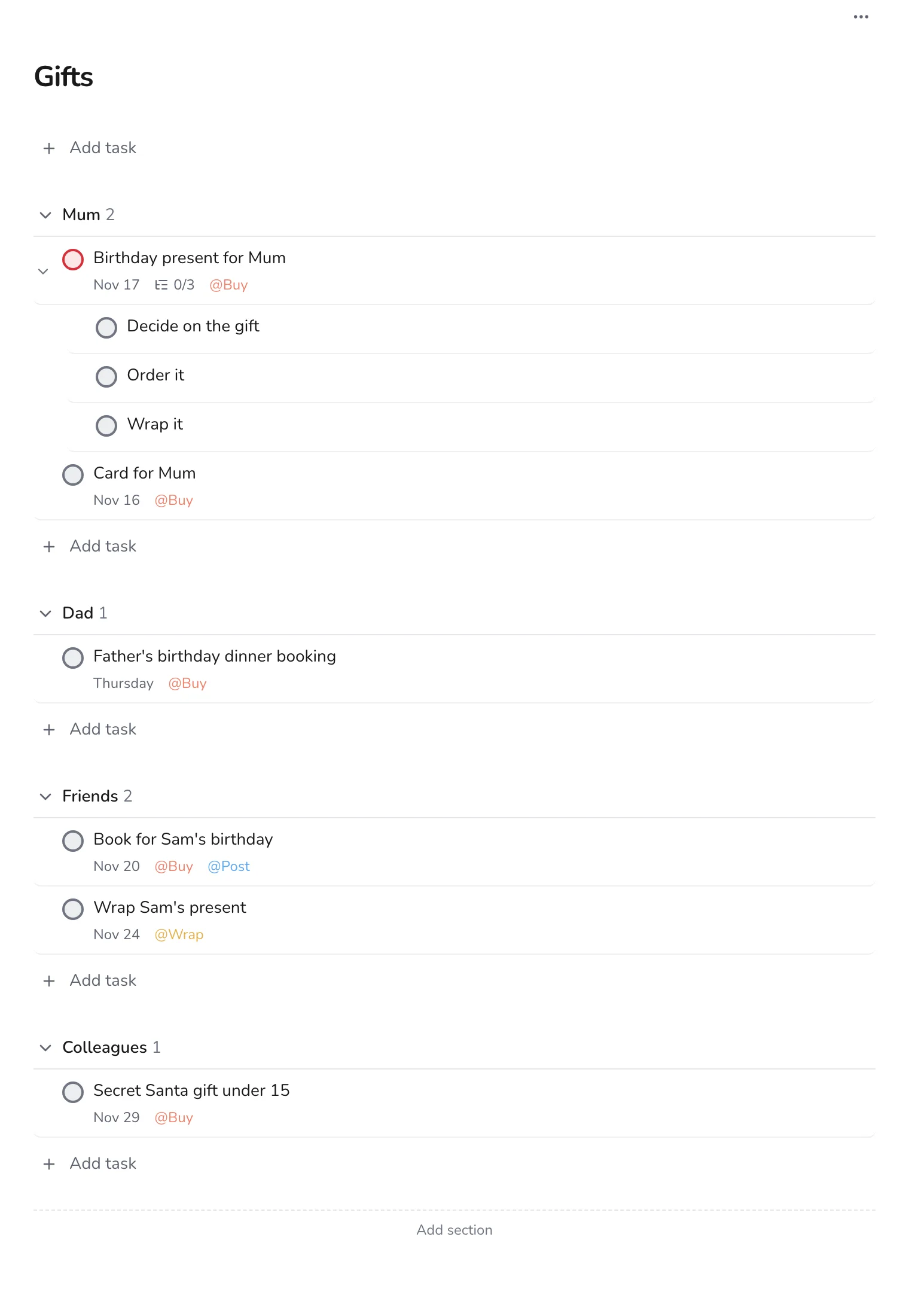
Make a project called Gifts and add a section for each person or group: family, friends, colleagues. Under each, add what you want to give and when you need it.
Step 2
Break a gift into steps
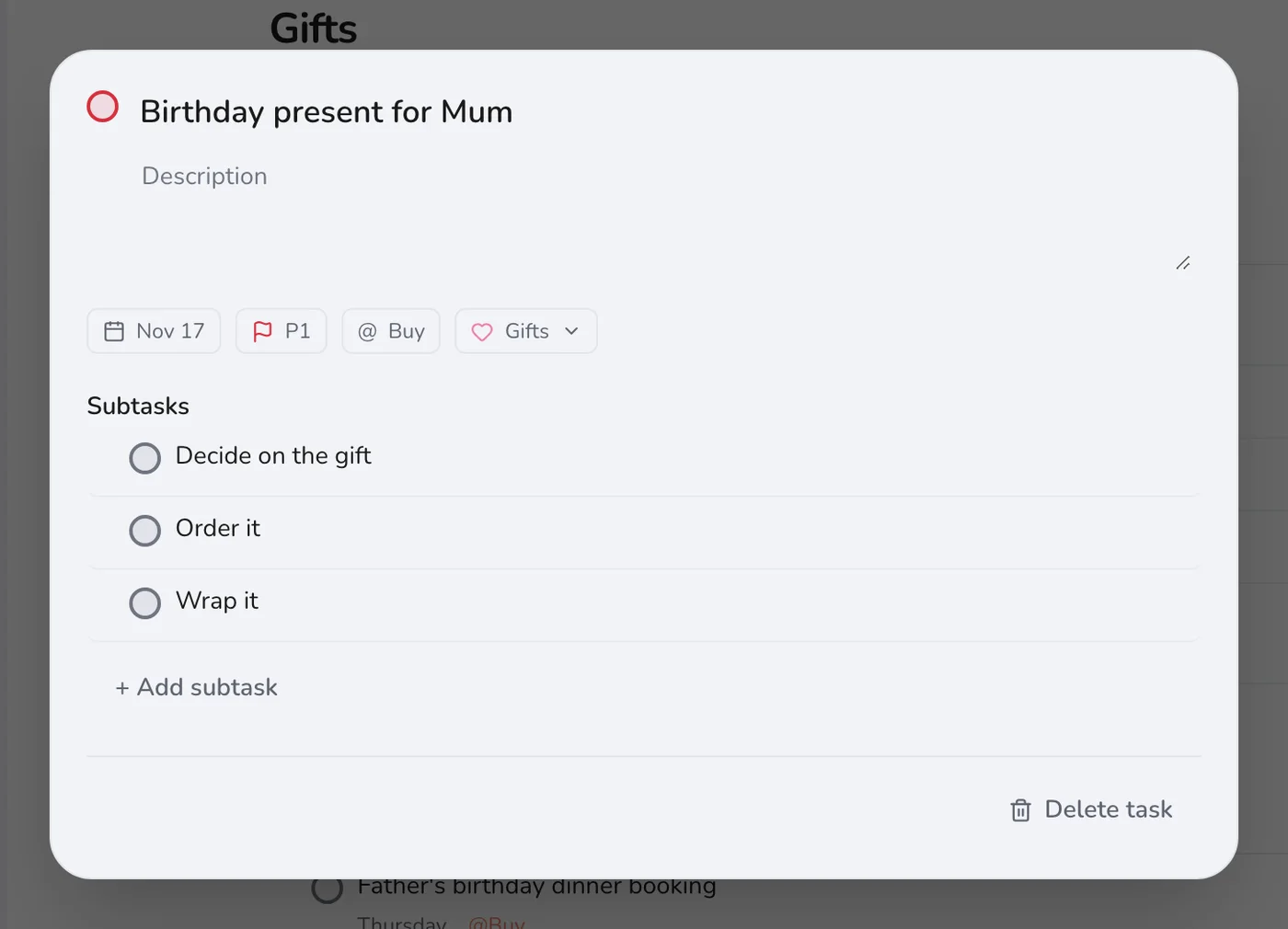
A good gift has several steps: decide, order, wrap. Open the task and add them as subtasks, and set the main date to when it has to be in your hands.
Step 3
See all your shopping at once
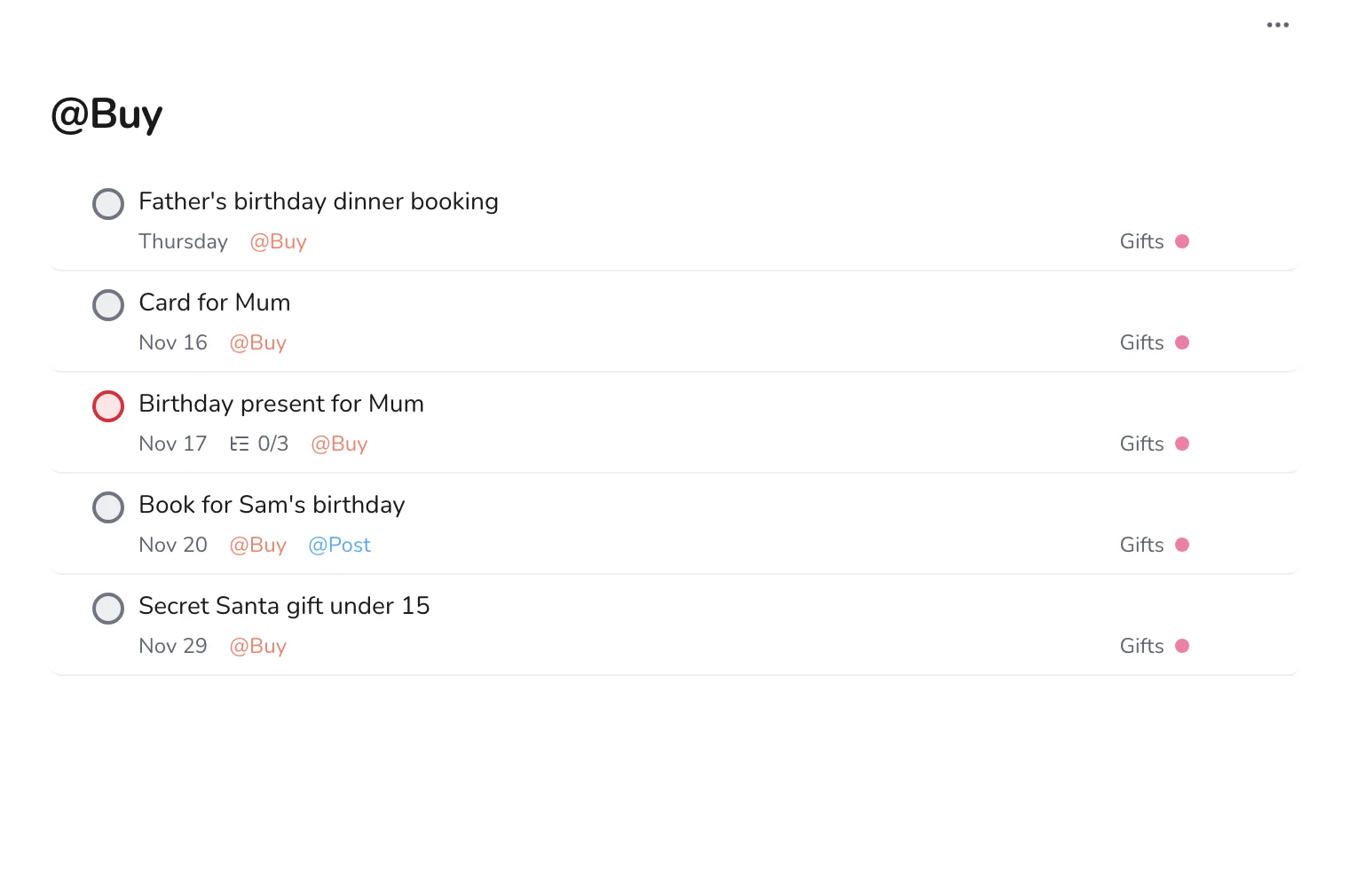
Add Buy to every purchase. Open the label before a shopping trip, and you can do all the gifts in one go.
Step 4
Post early
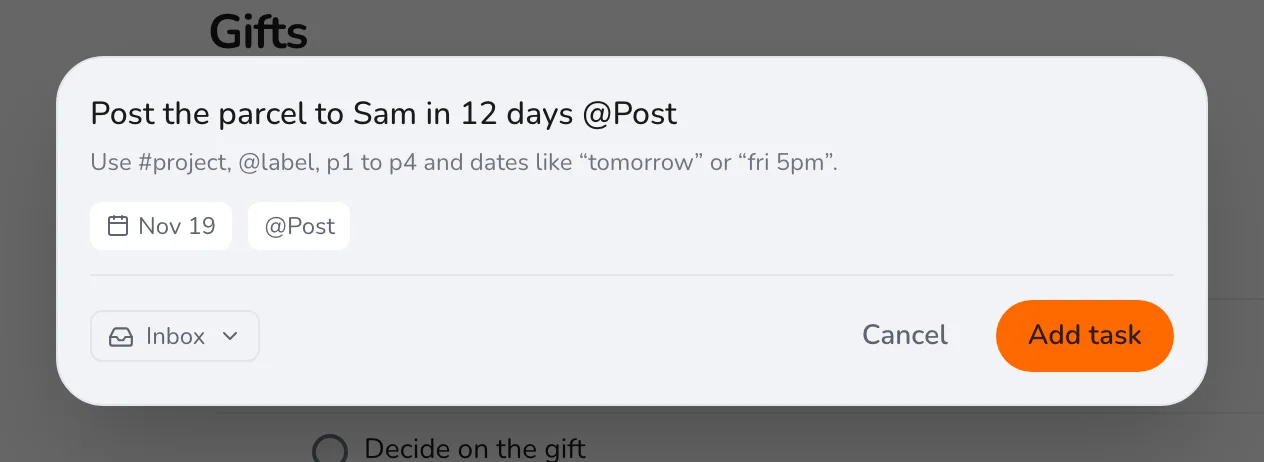
If something has to be posted, add the Post label and set the date a week before the birthday. Delivery is the part you cannot control.
Add ideas as soon as you have them, even without a date: a note now saves an hour of thinking later. For other personal projects, see planning a trip.