Jinnoro
Guides · Teachers · 6 min read
Run a private tutoring practice
Keep each student, each lesson plan and each invoice in one place, with labels for prep, invoices and waiting.
Tutoring is a small business: several students, each with their own goals, lessons to prepare, invoices to send, and parents to hear from. Without a system, the admin eats the hours you could spend teaching.
This guide uses a project per student, a Business project for the money, and the labels Prep, Invoice and Waiting For.
Step 1
Give every student a project
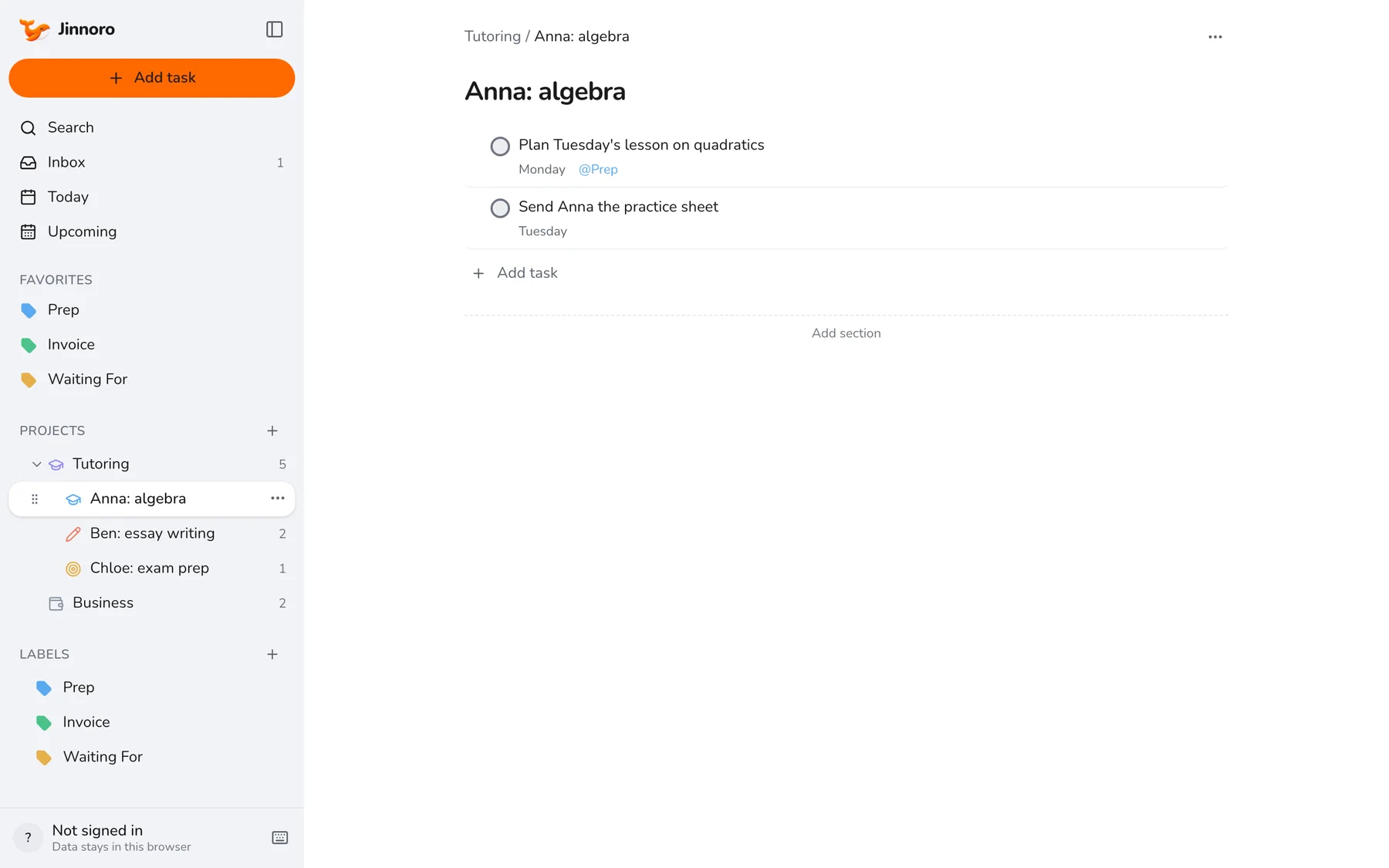
Make a folder called Tutoring with a subproject for each student, named with the subject, such as Anna: algebra. Add the lesson plans, homework and follow-ups there, so everything about a student is in one place.
Step 2
Prepare with the Prep label
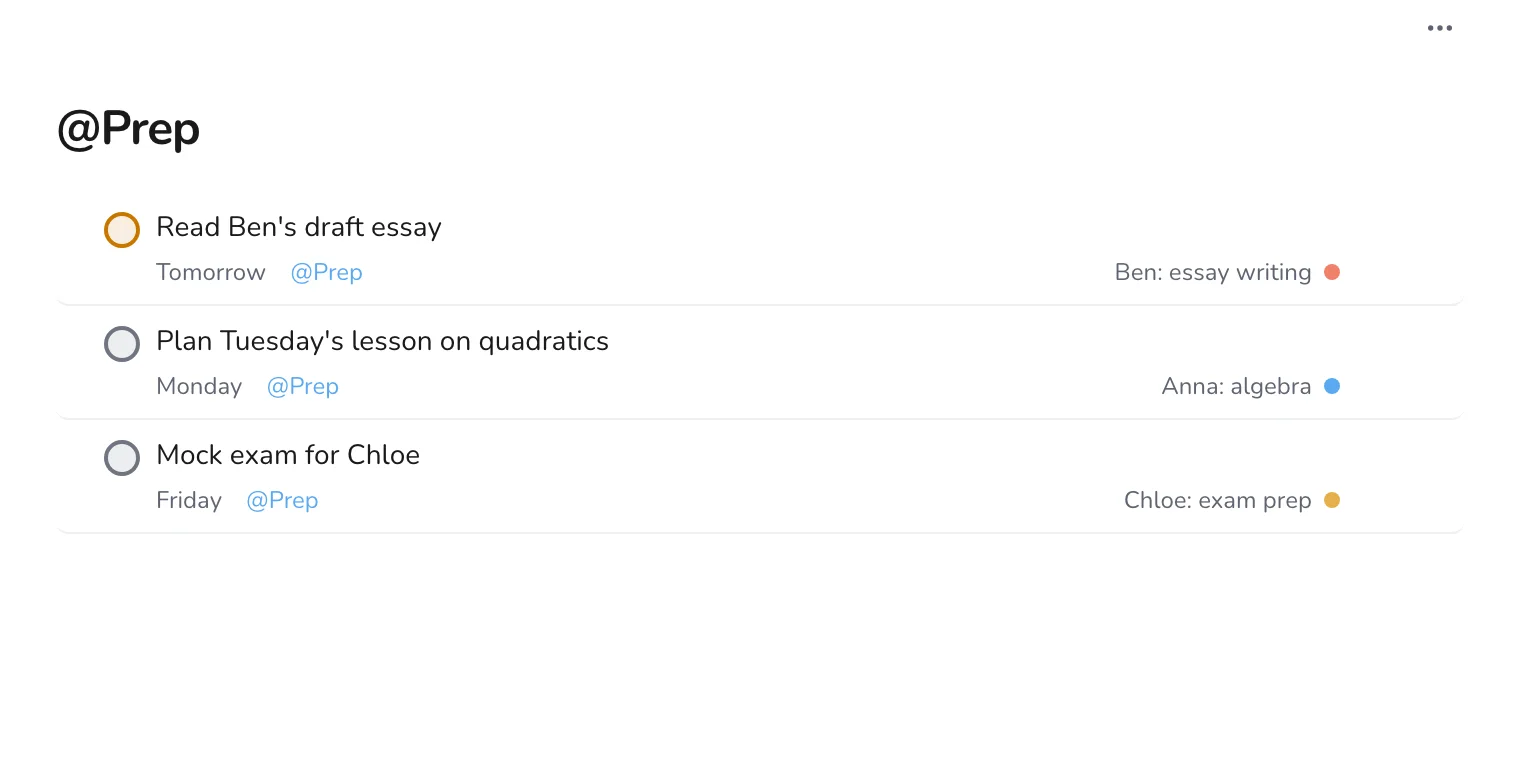
Put Prep on each lesson you have to plan, with the date of the lesson. When you sit down for an hour of planning, open the label and work through the list.
Step 3
Track invoices and payments
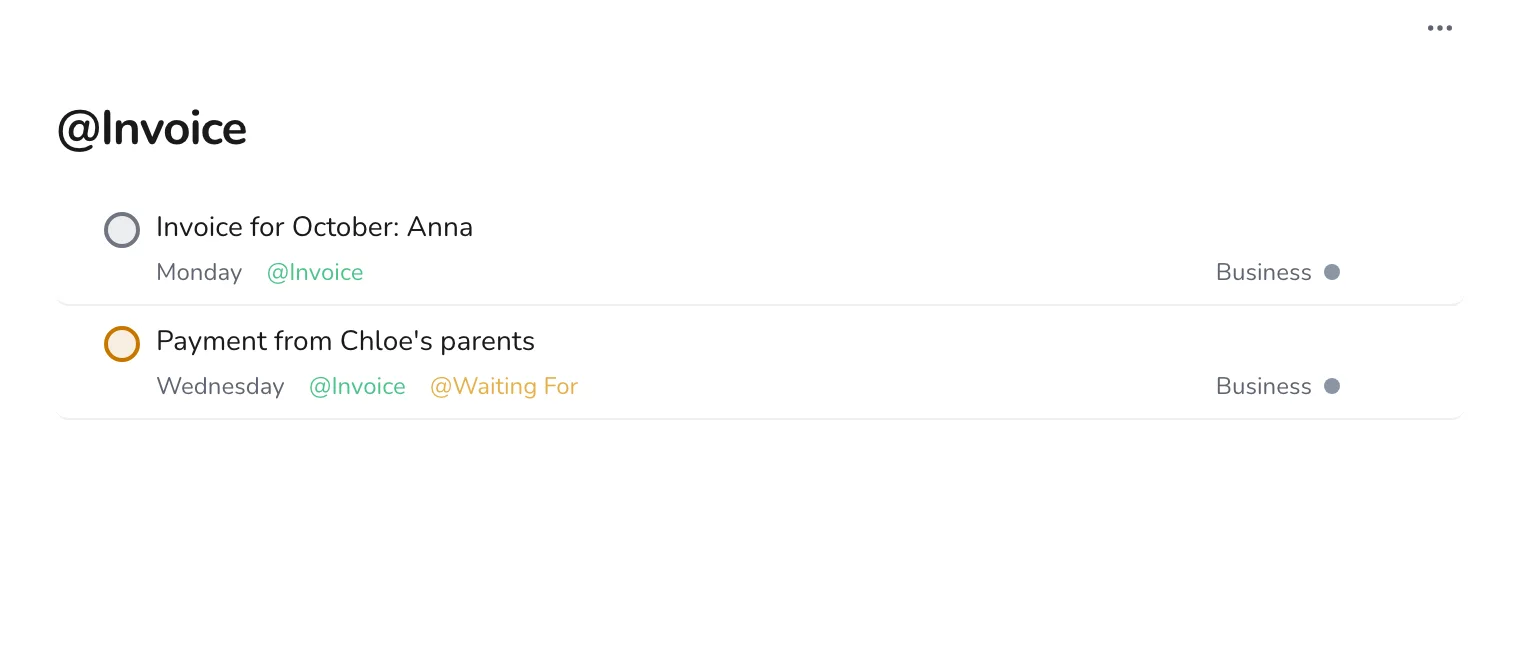
Create Invoice and put it on every task about sending or receiving money. Add Waiting For to payments you expect, with the date you will ask.
Step 4
Capture new enquiries straight away
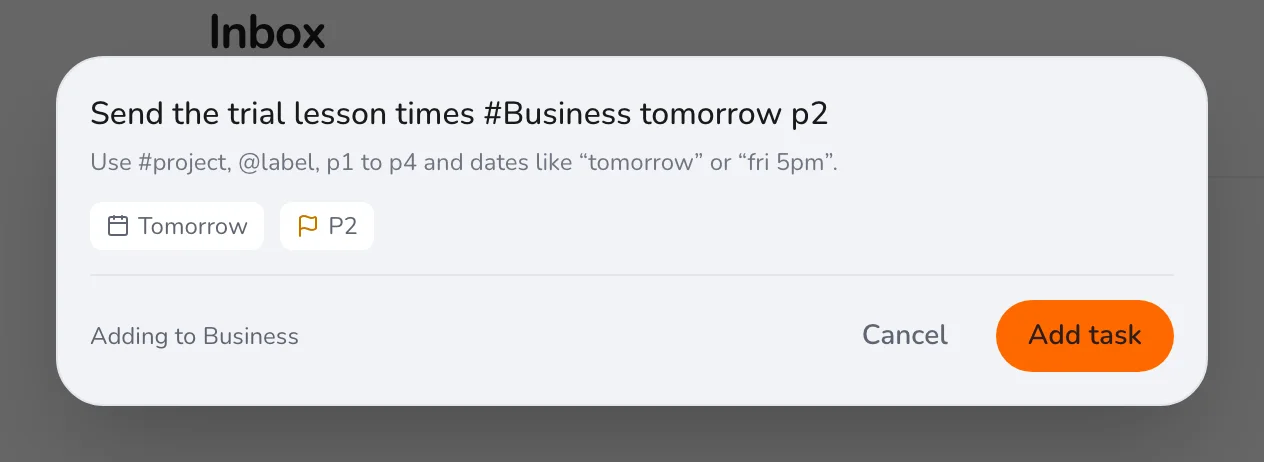
A new enquiry should never wait in your email. Press Q, write a line, and process it in the evening.
Once a week, open the Invoice and Waiting For labels together and send what is due. If you teach in a school as well, see planning lessons and grading.