Jinnoro
Guides · Students · 7 min read
Write a thesis or research paper, one section at a time
Break a thesis into chapters as subprojects, with tasks, subtasks and a Waiting For list for supervisor feedback.
A thesis is too big to hold in your head, and too big to put on a single to-do list. The way through is to make it a folder, with one project per chapter, and always know the next small step on each.
This guide builds that structure, and adds two labels: Writing and Reading for the kind of work, and Waiting For for everything that depends on your supervisor, ethics committee or anyone else.
Step 1
Make the thesis a folder with one project per chapter
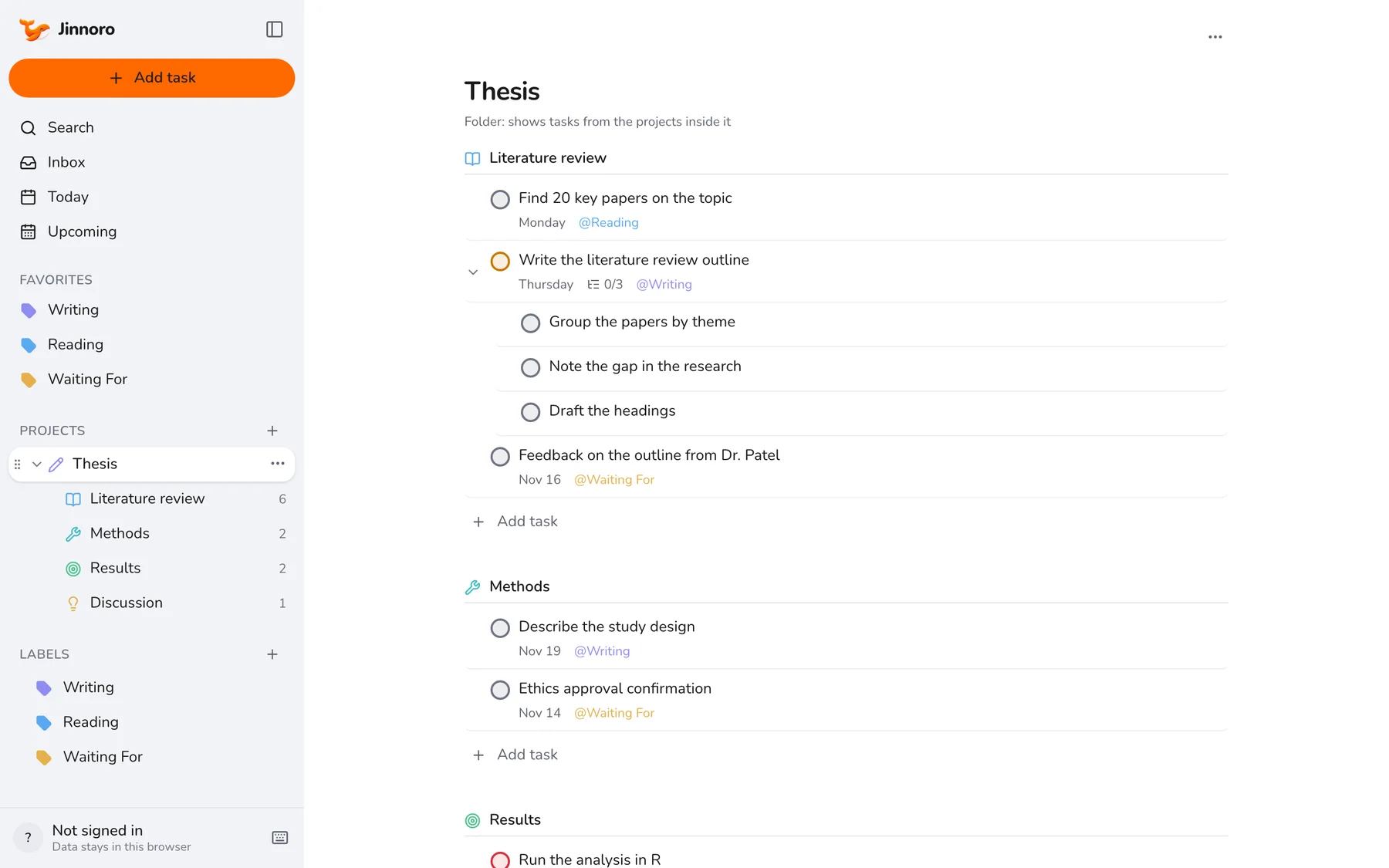
Create a project called Thesis, then add subprojects Literature review, Methods, Results and Discussion. Open Thesis and you see the tasks of every chapter on one page, with each chapter's heading above its tasks.
Step 2
Turn each chapter into small, concrete tasks
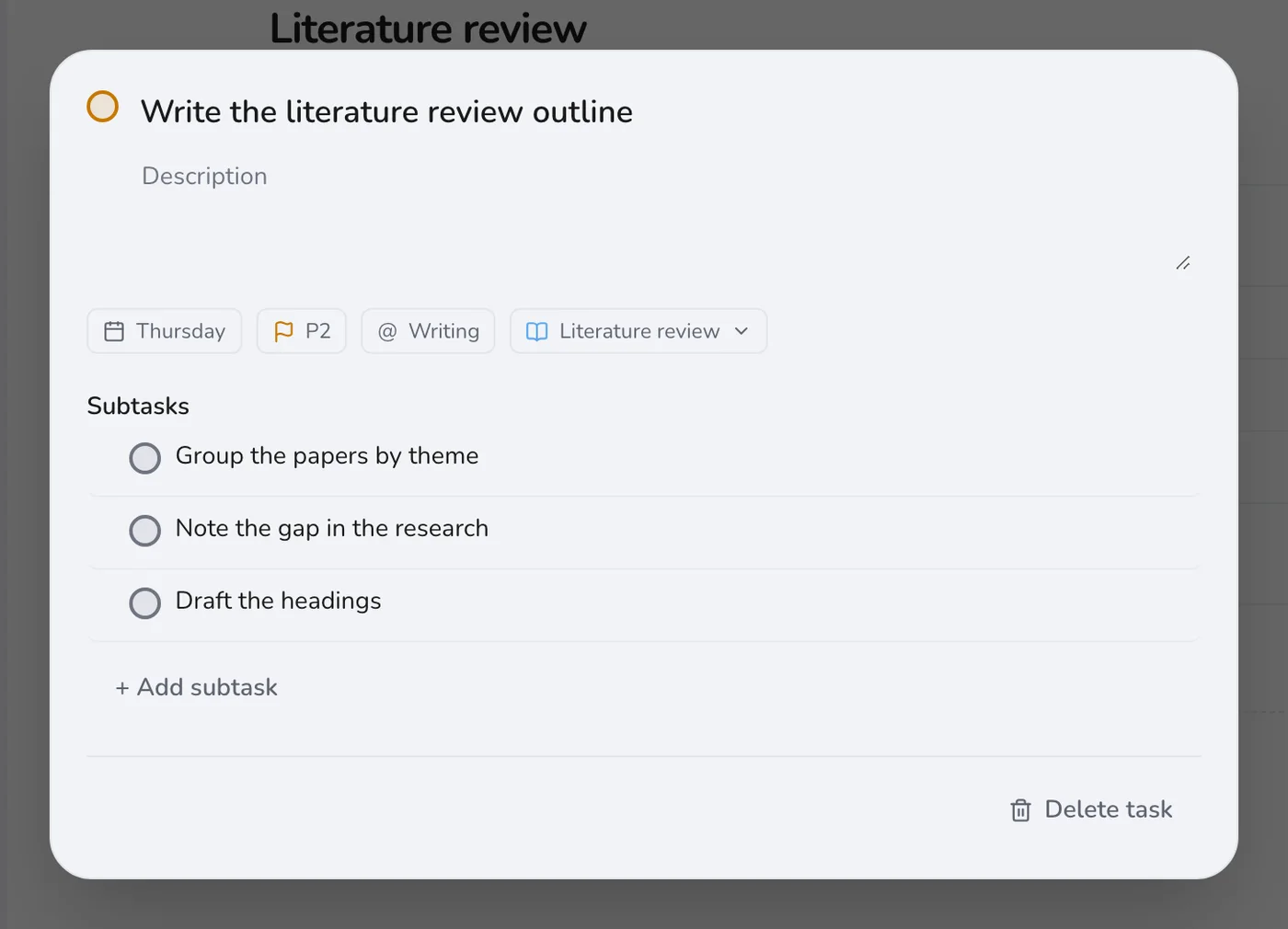
“Write the literature review” is not something you can start on a Tuesday afternoon. “Group the papers by theme” is. Open a chapter task and add subtasks until each one is something you can finish in one sitting.
Step 3
Keep a Waiting For list for your supervisor
Every thesis has stalls: feedback from your supervisor, ethics approval, access to a dataset. Mark those tasks with Waiting For and give them a date for when you will follow up.
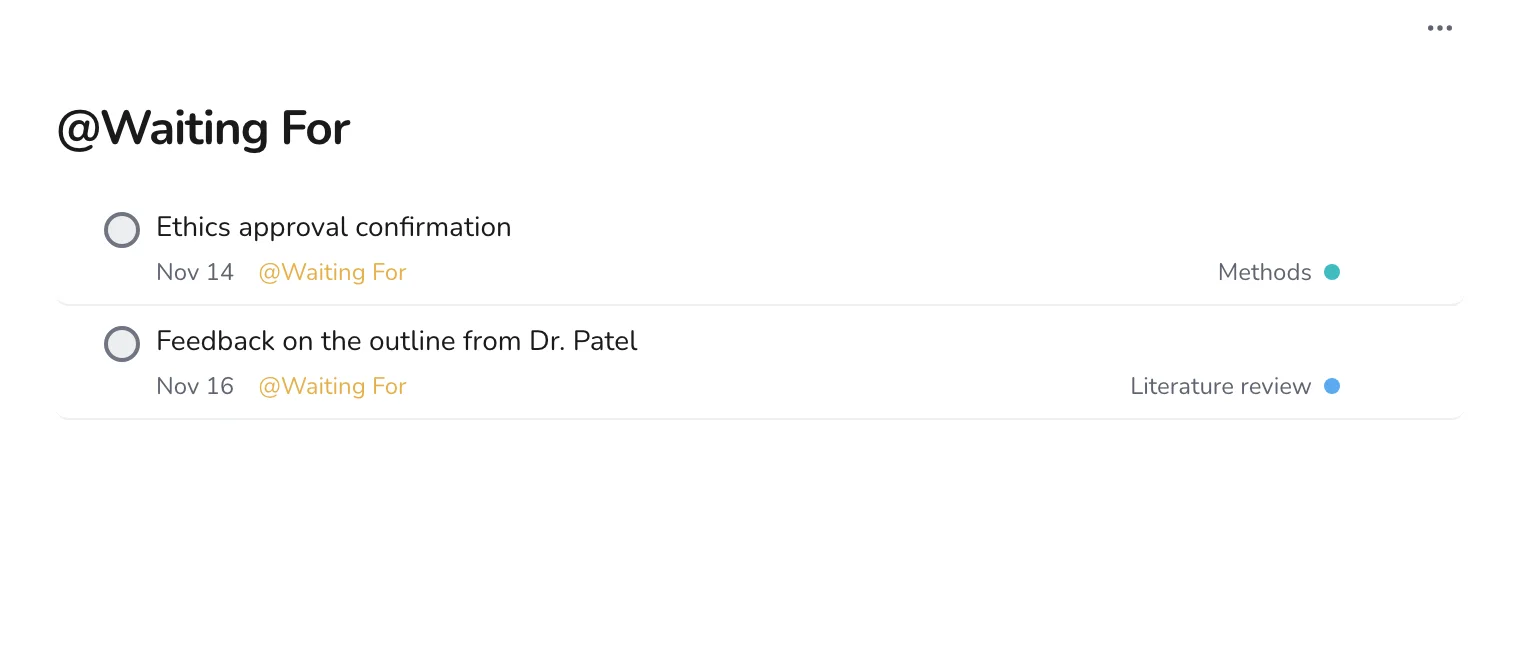
Tip. Write these tasks from your point of view: “Feedback on the outline from Dr. Patel”, not “Chase Dr. Patel”. It reads as a state you can check.
Step 4
Review the calendar every week
Open Upcoming once a week. It shows what is due across every chapter, so you can see when two heavy tasks fall in the same week and move one of them.
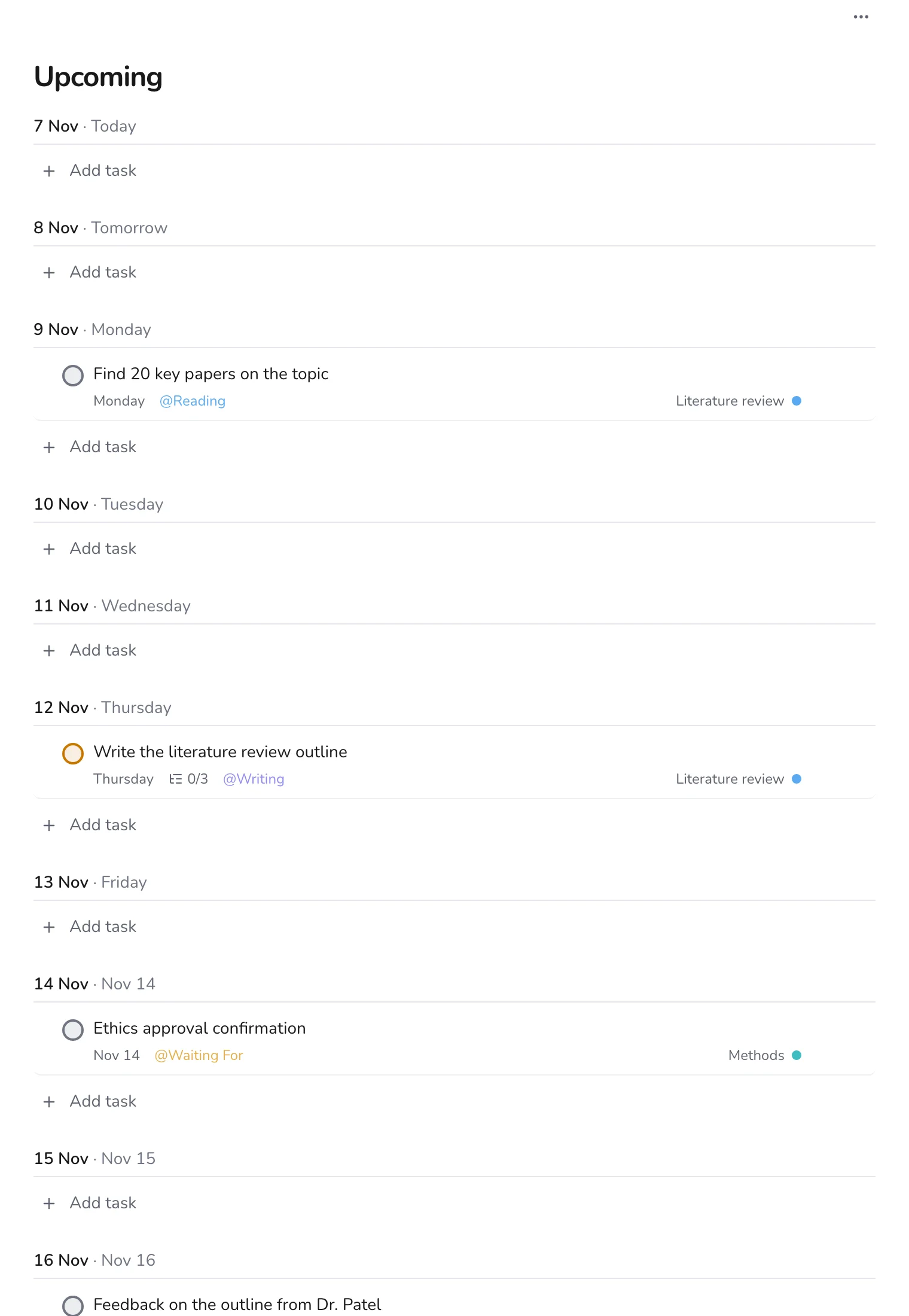
A thesis moves slowly, so the aim is a steady rhythm: one writing task a day, a weekly look at Upcoming, and a follow-up on everything in Waiting For. If you read a lot, pair this with a reading list.