Jinnoro
Guides · Students · 5 min read
Track scholarships and funding deadlines
Keep every scholarship's essay, documents and deadline in one folder, so you never miss a form or a signature.
Scholarships reward the people who submit complete applications on time, and most of the work is administrative: forms, transcripts, letters, signatures. Each one has its own deadline, and many depend on someone else.
This guide gives you one Scholarships folder, a project per type of award, and labels for Essay, Documents and Waiting For.
Step 1
Create a folder and group scholarships by type
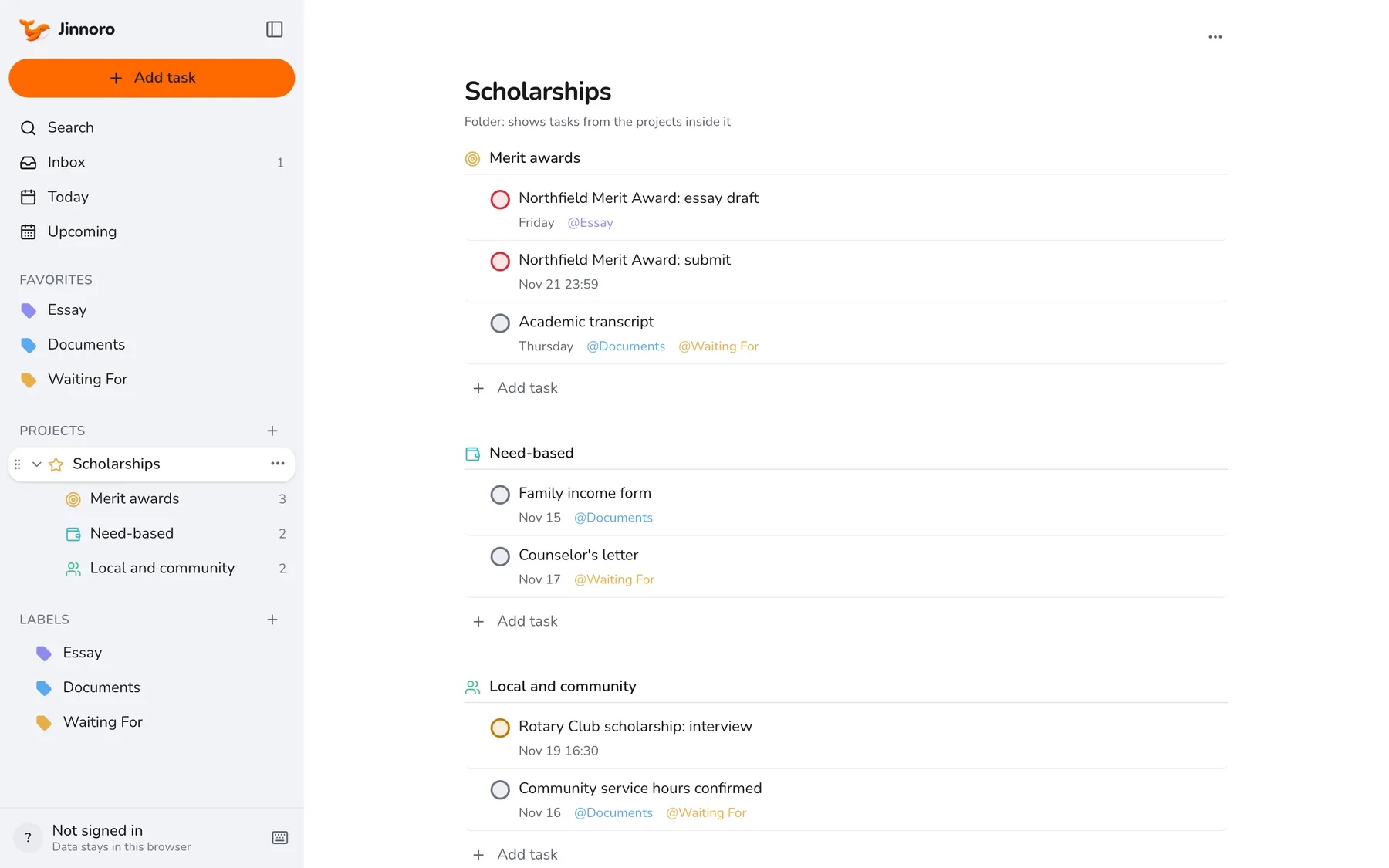
Make a project called Scholarships and add subprojects for the kinds of awards you are applying to, such as Merit awards, Need-based and Local and community. Add one task per scholarship step, starting with the name of the award.
Step 2
Label the documents you have to collect
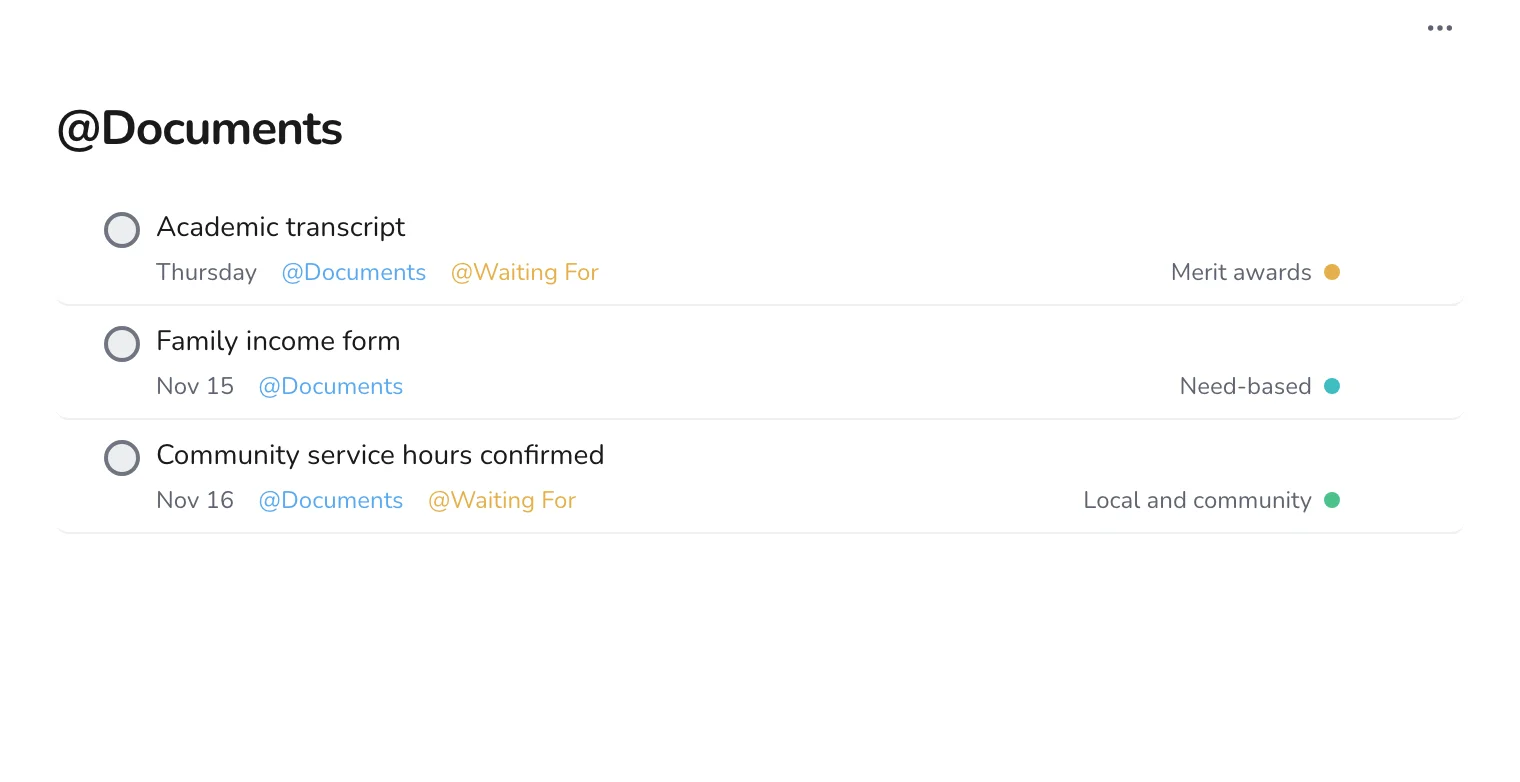
Most applications ask for the same papers. Create a Documents label and add it to every task about a transcript, a form or proof of something. When you collect a document once, you can use it for several applications.
Step 3
Check what you are waiting for
Add Waiting For to anything another person has to provide, such as a counselor's letter or a signed form, and put a date on it for when you will ask again. Do not use the scholarship deadline: you want to chase well before it.
Tip. Start the chase two weeks before the deadline. People are slower than you expect.
Step 4
Look at the next weeks in Upcoming
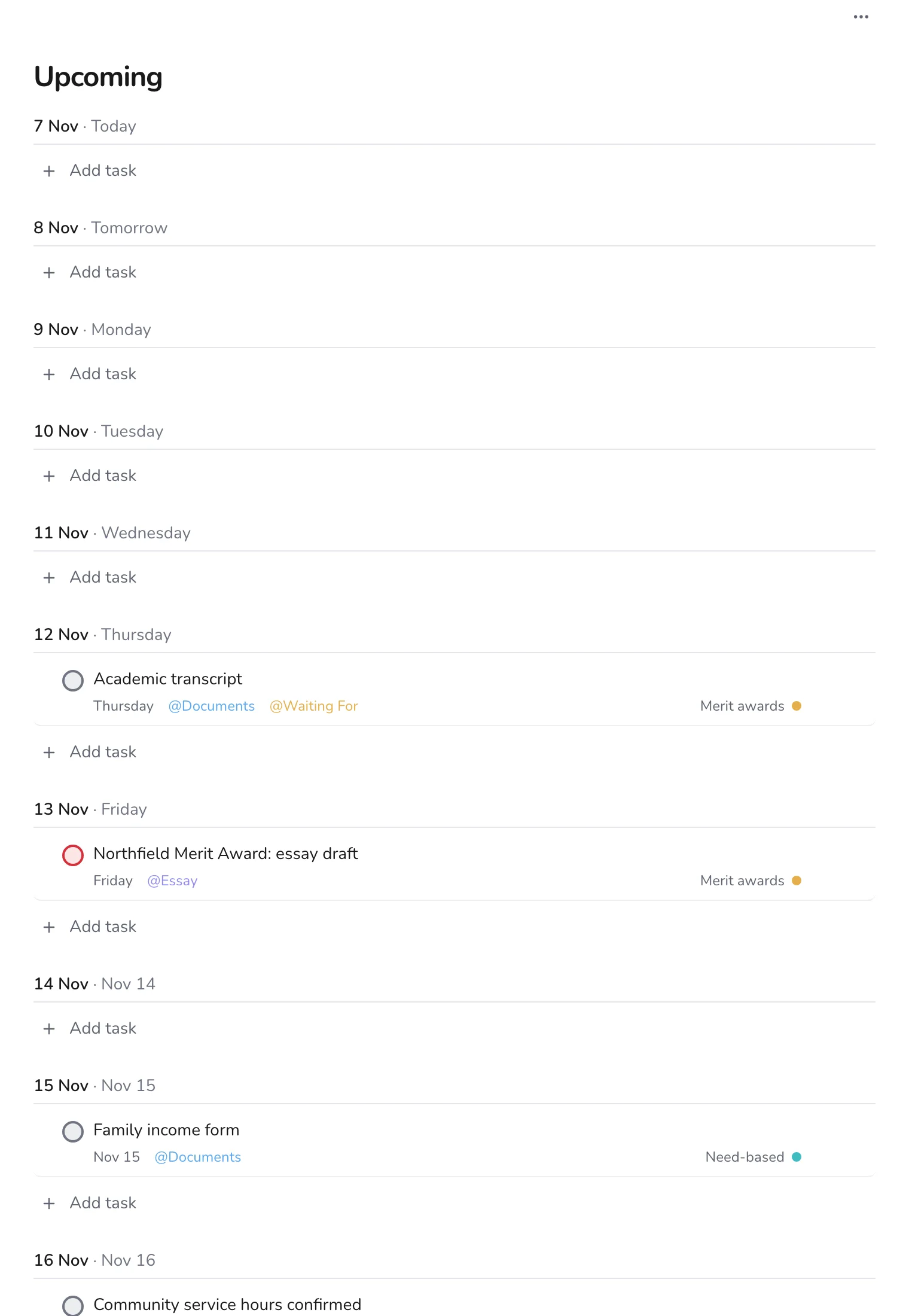
Open Upcoming to see every scholarship task in date order. Two deadlines on the same day are easy to spot, and you can move the work for one of them earlier.
Step 5
Add small tasks as you think of them
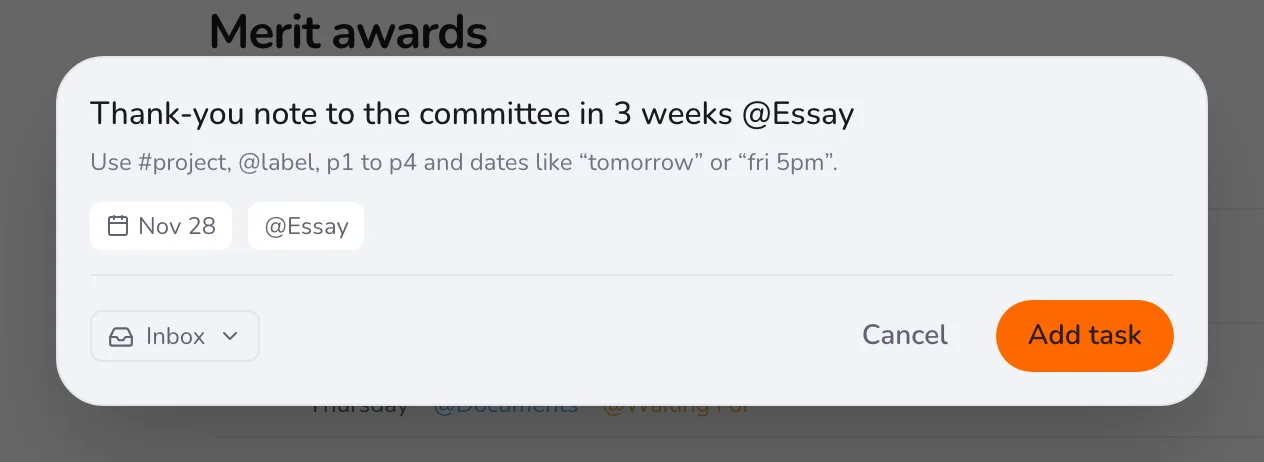
Press Q and use # to name the scholarship project, a date, and a label. Even a thank-you note belongs in the plan.
After you submit, check the task off and keep the project: many scholarships ask for the same material next year. For applications to schools, see tracking college applications.