Jinnoro
Guides · Personal · 5 min read
Keep on top of bills, taxes and paperwork
Know what to pay and when, prepare your taxes in steps, and keep a list of the documents you are waiting for.
Money admin is boring, and that is why it gets forgotten. The remedy is not willpower, it is a list: what has to be paid, what has to be filed, and what you are waiting to receive.
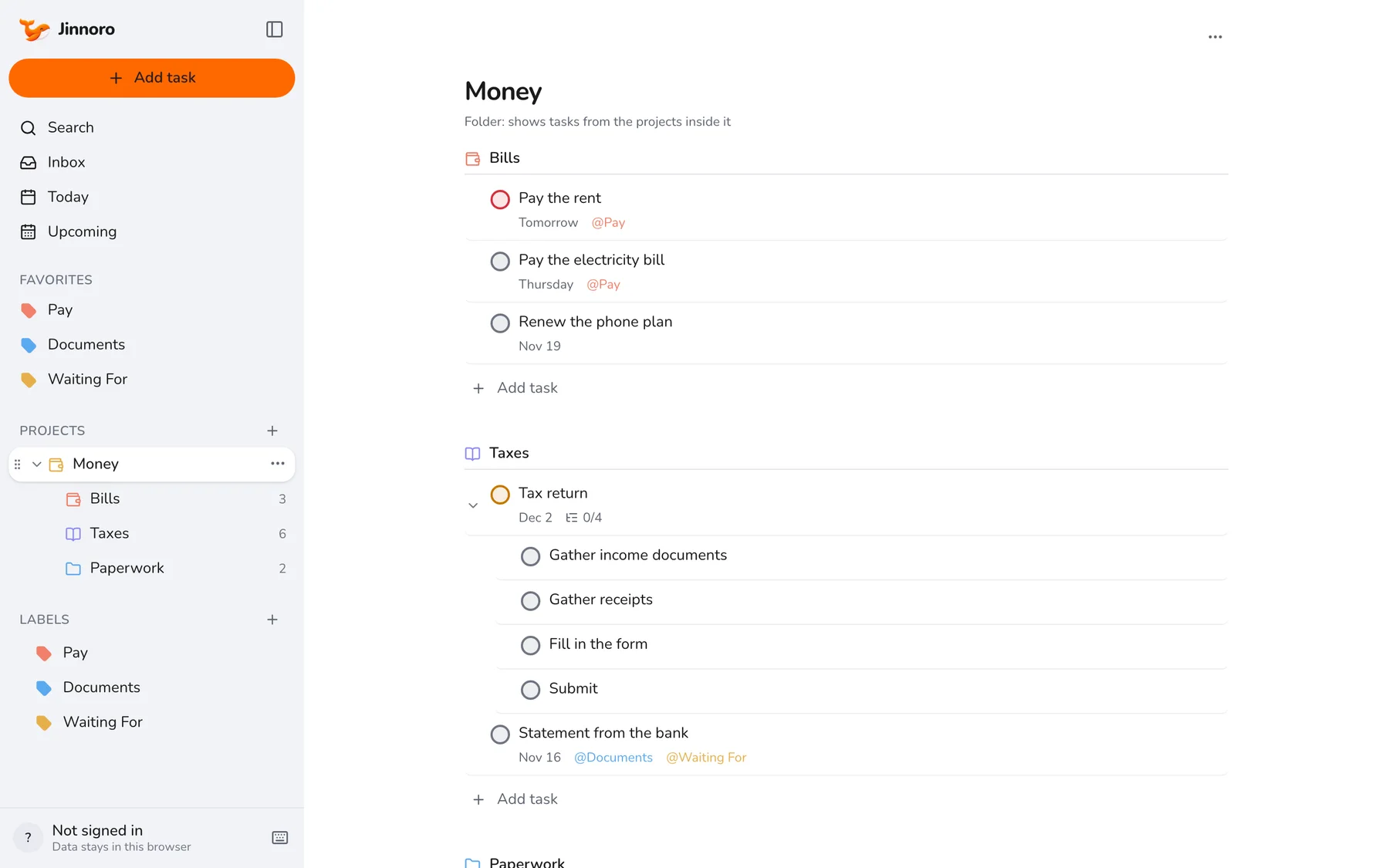
This guide builds a Money folder with three projects, and adds the labels Pay, Documents and Waiting For.
Step 1
Make a folder with three projects
Create Money with the subprojects Bills, Taxes and Paperwork. Put each payment, form and filing into one of these.
Step 2
Put a date on every payment
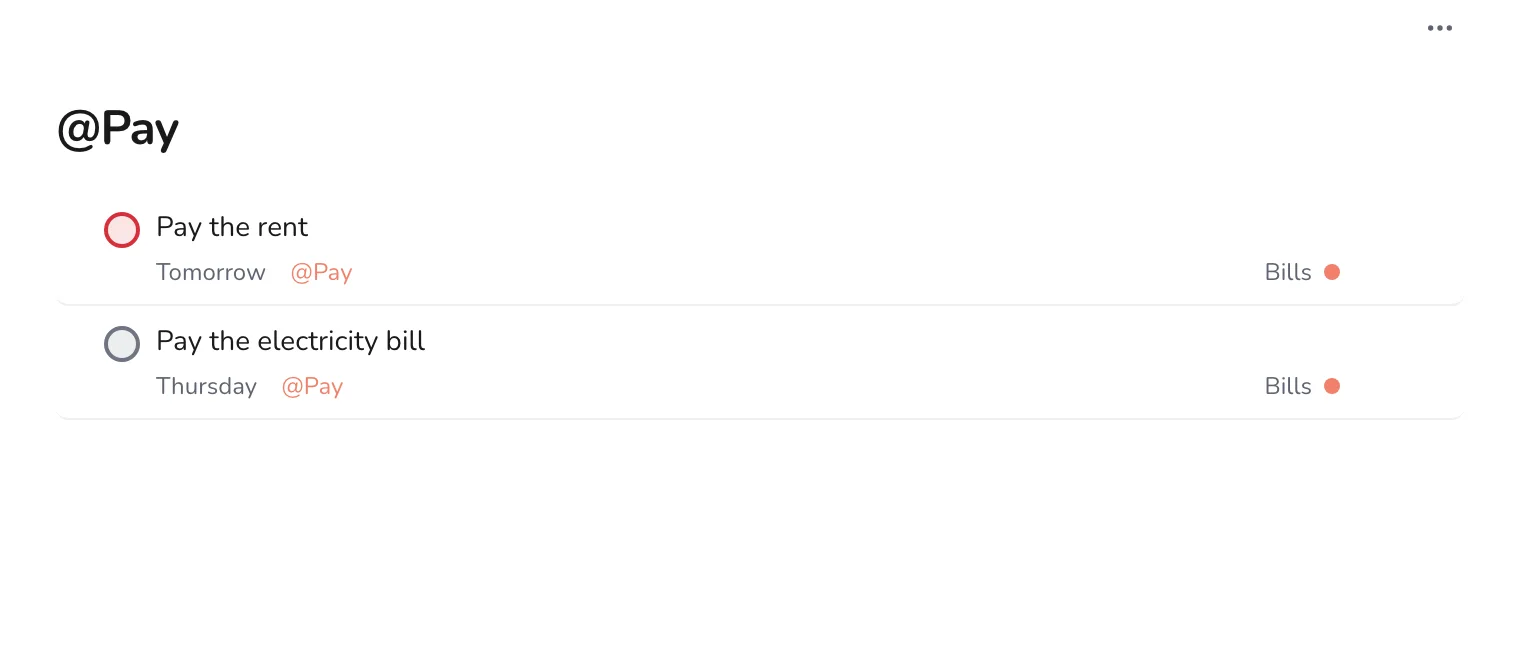
Add each bill as a task with its due date and the label Pay. Set the date a few days before the real deadline, so you pay on time even when you are busy.
Tip. Jinnoro does not repeat tasks by itself. When you pay a regular bill, add the next one right away.
Step 3
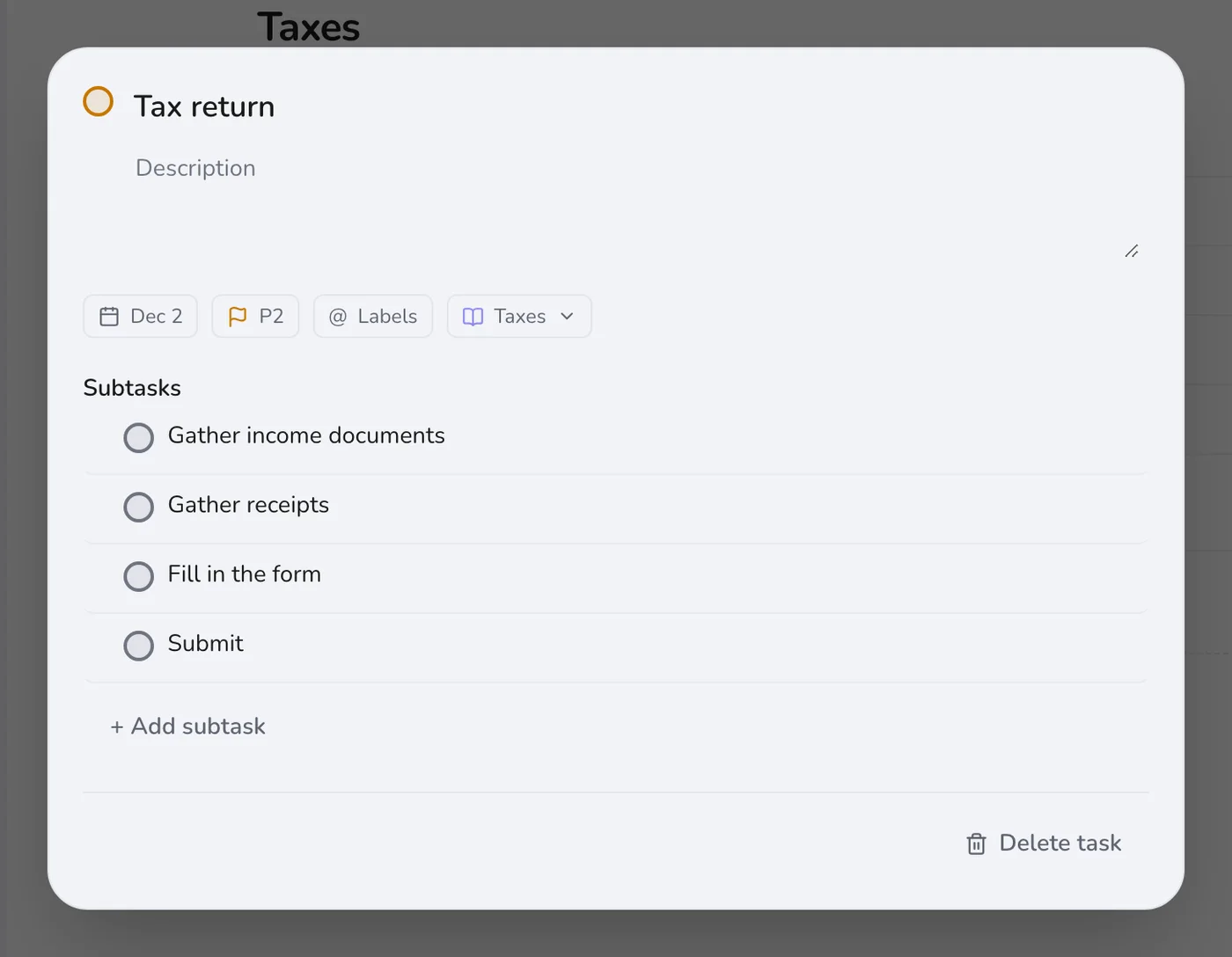
Prepare your tax return in steps
A tax return is a task with subtasks: gather income documents, gather receipts, fill in the form, submit. Set the date on the main task, and give the first step a date a month earlier.
Step 4
Check the next weeks
Upcoming lists what is due in the coming days, across all three projects. A quick look each Sunday is enough to keep everything on time.
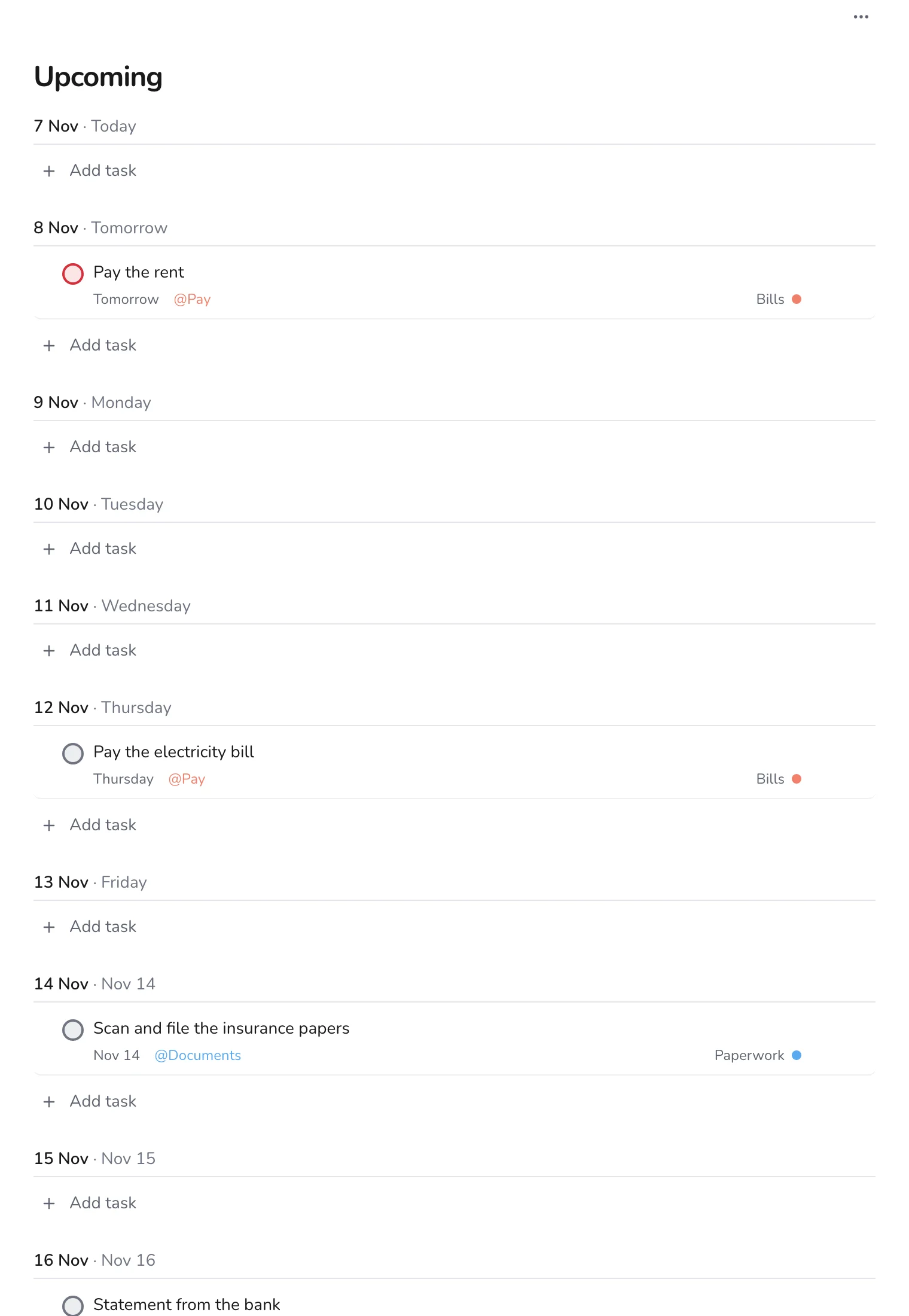
Use Waiting For for statements, refunds and replies from the bank or the tax office, and check the label once a week. For similar routines at home, see a home maintenance checklist.