Jinnoro
Guides · Students · 6 min read
Plan an internship search while you study
Run applications, a CV, and networking side by side without letting the search take over your semester.
An internship search has three strands: applications, your own materials (CV, portfolio, cover letter) and the people you talk to. It also happens during a busy semester, so it has to run on small steps.
This guide builds one folder with three projects, and uses the labels Reach out, Follow up and Waiting For.
Step 1
Create the folder and its three projects
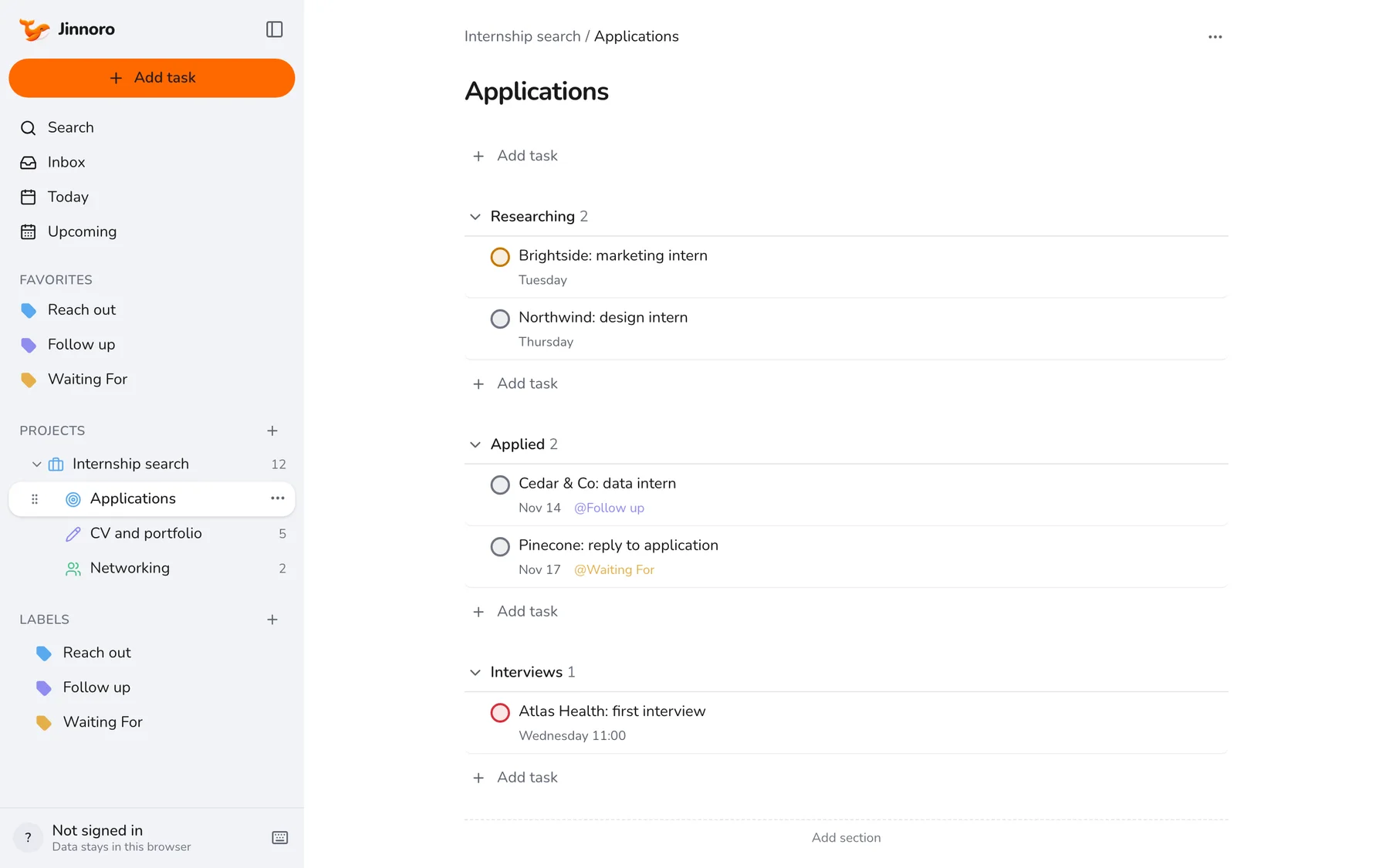
Make Internship search with the subprojects Applications, CV and portfolio and Networking. In Applications, add sections Researching, Applied and Interviews.
Step 2
Move applications through the stages
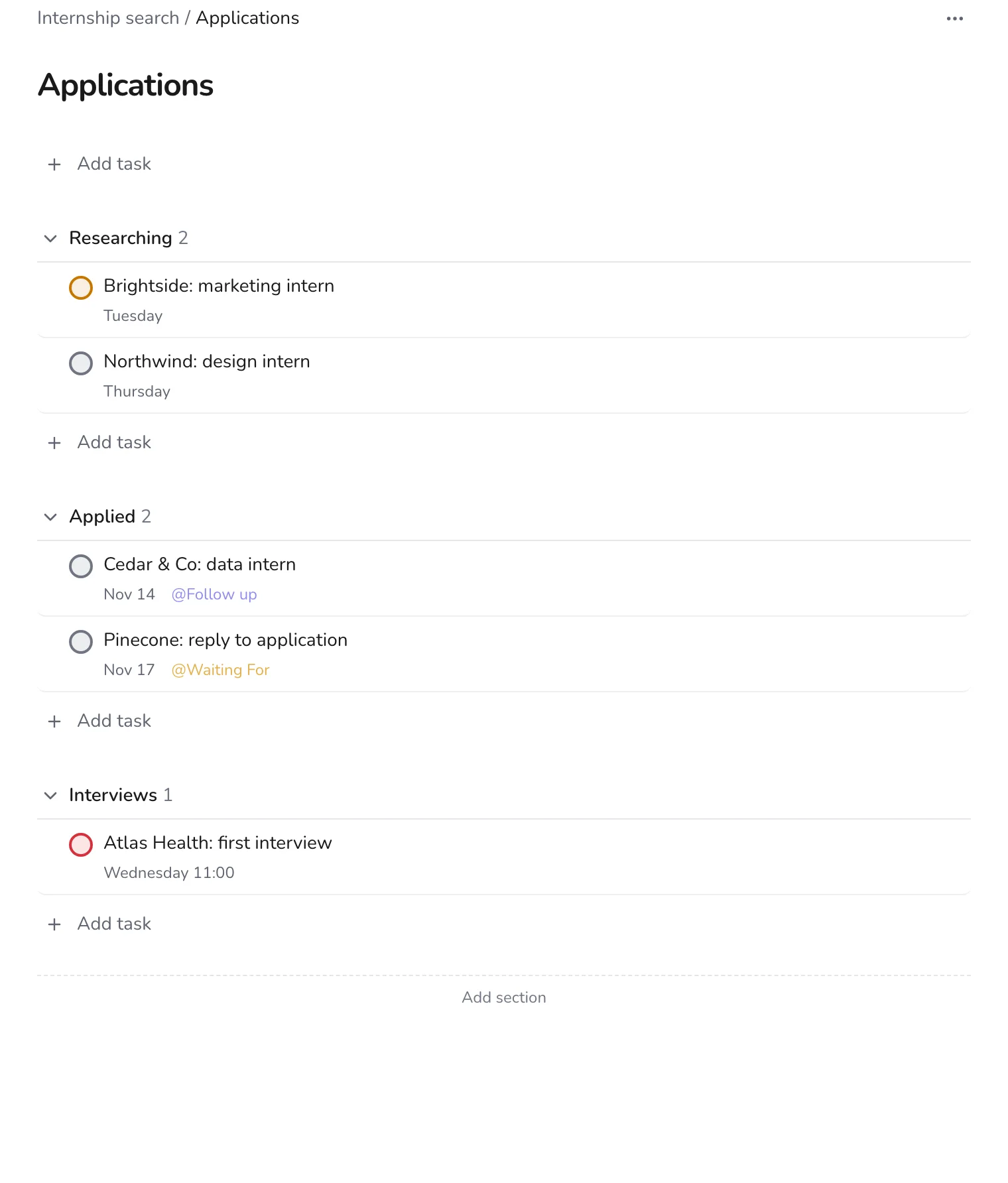
Add a task for each company and role. When you apply, drag it from Researching to Applied. When you get an interview, drag it again and set the date and time on the task.
Step 3
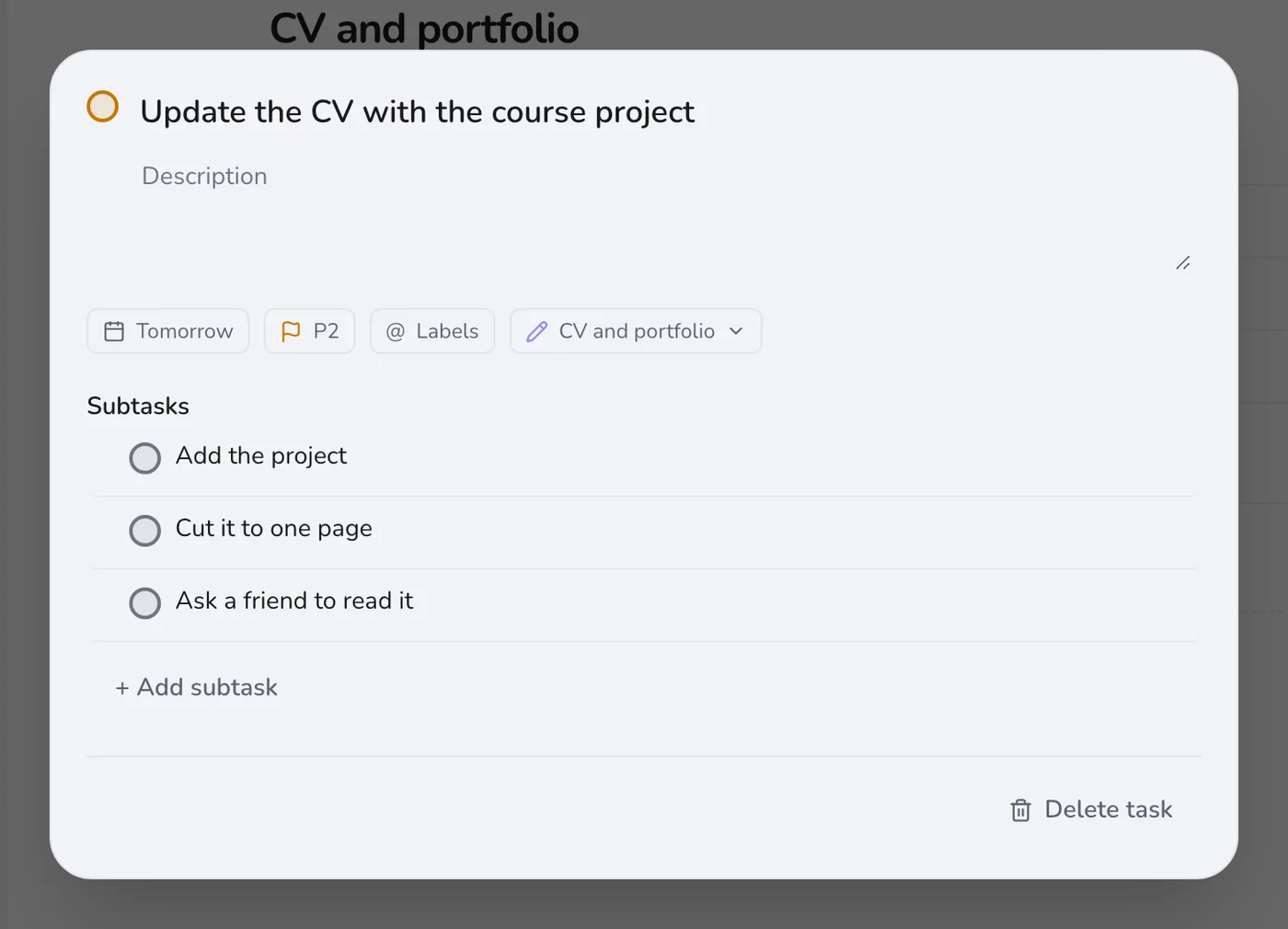
Improve your materials with subtasks
“Update the CV” is a task you postpone forever. Break it down: add the new project, cut it to one page, ask a friend to read it. Each can take 20 minutes.
Step 4
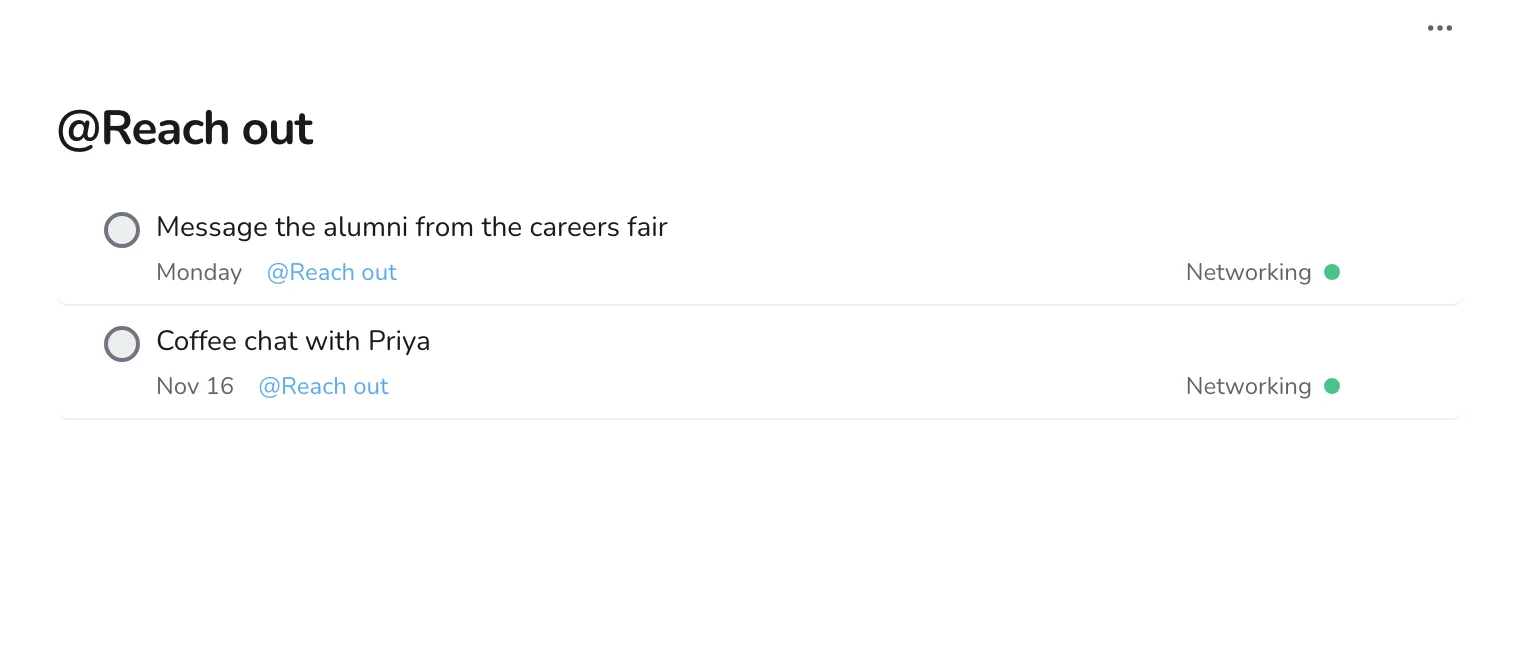
Keep networking as a list of small asks
Create a Reach out label for every message you intend to send, and a task for each coffee chat. A short list of people you will contact this week is more useful than a long list of everyone you know.
Spend an hour a week on this, and use Follow up for any application where you have not heard back after a week. For a full-time job search, see tracking a job search.