Jinnoro
Guides · Students · 4 min read
Survive exam week day by day
Lay out each day of exam week with the exam, the study blocks and the rest, so you always know what is next.
Exam week is a sprint, and during a sprint you do not want to decide anything. The best preparation is to decide everything the weekend before: when each exam is, what you study around it, and when you rest.
This guide builds a day-by-day plan in one project, with the labels Exam, Study and Rest.
Step 1
Make a project with a section for each day
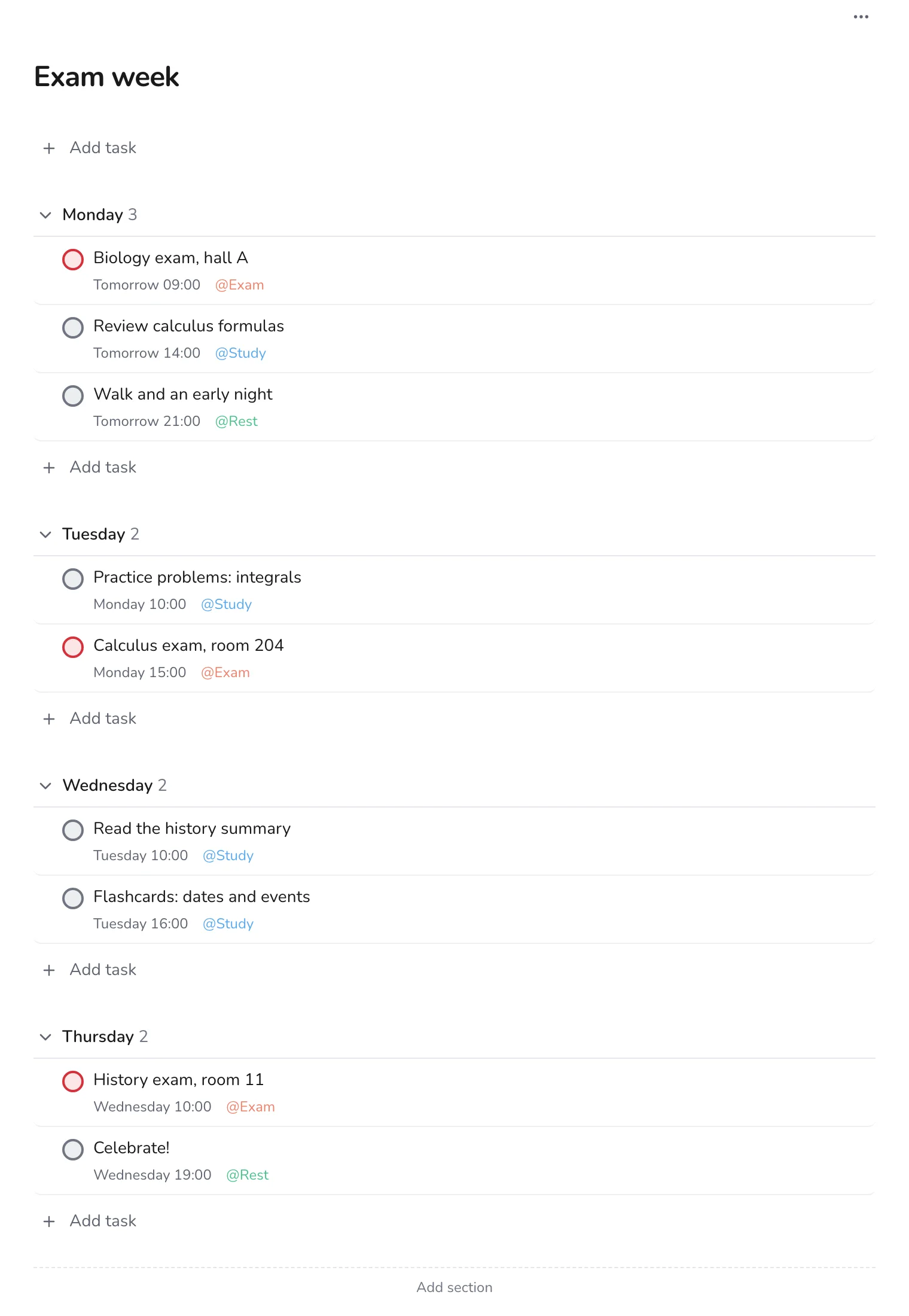
Create a project called Exam week with a section for each day, from Monday to Thursday. Add the exams first, with their time and room, and mark them p1.
Step 2
Fill in study blocks around the exams
Look at what each exam needs, and add study blocks the day before and the morning of. Give each block a time, so the day has a shape. Two or three blocks of an hour or two are more realistic than a whole day of work.
Tip. Study for the next exam in the evening after the one you just took, not the exam you have finished.
Step 3
Put rest in the plan
Add tasks like Walk and an early night with the Rest label. A plan with no breaks is a plan you will drop on Tuesday.
Step 4
See the week in Upcoming
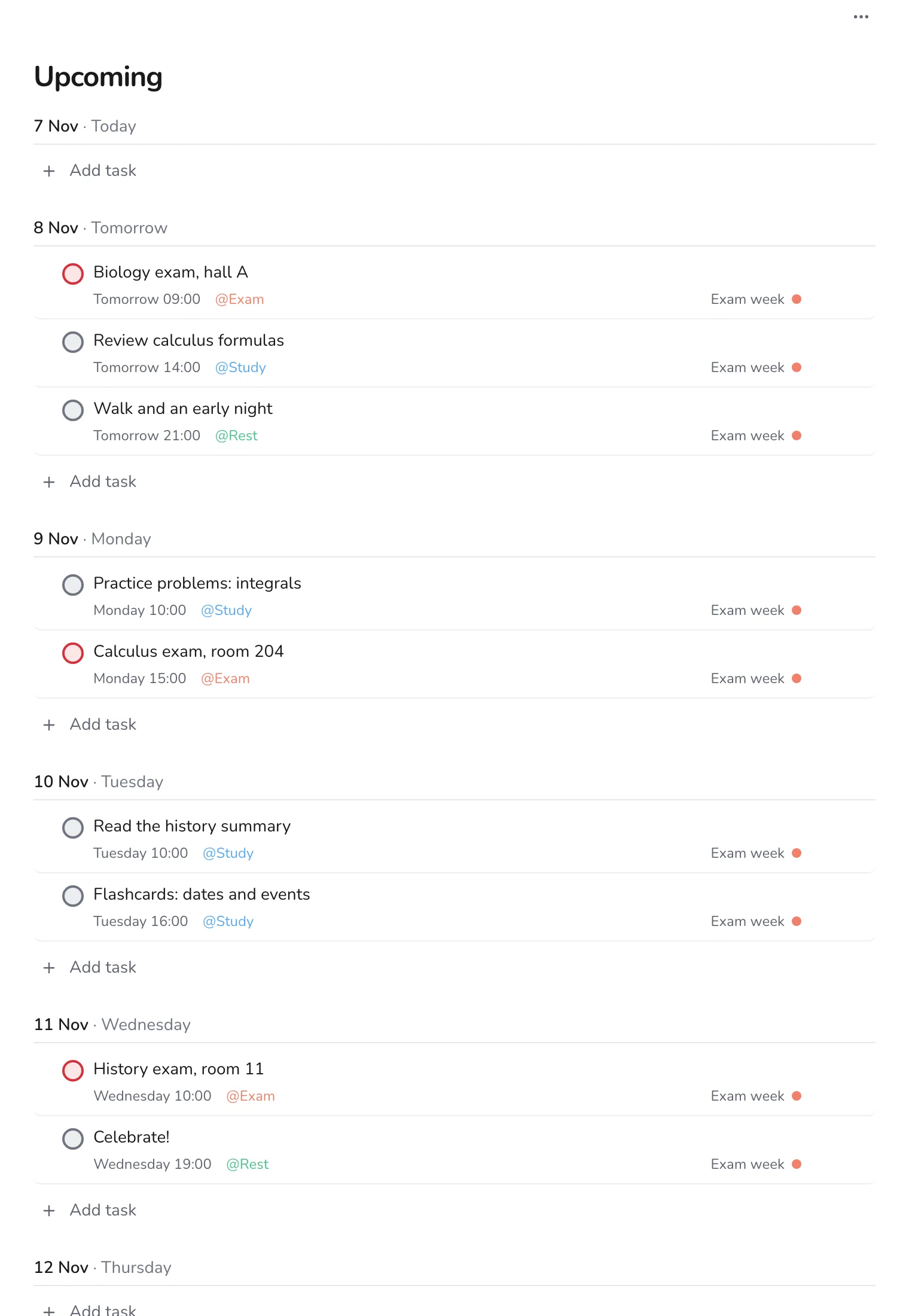
Open Upcoming to see your exam week next to everything else that is due. Anything that is not an exam and not essential can move to the next week.
Step 5
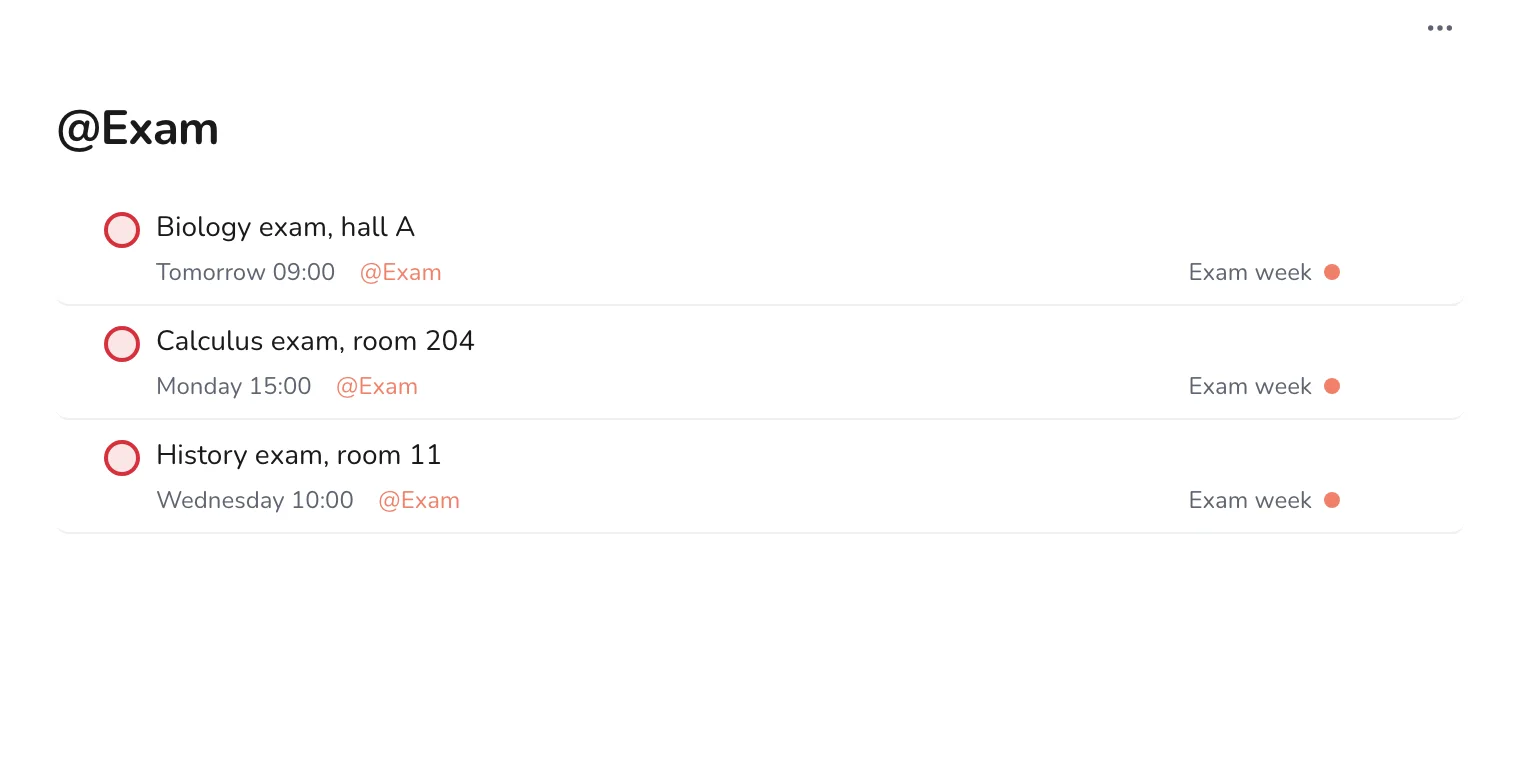
Keep an eye on your exams only
Open the Exam label to see your exams on their own. It is a good screen to check the night before, to be sure of the room and the time.
Step 6
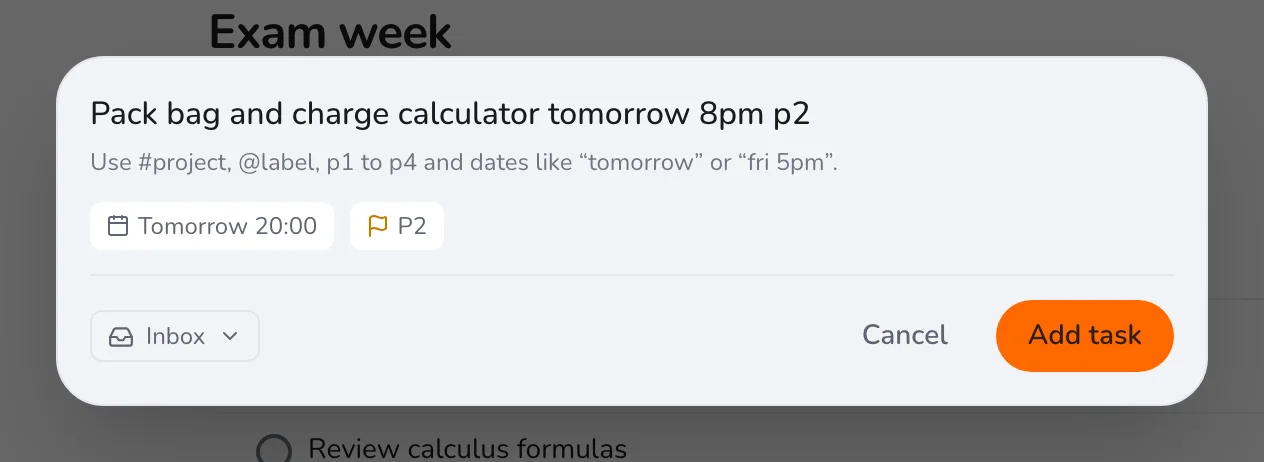
Add last-minute tasks
Press Q to add things you forgot, such as charging a calculator.
When the last exam is over, check off the project and take the evening off. For the weeks before, see building an exam study plan.